






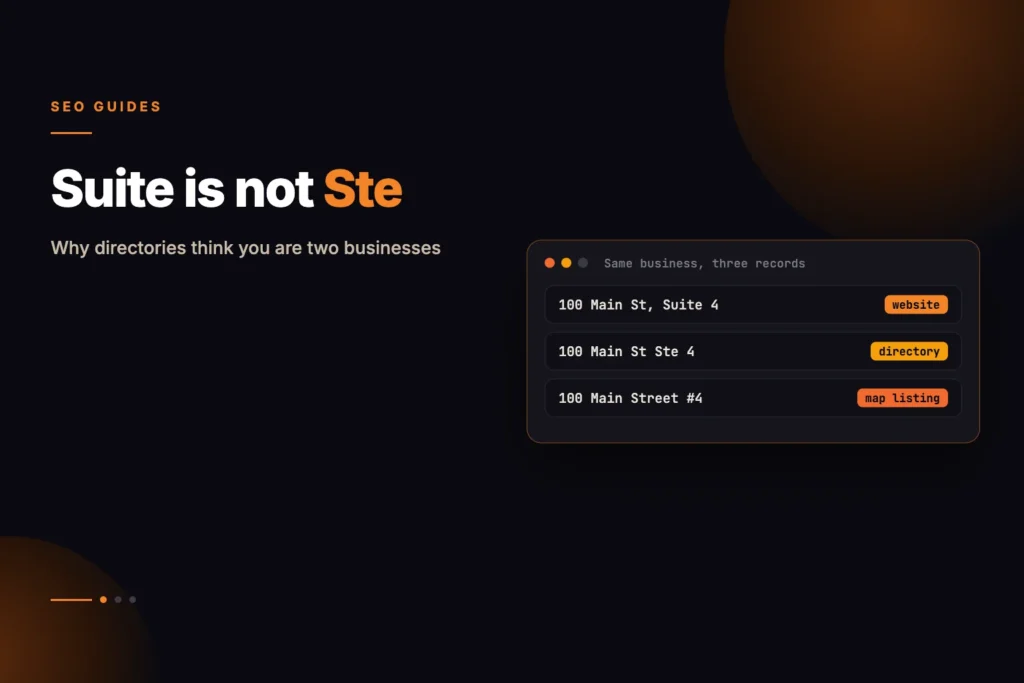
A human reading “Suite 4” and “Ste 4” sees one address. A matching algorithm assembling your business identity from dozens of sources sees two records that disagree. When records disagree the entity fragments, and a fragmented entity performs worse than a single consistent one.
Does “Suite” versus “Ste” really matter for local SEO?
It can. Directories, aggregators and search engines reconcile business records using automated matching, and an abbreviation difference lowers the confidence that two listings describe the same business. It will not wreck your rankings by itself, but it is a cheap, fully controllable inconsistency, so choose one form and use it everywhere. As of October 2026, this is the approach we apply when auditing local listings at MoxSEO.
Machines match on strings, not on meaning
Local search relies on reconciling your details across many sources: your own site, your Business Profile, directories, review platforms and data aggregators. Each holds a record, and something has to decide which records describe the same business.
That decision is made on string similarity rather than comprehension. Abbreviations, punctuation in phone numbers, a missing unit number and inconsistent formatting all reduce confidence that two records are the same entity.
It usually starts on your own website
The consistent finding when we test this is how often the inconsistency begins at home, where the structured data says one thing and the visible page says another.
- Schema says Suite 3, the page says Ste 3
- Schema carries a call-tracking number while the page shows the real line
- Schema omits the postcode that appears in the footer
- Two different numbers on the same page with no indication which is primary
If your own two sources disagree, every downstream record inherits that ambiguity.
Testing our own checker against a fixture where the markup said Suite 3 and the page said Ste 3, the first version reported a 100% match, because it normalised the abbreviation before comparing. Technically defensible, practically useless — it was hiding exactly the difference a directory would treat as significant. It now reports both figures separately.
What does an inconsistent set of records look like?
This is a hypothetical example for a business that has the same address written four ways. Each row is one source.
| Source | Address as written | Phone as written | Problem |
|---|---|---|---|
| Website footer | 12 Park Road, Suite 4, Pune 411001 | +91 20 5555 0100 | Baseline |
| Schema markup | 12 Park Rd, Ste 4, Pune | 02055550100 | Abbreviations, missing postcode, different phone format |
| Business Profile | 12 Park Road, Suite 4, Pune 411001 | +91 20 5555 0100 | Matches footer |
| Old directory | 12 Park Road, Pune 411001 | 020-5555-0100 | Unit number missing |
All four are one business to a person. To a matching system they are at least three distinct strings. The fix is not clever: decide the baseline, then change the rows that differ.
What to standardise, and how
Pick one canonical form of your name, address and phone. Write it down. Use it everywhere without variation.
- Name — exactly as registered, with no added keywords
- Address — one spelling of every element, including whether you abbreviate
- Phone — one primary number, consistently formatted
Then check that your markup agrees with your page. Our NAP consistency checker compares the two directly, matching phone numbers on digits alone and reporting both how well the address matches after normalising abbreviations and how much of it is written identically.
What does Google say about names, addresses and phone numbers?
Google’s guidelines for representing your business are the reference point for the Business Profile record. They say the name should reflect your business’s real-world name, with location, hours, services, promotions and contact details kept out of it, and warn that unnecessary additions could lead to suspension. For the address, they say that if you need to include a suite or mailbox number you should enter the physical address in the first address line and the suite in the second. For phone, the number should connect to the specific location and be under the business’s direct control. The guidelines do not specifically address tracking numbers.
For your own site’s markup, Google’s LocalBusiness structured data documentation lists name and address as required, recommends a telephone number meant to be the primary contact method (with country and area codes), and says to mark up each location as its own LocalBusiness entity. You can test your markup with our schema markup validator, and generate it with the entity schema generator.
What markup alone will not fix
Consistency stops you losing ground. It does not by itself win the map pack. Proximity, review velocity, profile completeness and category selection all do more.
What consistency does is remove a handicap. It is cheap, entirely within your control, and there is no sensible argument for leaving it broken.
Add sameAs links to your Business Profile and main directory entries while you are in there. It is the clearest way to state which records are yours, and most local sites omit it entirely.
Where to check, in the order that matters
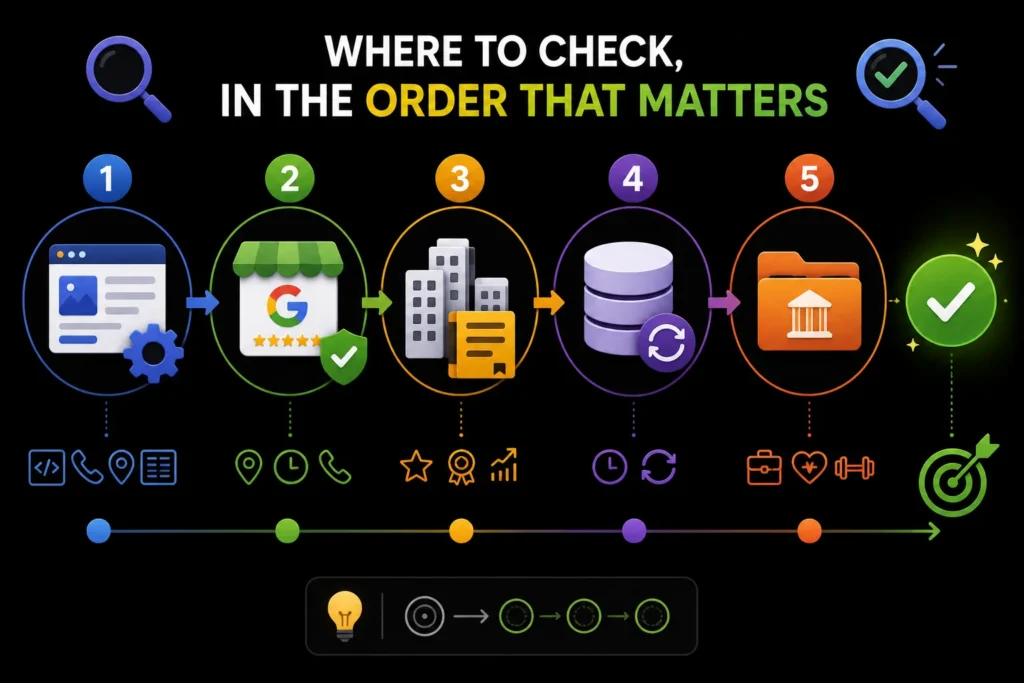
Start with the sources you control completely, then work outward. Fixing directories before fixing your own site means doing the work twice.
- Your own site — structured data, contact page, footer, and any location pages
- Your Business Profile — the single most consequential external record
- Major directories — the handful that actually carry weight in your market
- Data aggregators — slower to update and often the source of stale records
- Industry directories — sector-specific listings, which vary enormously in value
The order matters because downstream records are frequently rebuilt from upstream ones. Correct the source and some corrections propagate on their own.
How do you run a NAP audit, step by step?
- Write the canonical record. Name, address with the unit in its own line, primary phone, website address, in the exact form you will use.
- Compare markup with the visible page. Run the checker above and fix any difference, including the ones that only show when abbreviations are kept.
- Search for your business as a customer would. Search your name, your phone number and your street address separately. Duplicate or outdated listings often show up this way.
- List every record you find in a sheet with a column for each element, and mark the cells that differ from the canonical record.
- Fix in order of importance. Own site, Business Profile, major directories, aggregators, then the rest.
- Recheck after a few weeks. Some listings update slowly, and some are rebuilt from older data.
If you would rather have this done for you, our local SEO service includes listing clean-up, and you can read how we work on the methodology page.
The formatting decisions worth making once
Most inconsistency comes from decisions never explicitly made. Make them, write them down, and apply them everywhere.
- Do you abbreviate Street, Suite, Road? Pick one and never mix.
- Do you include the unit or floor number? If yes, always. If no, never.
- Is the phone written with spaces, hyphens or brackets? One format only.
- Do you use the country code? On an international-facing site, yes, consistently.
- Is your business name exactly as registered, with no appended keywords?
That last one deserves emphasis. Adding a service or city to your business name in listings is a well-known violation of platform guidelines and a common cause of suspension, quite apart from the inconsistency it creates.
When your details genuinely change
A move or a number change is where most fragmentation begins, because the update happens in some places and not others.
Update in this order, and finish it in one sitting rather than over weeks: your own site and schema first, then your Business Profile, then the major directories, then everything else.
Keep the old number redirecting to the new one for as long as you reasonably can. A dead number on a stale listing is worse than an old one that still reaches you.
Then re-run the check. Our NAP consistency checker compares your markup against your visible page, which is the pair most likely to drift apart after a change, because the two are usually edited by different people at different times.
What are the common NAP mistakes?
| Mistake | Why it causes trouble | Fix |
|---|---|---|
| Fixing directories before your own site | The work has to be repeated when the source changes | Fix your site and Business Profile first |
| Unit number in the street line on some sites and a separate line on others | The address string differs between records | Use one structure; Google asks for the suite on the second address line |
| Keywords added to the business name | Breaks matching and risks suspension | Use the registered, real-world name |
| One LocalBusiness node listing several addresses | Ambiguous for each location | One page and one node per location |
| Leaving old listings live after a move | Old records keep getting matched and shown | Claim and correct or remove them |
Sources and further reading
- Guidelines for representing your business on Google
- LocalBusiness schema type
- Google Search Central: Local business structured data
Frequently asked questions
Does an old address on a directory still hurt me?
It can, particularly if the listing is live and indexed. Claim and correct it rather than only updating your own site.
Should I use a call tracking number?
On the page, if you want. In your structured data use the real primary line, and keep tracking numbers out of your citations.
What if I have several locations?
Each location needs its own page and its own LocalBusiness node with its own address. One node listing several addresses is ambiguous.
Is NAP consistency still a ranking factor?
It is better understood as an entity-resolution requirement than a ranking factor. Inconsistency creates doubt, and doubt costs visibility.
Should I write Suite or Ste?
Either, as long as you use the same form everywhere. Many businesses spell it out in full. The important part is that your website, schema and listings all match.
Where does Google want the suite number in a Business Profile address?
Google’s guidelines say to enter the physical address in the first address line and the suite or mailbox number in the second line.
How long does it take for corrected listings to update?
It varies by directory. Your own site and Business Profile can update quickly, while data aggregators and smaller directories can take weeks. Recheck after a few weeks and chase the stragglers.
Can I check NAP consistency for free?
Yes. MoxSEO’s NAP consistency checker compares the business details in your structured data with those on your visible page. For external directories, search your name, phone and address and compare each result with your canonical record.