



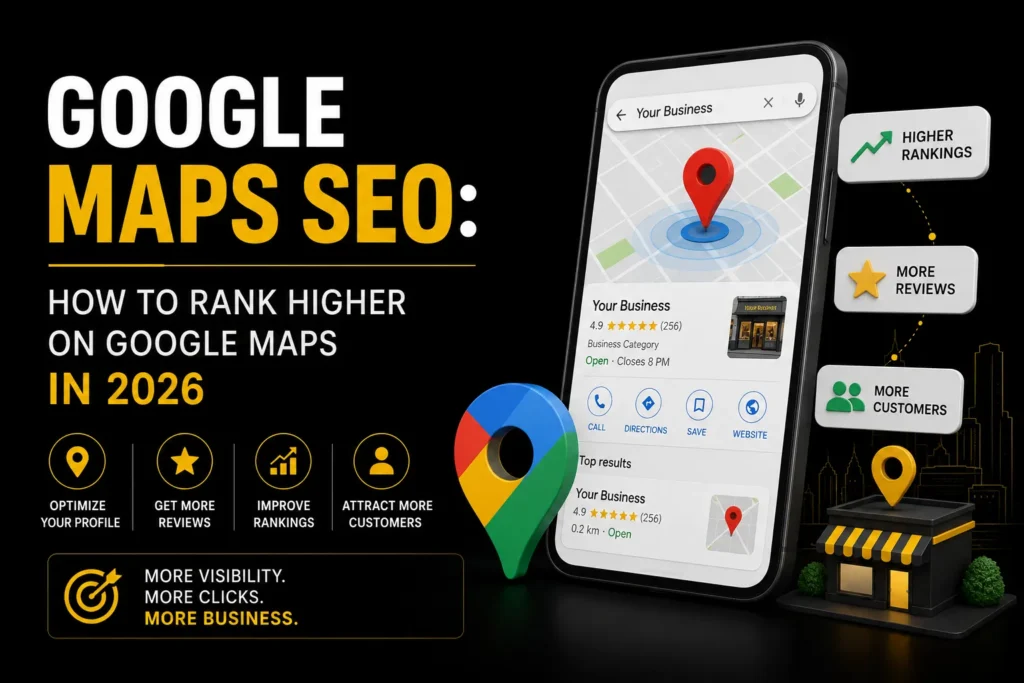
Google Maps SEO is one of the highest ROI activities for any local business. When someone searches for a product or service near them, the Google Maps results, also known as the local pack, appear above the organic results. Ranking in the top 3 means more calls, more directions requests, and more foot traffic. This guide covers everything you need to know to rank higher on Google Maps in 2026. For a broader overview of local SEO strategy, see our guide to local SEO consulting.
TL;DR: Google Maps SEO comes down to three factors: optimizing your Google Business Profile, building local citations and backlinks, and generating consistent reviews. Focus on completing every GBP field, keeping your NAP consistent across the web, and actively asking happy customers for reviews.
What Is Google Maps SEO?
Google Maps SEO is the process of optimizing your business presence so that it ranks higher in Google Maps results and the local pack. The local pack is the set of three business listings that appear at the top of Google search results for local queries, like “plumber near me” or “restaurant in Mumbai.”
Unlike traditional organic SEO, which ranks websites, Google Maps SEO ranks business listings. Your website matters, but your Google Business Profile is the primary ranking factor.
How Google Ranks Businesses on Google Maps
Google uses three main factors to determine which businesses appear in the local pack. Google’s local search results documentation explains how these factors work together:
1. Relevance
Relevance means how well your business listing matches what the searcher is looking for. This is determined by your business categories, title, description, and the keywords in your profile. Make sure your primary category is the most accurate one, and add secondary categories where appropriate.
2. Distance
Distance refers to how far your business is from the searcher’s location or the location specified in their search. You cannot change where your business is located, but you can make sure your address is accurate and consistent everywhere it appears online.
3. Prominence
Prominence is about how well known and trusted your business is, both online and offline. This includes your review count and rating, the number and quality of backlinks to your website, your overall web presence, and how active your Google Business Profile is.
How to Optimize Your Google Business Profile for Google Maps SEO

Your Google Business Profile is the single most important factor for Google Maps ranking. Here is how to optimize it:
- Claim and verify your listing: If you have not claimed your Google Business Profile, do it today. Unclaimed profiles cannot be optimized.
- Choose the right primary category: This is the most important field. Choose the most specific category that accurately describes your business.
- Fill out every field: Complete your business description, hours, phone number, website, services, products, attributes, and photos. Incomplete profiles rank lower. Follow Google’s official Google Business Profile guidelines to ensure compliance.
- Add photos regularly: Businesses with more photos get more engagement. Add photos of your storefront, team, products, and work. Aim for at least 10 new photos per month.
- Post updates: Use the posts feature to share offers, events, and updates. Regular posting signals to Google that your profile is active.
- Respond to all reviews: Respond to every review, positive and negative. This shows Google and potential customers that you are engaged.
- Use Q&A: Answer questions on your profile and ask customers to post questions. This adds keyword rich content to your listing.
Building Local Citations for Google Maps SEO
Citations are mentions of your business name, address, and phone number (NAP) on other websites. Consistent NAP across the web is a top local SEO ranking factor. Build citations on:
- General directories: Justdial, Sulekha, IndiaMART, Yelp, Bing Places
- Industry directories: Directories specific to your industry or profession
- Local directories: Your city’s chamber of commerce, local business associations
- Google properties: Google Maps, Google Business Profile, Google Sites
Make sure your NAP is identical across all citations. Even small differences like “St.” vs “Street” can confuse Google.
Getting More Google Reviews
Reviews are one of the top ranking factors for Google Maps SEO. Here is how to get more of them:
- Ask every satisfied customer: Train your team to ask for a review after every successful job or purchase.
- Make it easy: Create a short link to your review page and share it via WhatsApp, email, or SMS.
- Time the request: Ask for a review when the customer is happiest, right after a successful delivery or service completion.
- Respond to every review: Thank customers for positive reviews and address concerns in negative ones professionally.
- Never buy reviews: Google detects and penalizes fake reviews. Focus on earning authentic reviews from real customers.
On-Page SEO for Google Maps Rankings
Your website also influences your Google Maps ranking. Make sure your site includes:
- Local keywords in title tags and headings: Include your city and service in title tags, H1 tags, and content.
- NAP on your website: Display your business name, address, and phone number in the footer and contact page, matching your Google Business Profile exactly.
- LocalBusiness schema: Add LocalBusiness structured data to your website so Google can easily understand your business information.
- Location pages: If you serve multiple cities, create a dedicated page for each location. For industry specific strategies, see our guides to local SEO for lawyers and local SEO for plumbers.
Common Google Maps SEO Mistakes
- Keyword stuffing your business name: Adding keywords to your business name that are not part of your actual business name violates Google’s guidelines and can get your profile suspended.
- Inconsistent NAP: Different addresses or phone numbers across directories confuse Google and hurt your ranking.
- Ignoring reviews: Not responding to reviews signals an inactive profile. Respond to every review.
- Using a virtual office: Google requires a physical location where you operate. Virtual offices can lead to suspension.
- Not posting regularly: An inactive Google Business Profile signals to Google that your business may be closed or unresponsive.
Does responding to reviews help Google Maps SEO?
Yes. Responding to reviews signals to Google that your business is active and engaged. It also shows potential customers that you care about feedback. Respond to every review, positive and negative, with a personalized response.
Want to rank higher on Google Maps? Get a free consultation from MoxSEO and let us help you optimize your Google Maps presence for more calls and customers.
Frequently Asked Questions
How long does Google Maps SEO take?
If your Google Business Profile is new, it can take 2 to 4 weeks to start appearing in local results. If your profile is already established, optimizations like category changes, new photos, and review generation can produce ranking improvements within 4 to 8 weeks. Significant ranking jumps typically take 3 to 6 months of consistent effort.
Can I rank on Google Maps without a website?
Yes, but it is harder. Your Google Business Profile is the primary ranking factor, so you can rank without a website. However, having a well optimized website with local SEO signals strengthens your overall prominence and makes it easier to rank. For professional help, see our local SEO services.
How many reviews do I need to rank on Google Maps?
There is no magic number. What matters is having more reviews than your top competitors, with a high average rating (4.5 or above). Consistency matters more than volume. Getting 2 to 5 new reviews per month is better than getting 20 reviews in one month and then none for six months.

Samruddhi Kadam is an SEO Associate at MoxSEO with 2 years of experience in keyword research, on-page SEO, content optimization, competitor analysis, and website performance tracking. She focuses on improving organic visibility, creating search-friendly content, and identifying practical opportunities to strengthen rankings. Through consistent analysis and data-driven execution, Samruddhi helps businesses attract relevant traffic and build a stronger presence in search results.