





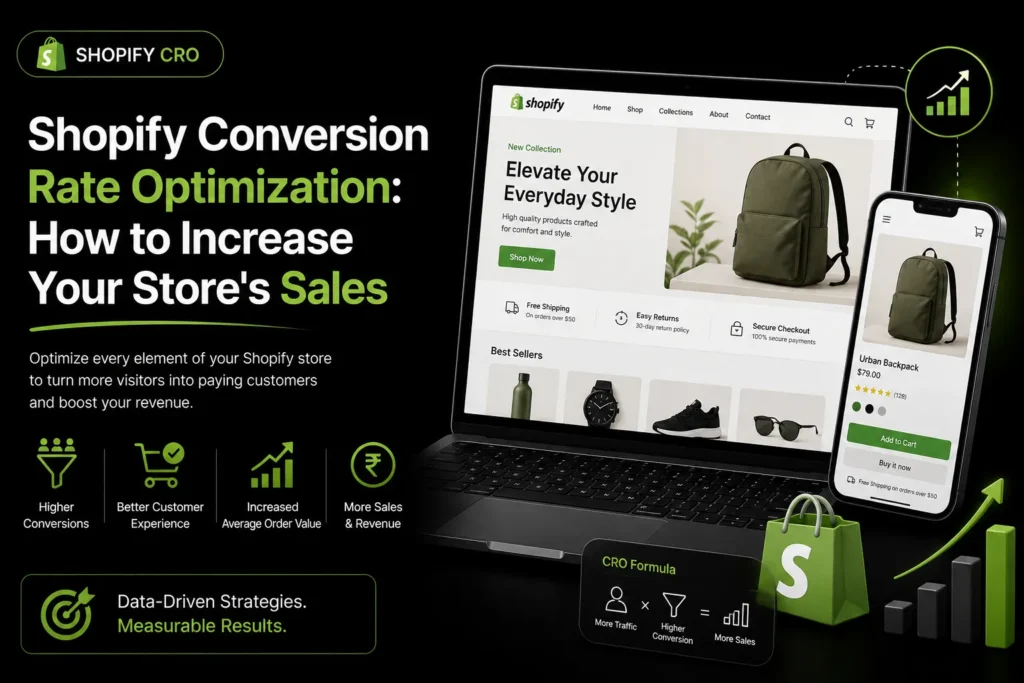
Shopify conversion rate optimization is the process of improving your Shopify store so that more visitors complete a purchase. Shopify is one of the most popular ecommerce platforms, but its default setup is not optimized for maximum conversions. This guide covers the specific CRO strategies that work for Shopify stores, from product page improvements to checkout optimization and app recommendations. For broader CRO guidance, see our guide to conversion rate optimization services. For Shopify SEO, see our guide to choosing a Shopify SEO expert.
TL;DR: Shopify conversion rate optimization focuses on improving product pages, simplifying checkout, boosting site speed, and using the right Shopify apps. The biggest wins come from high quality product images, simplified checkout, mobile optimization, and trust signals. Start by measuring your current conversion rate, then test changes systematically.
What Is a Good Shopify Conversion Rate?
Conversion rates vary widely by industry, traffic source and price point, so benchmark against your own history rather than a single average. Your target depends on your price point, traffic quality, and product category.
To find your current conversion rate, go to your Shopify admin dashboard and check Analytics > Overview. Look at the conversion rate by traffic source and device to identify where you have the most room for improvement.
How Does Shopify Conversion Rate Optimization Work?
Shopify CRO works by finding the step where shoppers drop out (product page, cart, checkout), forming a reason for the drop, changing one thing to fix it, and measuring whether the conversion rate moved. It is a repeating loop of research and small tests, not a one-off redesign.
- Set a baseline. Record conversion rate, add-to-cart rate and checkout completion for the last 30 to 90 days, split by mobile and desktop.
- Find the leak. Compare each step of the funnel. A healthy add-to-cart rate with weak checkout completion points to checkout friction, not product content.
- Collect evidence. Watch session recordings, read support emails and chat logs, and check what customers ask before buying. These tell you why people leave.
- Write a hypothesis. For example: “Shoppers on mobile cannot see delivery costs until checkout, so showing an estimate on the cart page will raise checkout starts.”
- Change one thing and measure. Make the change, leave it long enough to cover full buying cycles, and compare against the baseline for the same traffic sources.
A hypothetical worked example
These numbers are made up to show the arithmetic, not a result from a real store. Say a store has 10,000 sessions a month and converts at 1.5 percent, which is 150 orders. If mobile makes up most of the sessions but converts far below desktop, the mobile checkout is the first place to look. Lifting the overall rate from 1.5 to 1.8 percent on the same traffic means 180 orders: 30 extra orders without buying a single extra visit.
Shopify Product Page Optimization
Product pages are where buying decisions happen. Here is how to optimize them on Shopify:
- Use high quality images: Shopify supports up to 250 images per product. Use multiple angles, zoom, and lifestyle photos. Aim for at least 4 to 6 images per product.
- Write compelling descriptions: Focus on benefits, not just features. Use bullet points for easy scanning. Include specifications like materials, dimensions, and care instructions.
- Add reviews: Use a review app like Loox, Judge.me, or Yotpo to display customer reviews and photos. Products with reviews convert significantly better.
- Optimize your CTA button: Make your “Add to Cart” button large, contrasting, and easy to tap on mobile. Use action oriented text like “Add to Cart” or “Buy Now.”
- Show stock urgency: If inventory is low, display “Only X left” to create urgency. Shopify can track this automatically.
- Add trust badges: Display payment icons, return policy, and security badges near the add to cart button.
Shopify Checkout Optimization
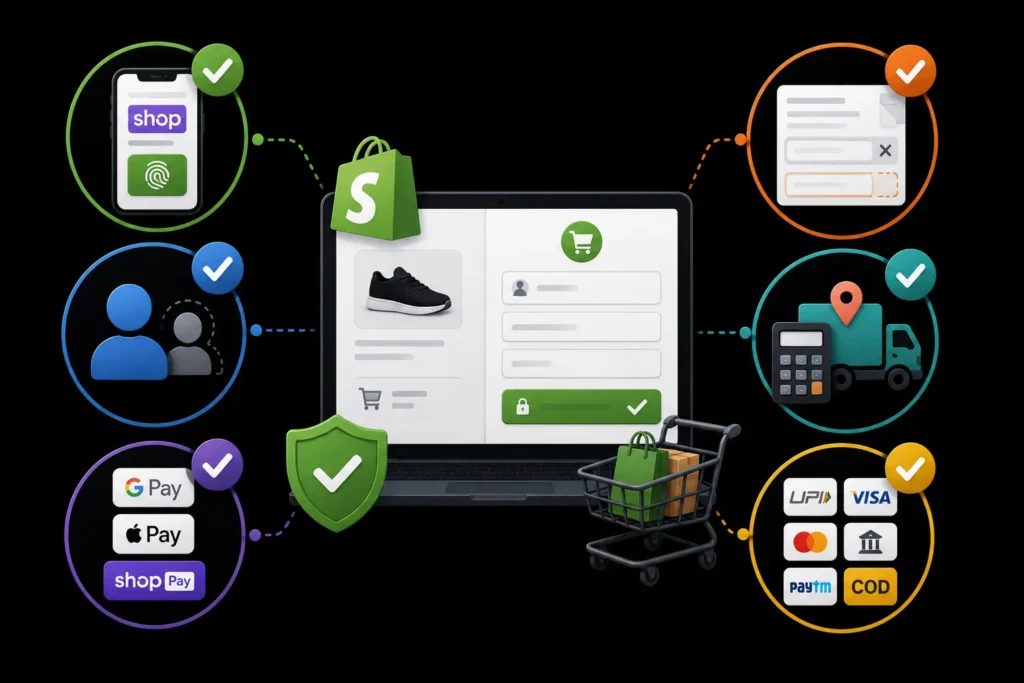
Shopify’s checkout is already optimized, but you can improve it further:
- Enable Shopify Pay: Shopify Pay lets returning customers check out with one tap.
- Enable guest checkout: Do not force customers to create an account. Let them buy first, then offer account creation after purchase.
- Offer express payments: Enable Google Pay, Apple Pay, and Shop Pay for one click checkout.
- Reduce form fields: Shopify lets you customize checkout fields. Remove any non essential fields.
- Show shipping costs early: Use a shipping calculator on the cart page so customers know the total before reaching checkout.
- Offer multiple payment options: Include UPI, credit cards, net banking, wallets, and COD for Indian customers.
Shopify Site Speed Optimization
Site speed directly impacts conversion rates. Portent‘s analysis found that e-commerce sites loading in 1 second had a conversion rate 2.5 times higher than sites loading in 5 seconds (correlation, not proof of cause). For Shopify stores:
- Compress images: Use Shopify’s built in image compression or apps like Crush.pics.
- Minimize apps: Every app adds JavaScript that slows your store. Audit your apps regularly and remove unused ones.
- Choose a fast theme: Shopify’s Dawn theme is designed for speed. Other fast themes include Impulse and Prestige.
- Use a CDN: Shopify includes a built in CDN, but make sure your images are served through it.
- Lazy load images: Ensure images below the fold load only when needed.
Google’s page experience guidance explains why speed matters for both SEO and conversions.
To know whether your store is fast enough, use the thresholds Google publishes for Core Web Vitals. As documented on web.dev, a page is rated good when Largest Contentful Paint is 2.5 seconds or less, Interaction to Next Paint is 200 milliseconds or less, and Cumulative Layout Shift is 0.1 or less, measured at the 75th percentile of real visits. On a Shopify store, the usual culprits are oversized hero images and apps that inject scripts on every page. If speed work needs a developer, our Shopify development team handles theme and performance fixes.
Shopify Apps for Conversion Rate Optimization
- Reviews: Loox, Judge.me, or Yotpo for customer reviews and photo reviews.
- Upselling: ReConvert or Bold Upsell for post purchase upsells and cross sells.
- Email recovery: Klaviyo or Shopify’s built in abandoned cart recovery for cart abandonment emails.
- Popups: Privy or OptinMonster for exit intent popups and email capture.
- Live chat: Shopify Inbox or Tidio for real time customer support.
Be selective with apps. Each one adds code that can slow your store. Only install apps that directly improve conversions.
Abandoned cart and post-purchase flows are email programmes as much as app settings. If you want them planned and written for you, see our email marketing services.
Where Should You Start? Symptoms and Likely Causes
Use your funnel numbers to choose the first fix. The table below is a starting guide, not a diagnosis; confirm each cause with recordings or customer feedback before changing anything.
| What you see | Likely cause | First thing to check |
|---|---|---|
| Many product views, few add-to-carts | Weak product content, unclear price or doubts about quality | Image count, review display, description clarity |
| Many add-to-carts, few checkout starts | Surprise costs or a cluttered cart | Shipping estimate on the cart page, cart layout on mobile |
| Many checkout starts, few orders | Checkout friction or missing payment options | Form fields, guest checkout, UPI and COD availability |
| Mobile converts far below desktop | Slow pages, small tap targets, hard-to-use forms | Core Web Vitals on mobile, button sizes, keyboard types on inputs |
| Good conversion but low traffic | A visibility problem, not a CRO problem | Organic rankings and Shopify SEO |
Common Shopify CRO Mistakes
- Testing without enough traffic. A store with a few hundred visits a month cannot produce reliable A/B results. Fix obvious friction instead, and test only when volume allows.
- Changing many things at once. If you rewrite the page, swap the theme and add three apps in one week, you will not know what helped or hurt.
- Copying another store. A layout that works for a fashion brand may not suit a high-consideration product. Use competitors for ideas, not as proof.
- Judging by overall rate only. A blended number hides mobile versus desktop and paid versus organic differences.
- Stacking apps. Each popup, badge and widget adds weight. Remove an app before you judge whether it earned its place.
How Much Does Shopify CRO Cost?
The ranges below are typical ranges quoted by agencies; check current quotes.
- One time audit: Rs 25,000 to Rs 60,000 for a comprehensive Shopify CRO audit with prioritized recommendations.
- Monthly retainer: Rs 30,000 to Rs 80,000 per month for ongoing testing and optimization.
- Project based: Rs 40,000 to Rs 1,50,000 for a specific project like product page redesign or checkout optimization.
For broader ecommerce CRO guidance, see our guide to ecommerce conversion rate optimization.
If better visibility is part of the plan, MoxSEO publishes its Shopify SEO package pricing on our packages page; Shopify SEO starts from $749 per month, and a written proposal confirms the final fee.
What Is the Most Important Shopify CRO Factor?
There is no single factor, but a smooth mobile checkout is the foundation. Strong product pages may attract shoppers, but slow loading, unnecessary form fields, and limited payment options can prevent purchases. Start with checkout and mobile usability, then improve product content, speed, trust signals, and apps.
Looking for Shopify CRO services that increase sales? Get a free consultation from MoxSEO and start turning more store visitors into customers.
Frequently Asked Questions
What is a good Shopify conversion rate?
Conversion rates vary widely, so there is no single average to aim for. Your target depends on your industry, price point, and traffic quality. Focus on continuous improvement rather than comparing to averages.
How do I check my Shopify conversion rate?
Go to your Shopify admin dashboard, then Analytics u003e Overview. You will see your conversion rate there. You can also break it down by traffic source and device to identify where you have the most room for improvement.
Do Shopify apps slow down my store?
Yes. Every Shopify app adds JavaScript and CSS to your store, which can slow page load times. Site speed directly impacts conversion rates. Audit your apps regularly and remove any that are not essential. Only keep apps that directly contribute to revenue or conversions.
What is the best Shopify app for conversion rate optimization?
It depends on what you need. For reviews, Loox or Judge.me. For upselling, ReConvert. For abandoned cart recovery, Klaviyo. For popups, Privy. For live chat, Shopify Inbox. The best approach is to identify your biggest conversion bottleneck first, then choose an app that addresses it.
Should I fix my product pages or my checkout first?
Let your funnel data decide. If shoppers add to cart but do not start checkout, look at the cart page and shipping costs. If they start checkout but do not finish, look at form fields and payment options. If few add to cart, improve product pages.
Can a small Shopify store run A/B tests?
Reliable A/B tests need enough orders in each variant to separate a real change from random noise. A low-traffic store is usually better off fixing known friction, such as slow pages and missing payment options, and measuring before and after.
Is Shopify CRO the same as Shopify SEO?
No. SEO brings more of the right visitors to your store. CRO turns more of the visitors you already have into customers. They work best together, and CRO results are easier to read once traffic is steady.
Related guides in CRO
- Conversion Rate Optimization Guide: How to Turn Visitors Into Customers
- Conversion Rate Optimization Services: What They Include and How They Work
- Ecommerce Conversion Rate Optimization: A Complete Guide for Online Stores
Need this handled for you? Explore our Services service.