



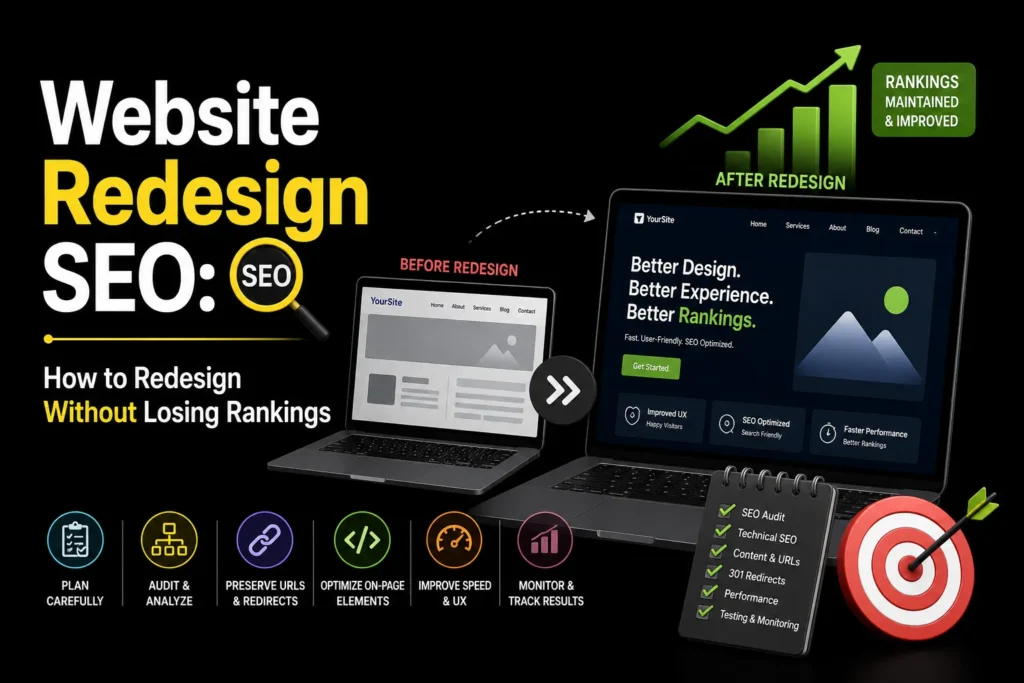
Redesigning your website is exciting. You get a fresh look, better user experience, and modern design. But if you do not plan for SEO during the redesign, you can lose years of search rankings overnight. We have seen businesses lose 50% to 80% of their organic traffic after a redesign because they did not protect their SEO. Website redesign SEO is the process of preserving and improving your search visibility during a website redesign.
This guide covers the SEO checklist you need to follow before, during, and after a website redesign to ensure your new site ranks as well as or better than your old one. For WordPress sites, see our WordPress SEO services.
TL;DR: Website redesign SEO involves auditing your current site, mapping old URLs to new ones with 301 redirects, preserving content and metadata, maintaining schema markup, and monitoring rankings after launch. The most common mistake is launching a new site without redirects, which causes Google to treat your old pages as deleted. Plan SEO before the redesign starts, not after. MoxSEO offers SEO services that include redesign SEO protection.
Before the Redesign: Audit and Plan
1. Audit Your Current SEO
Before changing anything, document your current SEO performance. Export your top pages, keyword rankings, backlinks, and traffic data from Google Search Console and Google Analytics. This is your baseline. After the redesign, you will compare against this data to ensure nothing has regressed.
2. Crawl Your Current Site
Use a tool like Screaming Frog to crawl your current site. Export all URLs, title tags, meta descriptions, H1 tags, and canonical tags. You will need this list to ensure every old URL has a destination on the new site.
3. Map Old URLs to New URLs
Create a redirect map: a spreadsheet listing every old URL and its corresponding new URL. If a page is being removed, redirect it to the closest relevant page, not the homepage. If a page is being merged with another, redirect the old URL to the new combined page. Every old URL needs a destination. Google’s redirect documentation explains how 301 redirects work and why they matter.
4. Preserve Your Best Content
Identify your top-performing pages (by traffic, rankings, and backlinks). Make sure these pages exist on the new site with equivalent or better content. Do not delete high-traffic pages just because they do not fit the new design. Content can be redesigned, but it should not be removed.
During the Redesign: Build With SEO in Mind
5. Maintain URL Structure Where Possible
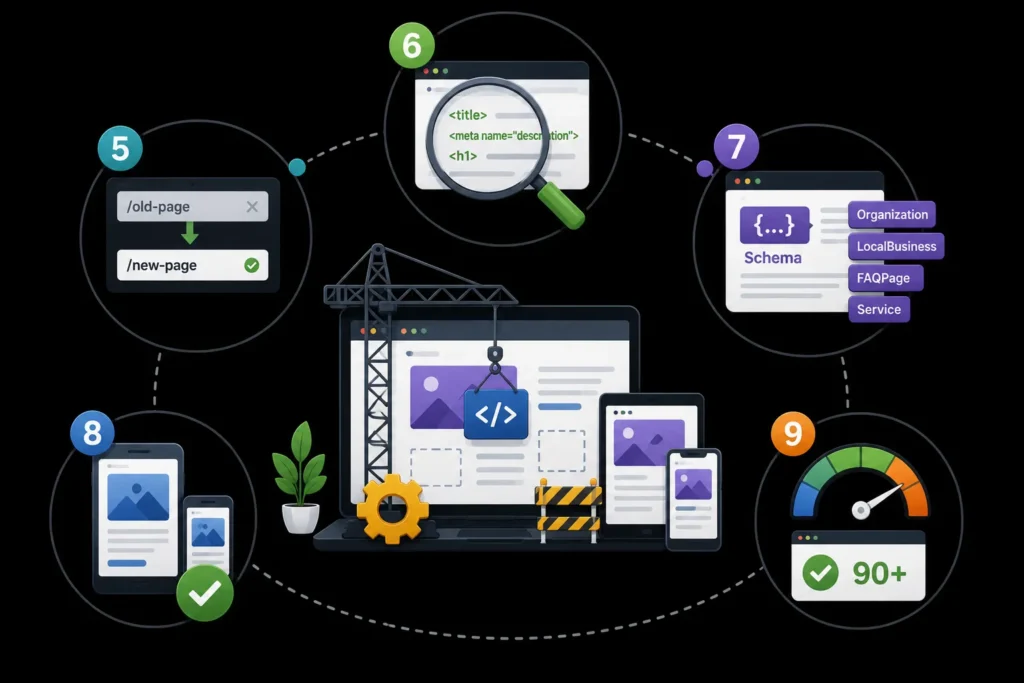
If your current URL structure is SEO-friendly (clean, keyword-rich URLs), keep it. Changing URLs means you need redirects for every changed page, which adds risk. If you must change URLs, ensure every old URL has a 301 redirect to the new one.
6. Optimize On-Page Elements
Every page on the new site should have a unique title tag, meta description, H1 tag, and optimized content. Do not let the design team create generic title tags like “Home” or “About.” Provide SEO-optimized metadata for every page.
7. Preserve Schema Markup
If your current site has schema markup (Organization, LocalBusiness, FAQPage, Service, etc.), make sure the new site includes the same schema. Schema helps Google understand your content and can unlock rich results. Losing schema during a redesign can reduce your search visibility. Google’s introduction to structured data covers the schema types you should preserve.
8. Ensure Mobile-First Design
Google uses mobile-first indexing, meaning it evaluates the mobile version of your site for rankings. Your new design must be fully responsive, with fast load times on mobile, large tap targets, and no intrusive pop-ups.
9. Optimize Page Speed
New designs often add heavy images, animations, and JavaScript that slow down the site. Set performance budgets for page weight and load time. Test with Google PageSpeed Insights before launch. A beautiful site that loads slowly will rank worse than a simpler site that loads fast. Google’s page experience guidance explains why speed matters for rankings.
After the Redesign: Launch and Monitor
10. Implement 301 Redirects
Before the new site goes live, implement every redirect from your redirect map. Test them after launch to ensure they work. A single missing redirect can cause a page to lose all its rankings and backlinks.
11. Update Your XML Sitemap
Generate a new XML sitemap for the redesigned site and submit it to Google Search Console. This tells Google which pages to crawl on the new site.
12. Check for Broken Links
After launch, crawl the new site to find any broken internal links, broken images, or missing pages. Fix them immediately. Broken links create a poor user experience and waste crawl budget.
13. Monitor Rankings and Traffic
Check Google Search Console and Google Analytics daily for the first 2 weeks after launch. Look for drops in impressions, clicks, or rankings. If you see a significant drop, investigate immediately. Common causes are missing redirects, changed URLs, or accidentally noindexed pages.
Protect Your SEO During Your Redesign
A website redesign should improve your search visibility, not destroy it. The key is planning SEO before the redesign starts, not after. Follow the checklist in this guide, implement redirects for every changed URL, and monitor your rankings closely after launch.
MoxSEO offers SEO services that include redesign SEO protection. Get a free quote to ensure your redesign does not cost you your search rankings.
Frequently Asked Questions
Does a website redesign affect SEO?
Yes, a website redesign can significantly affect SEO, both positively and negatively. If done correctly, a redesign can improve your rankings by fixing technical issues, improving page speed, and updating content. If done poorly, it can destroy your rankings by removing pages, changing URLs without redirects, losing content, or slowing down the site. Plan SEO before the redesign starts to avoid negative impact.
How do I redesign my website without losing SEO?
To redesign without losing SEO, audit your current site first, create a redirect map for all old URLs to new URLs, preserve your best content, maintain schema markup, optimize page speed, implement 301 redirects before launch, update your XML sitemap, and monitor rankings closely after launch. The most critical step is implementing 301 redirects for every changed URL.
What is a 301 redirect and why does it matter for redesigns?
A 301 redirect is a permanent redirect from one URL to another. It tells Google that a page has moved to a new location and passes the old page’s ranking authority to the new page. Without 301 redirects, Google treats old pages as deleted, and all their rankings and backlink value are lost. Every old URL that is changing needs a 301 redirect to its new destination.
How long does it take to recover SEO after a redesign?
If the redesign is done correctly with proper redirects and preserved content, you should see minimal ranking disruption. Google typically processes 301 redirects within 1 to 2 weeks. If you see a traffic drop after launch, investigate and fix issues immediately. Full recovery from a poorly executed redesign can take 3 to 6 months.
Should I change my URLs during a redesign?
Avoid changing URLs unless necessary. If your current URLs are SEO-friendly (clean, keyword-rich), keep them. Changing URLs adds risk because every changed URL needs a redirect, and missing redirects cause ranking losses. If you must change URLs, ensure every old URL has a 301 redirect to the new one.

Samruddhi Kadam is an SEO Associate at MoxSEO with 2 years of experience in keyword research, on-page SEO, content optimization, competitor analysis, and website performance tracking. She focuses on improving organic visibility, creating search-friendly content, and identifying practical opportunities to strengthen rankings. Through consistent analysis and data-driven execution, Samruddhi helps businesses attract relevant traffic and build a stronger presence in search results.