




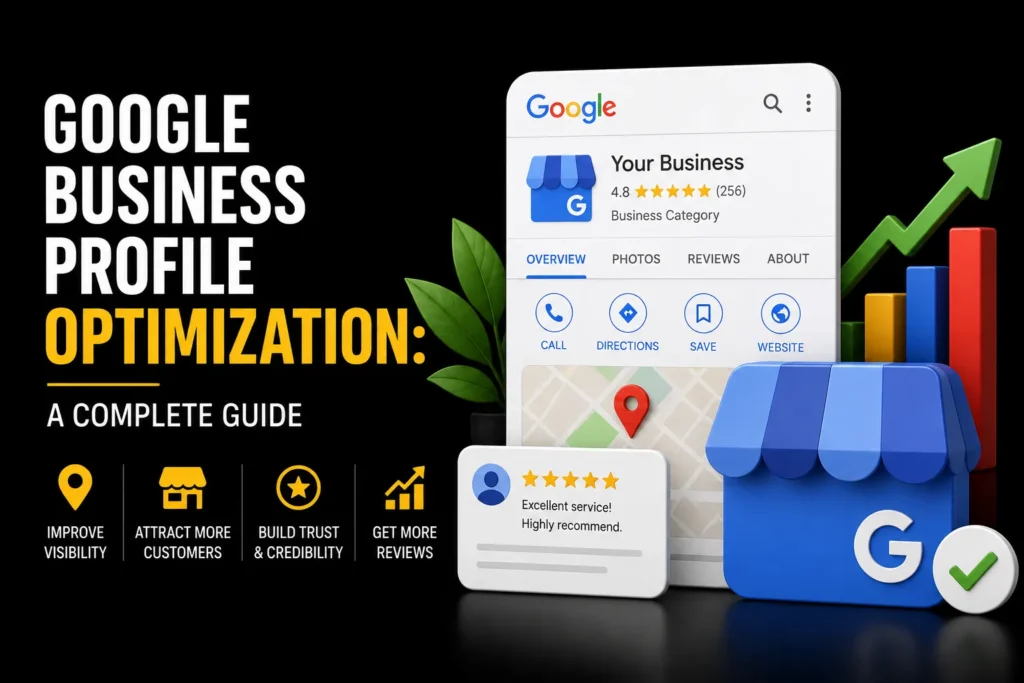
Your Google Business Profile Optimization is the most powerful free marketing tool available to local businesses. It is what powers your listing in Google Maps, the local pack (the top 3 map results in Google search), and the knowledge panel that appears when someone searches for your business by name. If your profile is not fully optimized, you are losing customers to competitors who have optimized theirs.
This guide covers everything you need to do to optimize your Google Business Profile for maximum local search visibility. For a comprehensive approach to improving your local search presence, see our guide to Local SEO Strategy. For a broader local SEO strategy, see our guide to choosing a local SEO company.
TL;DR: Google Business Profile optimization involves claiming your profile, choosing the right categories, filling out every field, adding photos regularly, collecting and responding to reviews, posting updates, and tracking performance. The primary category is the most important field for local pack rankings. MoxSEO offers local SEO services that include Google Business Profile optimization.
Short answer: to optimise a Google Business Profile, verify it, use your real business name, pick the most specific category that describes your core business, complete every relevant field, keep hours and contact details accurate, add genuine photos, and earn and answer real reviews. Google ranks local results on relevance, distance and prominence, and says you cannot pay for a better local ranking.
How Does Google Rank Local Results?
Google’s help page on improving your local ranking names three factors:
- Relevance: how well your profile matches what someone is searching for. Complete, detailed information helps Google match you to the right searches.
- Distance: how far your business is from the searcher, or from the location they name in the search.
- Prominence: how well known your business is, which depends partly on links from other websites and on reviews. More reviews and positive ratings can help local ranking.
You cannot change distance, but you can work on relevance and prominence. Google also states that there is no way to request or pay for a better local ranking, and it does not publish a ranked list of individual signals, so treat any claim of an exact ranking formula with caution.
How to Optimize Your Google Business Profile
1. Claim and Verify Your Profile
If you have not claimed your Google Business Profile, go to business.google.com and verify your business. Verification usually requires receiving a postcard with a code at your business address. Without verification, you cannot manage your listing. Verification options can vary by business, so follow the methods Google offers inside your account.
2. Choose the Right Primary Category
The primary category is the single most important field for local pack ranking. Google uses it to determine which searches to show your business for. Choose the most specific, accurate category. If you are a digital marketing agency, choose “Marketing agency,” not “Business to business service.” Add secondary categories only if they genuinely apply. Follow Google’s Google Business Profile guidelines to avoid suspension.
Google’s guidelines add useful limits: use as few categories as possible to describe your core business, make them as specific as possible while still representing your main business, and do not use categories as keywords or to describe attributes. A good test is whether the category completes the sentence “This business IS a…”, not “HAS a…”.
3. Fill Out Every Field
Complete every field in your profile. Incomplete profiles rank lower and convert worse. Key fields include:
- Business name: Use your real legal name. Do not add keywords or city names.
- Address: Use your exact business address. If you serve customers at their location, set your service area instead.
- Phone number: Use a local phone number with the correct area code.
- Website: Link to your homepage or a dedicated location page.
- Business hours: Keep accurate and update for holidays.
- Services and products: List every service with descriptions and prices where applicable.
- Attributes: Add relevant attributes like “Women-led,” “Online appointments,” or “Wheelchair accessible.”
Should I Use a Storefront Address or a Service Area?
Per Google’s guidelines, a business that serves customers at a physical location shows its address, uses a precise and accurate address (P.O. boxes and mailboxes at remote locations are not acceptable), and keeps permanent signage of the business name there. Virtual offices are not eligible. A service-area business, such as a plumber or electrician who travels to customers, should have one profile for its central location with a designated service area, and hide the address from customers. Each physical location gets its own profile; do not create several profiles for the same business at one place.
4. Add Photos Regularly
Businesses with more photos get more clicks and calls. Add high-quality photos of your storefront, interior, team, products, and work. Add new photos at least monthly. Google favors active profiles. Include before-and-after photos if relevant to your business.
5. Collect and Respond to Reviews
Reviews are a top local ranking factor. Ask every satisfied customer for a review. Send a direct link to your review page. Respond to every review, positive and negative, within 24 hours. Never buy reviews or post fake reviews. Google detects and penalizes review manipulation.
6. Post Regular Updates
Google Business Profile posts (updates, offers, events) keep your profile active and give customers a reason to engage. Post at least once a week. Share promotions, new products, blog posts, and company news. Regular posting signals to Google that your business is active and engaged with customers.
7. Use Google Business Profile Insights
Google provides free analytics for your profile. Track how many people viewed your profile, searched for your business, called you, requested directions, and visited your website. Use this data to understand which optimizations are working and where to improve.
What Are the Rules for Business Name and Hours?
Two fields cause most suspensions and edits. On the name, Google says it should reflect your real-world name as it appears on your storefront, website and stationery, and that taglines, store codes, URLs, phone numbers, service descriptions and location details are not permitted. Including unnecessary information in the name may lead to suspension of the profile. On hours, provide regular customer-facing hours, use the special-hours setting for holidays and events, and mark the business as temporarily closed during an off-season rather than leaving wrong hours in place.
Common Google Business Profile Mistakes
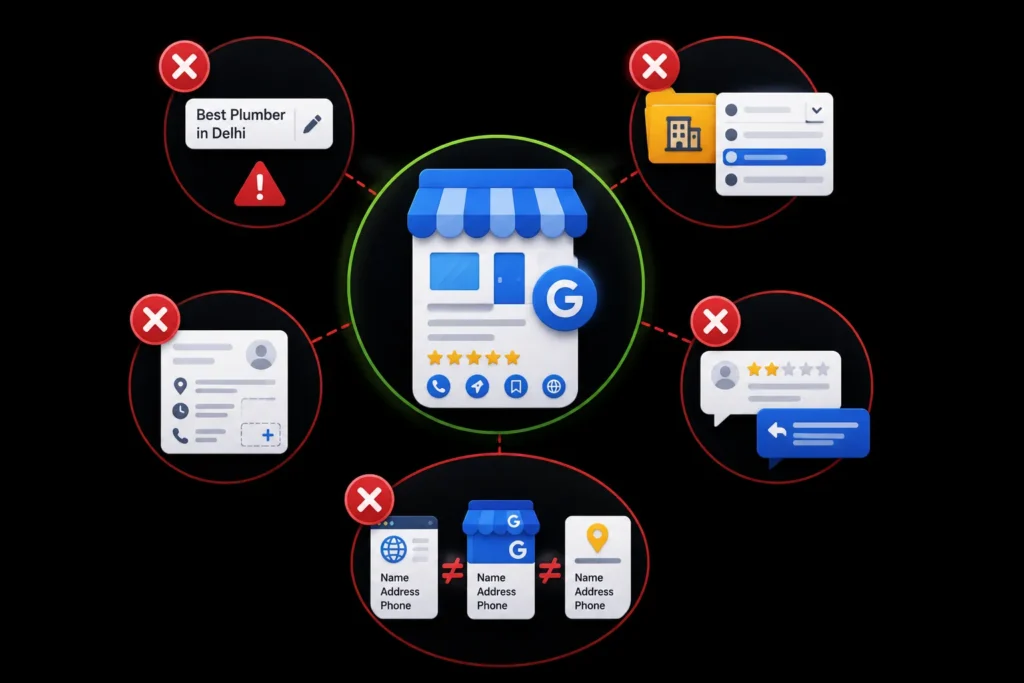
- Keyword stuffing in business name: Adding keywords or city names to your business name violates Google’s guidelines and can result in suspension.
- Choosing the wrong category: A generic category like “Business to business service” will not help you rank for specific searches.
- Incomplete profile: Leaving fields empty signals to Google that your profile is not well-maintained.
- Not responding to reviews: Responding to reviews shows Google and customers that you are active and care about feedback.
- Inconsistent NAP: Your business name, address, and phone number must be identical across your website, Google Business Profile, and all online directories.
Other frequent errors: using a virtual office or shared mailbox as the address, creating a second profile for the same location, setting a service area far wider than the business can realistically serve, and leaving old phone numbers or website links in place after a move or redesign.
How Do I Check My Profile Is Consistent Across the Web?
- Write down the exact name, address and phone number you want to use everywhere.
- Compare them against your Business Profile, website footer and contact page, and main directory listings. Our free NAP consistency checker can help you compare them.
- Fix differences at the source, starting with your own website and your Business Profile.
- Confirm that your website identifies the business clearly, for example with structured data. Our entity schema generator and knowledge panel readiness checker are built for this.
- Re-check after any move, rebrand or phone number change.
A hypothetical example: a physiotherapy clinic discovers its Business Profile uses “Dr Sharma Physio Clinic Delhi Best Physiotherapist”, its website says “Sharma Physiotherapy Clinic”, and a directory lists an old phone number. The fix is to settle on the real name, remove the extra keywords from the profile, update the directory, and keep the same details on the website footer.
How Do I Measure Whether Optimisation Is Working?
- Profile actions: calls, direction requests and website clicks from the profile’s performance data.
- Search appearances: how often the profile appears for searches of your business name and for general searches.
- Reviews: number, average rating, and response time.
- Enquiries and sales: ask new customers how they found you, and track calls and form fills from the website link.
Where Can I Get Help With Local SEO?
Your profile is one part of local search. It works best alongside a location-aware website, consistent business details and steady reviews. Our local SEO service covers all of these, and you can review our case studies or contact us to discuss your location or locations.
Ready to Improve Your Google Business Profile?
A fully optimized profile can help your business appear more often in Google Maps, attract nearby customers, and generate more calls, visits, and enquiries.
Want better local visibility? Get a free Google Business Profile consultation from MoxSEO.
Frequently Asked Questions
How do I optimize my Google Business Profile for local SEO?
Claim and verify your profile, choose the most specific primary category, fill out every field completely, add photos regularly, collect and respond to reviews, post weekly updates, and track performance with Google Business Profile insights. The primary category is the most important ranking factor.
Is Google Business Profile free?
Yes, Google Business Profile is completely free. You can claim, verify, and optimize your profile at no cost. There are no paid features that affect your local pack ranking. All ranking factors (categories, completeness, reviews, photos, posts) are available to every business for free.
How long does it take for Google Business Profile changes to appear?
Most changes to your Google Business Profile appear within 24 to 72 hours. Some changes, like category updates or address changes, may take longer and require re-verification. Photos and posts typically appear within a few hours.
Can I optimize Google Business Profile for multiple locations?
Yes. Create a separate Google Business Profile for each physical location. Each profile should have its own address, phone number, hours, photos, and reviews. Do not create multiple profiles for the same address or use virtual offices. For ranking in Google Maps specifically, see our Google Maps SEO guide. For finding local SEO help, see our guide to local SEO services near me.
What happens if I do not optimize my Google Business Profile?
An unoptimized profile ranks lower in the local pack, gets fewer impressions and clicks, and converts fewer visitors into customers. Your competitors with fully optimized profiles will appear above you in local search results and capture the customers who should have been yours.
Can I use my home address on Google Business Profile?
If customers do not visit you at home, set up a service-area business and hide your address from customers. Google requires a precise, real address for businesses that serve customers at their location, and does not allow virtual offices or remote mailboxes.
Can I put keywords or my city in my Business Profile name?
No. Google says the name should reflect your real-world business name and that unnecessary information in the name is not permitted and can lead to suspension. Describe what you do through your categories and services, not the name.
How many categories should I choose?
As few as possible to describe your core business, and as specific as possible while still representing your main business. Do not use categories as keywords or to describe attributes.
Can I pay Google to rank higher in the local pack?
No. Google states that there is no way to request or pay for a better local ranking. Ranking depends on relevance, distance and prominence.

Samruddhi Kadam is an SEO Associate at MoxSEO with 2 years of experience in keyword research, on-page SEO, content optimization, competitor analysis, and website performance tracking. She focuses on improving organic visibility, creating search-friendly content, and identifying practical opportunities to strengthen rankings. Through consistent analysis and data-driven execution, Samruddhi helps businesses attract relevant traffic and build a stronger presence in search results.