




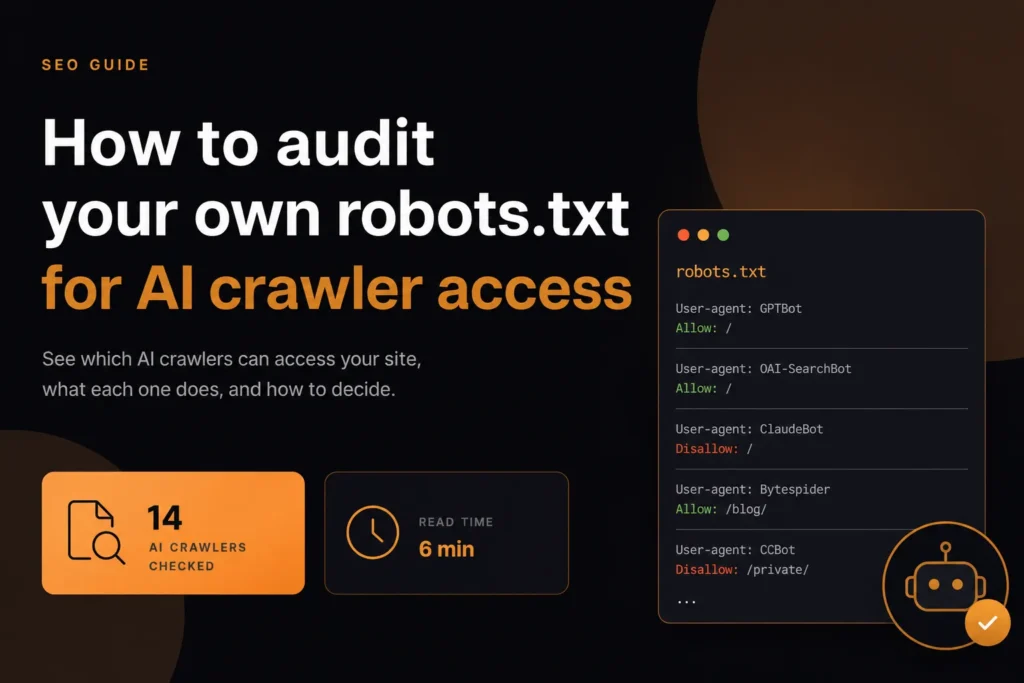
Audit robots.txt for AI crawler access to understand which AI crawlers can fetch your website for model training, search indexing, live-answer retrieval, or user-triggered requests. At least fourteen major AI crawlers now interact with web content, yet many websites have never deliberately decided which ones should be allowed or blocked.
This guide explains what each crawler does, how to review your current robots.txt rules, and how to create a deliberate crawler-access policy. Blocking every AI crawler and allowing every AI crawler can both be defensible choices. The real problem is leaving access permissions unchanged without understanding their consequences.
Short answer: Open your robots.txt file, list every AI user agent you care about, and check whether each is allowed or blocked after applying the group-matching rules. Then compare each result with a decision you actually made for that crawler’s purpose: training, search, or user-triggered fetching. Our AI crawler access checker does the matching for you.
The three jobs AI crawlers do
Lumping them together is the most common mistake. They serve different purposes and blocking them has different consequences.
- Training — collecting text to train future models. Blocking costs you nothing in traffic today.
- Retrieval for live answers — fetching pages to answer a question being asked right now. Blocking removes you from those answers.
- User-triggered fetching — a person pasted your URL and asked about it. Blocking breaks that for your own visitors.
The distinction matters because a single blanket rule treats all three identically, and most sites want different answers for each.
OpenAI’s crawler documentation shows why this matters: it says each setting is independent, so a site can allow OAI-SearchBot to appear in ChatGPT search while disallowing GPTBot to signal that content should not be used for training. It also notes that ChatGPT-User fetches are initiated by users, so robots.txt rules may not apply to them, and that it can take around 24 hours after a robots.txt update for its search systems to adjust.
Who is actually fetching your pages
The main agents, grouped by operator. Names change, so verify against current documentation rather than trusting any list, including this one.
- GPTBot training, OAI-SearchBot search indexing, ChatGPT-User user-triggered fetch
- ClaudeBot training, Claude-User and Claude-SearchBot retrieval and user-triggered
- Google-Extended controls Gemini training without affecting Google Search indexing
- PerplexityBot indexing for Perplexity answers
- Applebot-Extended controls Apple AI training separately from Applebot
- Bytespider, CCBot, Amazonbot and Meta-ExternalAgent in various training and indexing roles
Google-Extended and Applebot-Extended deserve singling out: both let you opt out of AI training while keeping normal search indexing intact, which is usually the decision people actually want.
| Purpose | Examples | If blocked | Typical choice |
|---|---|---|---|
| Training | GPTBot, ClaudeBot, Google-Extended, Applebot-Extended, CCBot | No effect on search traffic; content should not be used for training from that point | Block if you want to withhold content, allow if visibility matters more |
| Search or retrieval | OAI-SearchBot, Claude-SearchBot, PerplexityBot | Fewer or no citations in that product’s answers | Allow if you want to be cited |
| User-triggered | ChatGPT-User, Claude-User | Users who paste your URL may get a poorer response; some operators say robots.txt may not apply | Allow unless the content is restricted |
How to check what you currently allow
Read your robots.txt carefully, because order and specificity both matter. Rules are matched by user-agent group, and a specific group overrides the wildcard entirely rather than adding to it.
That precedence rule causes most accidental outcomes. If you have a User-agent: * group carrying a Disallow, and a separate group for GPTBot with no Disallow, GPTBot follows its own group and ignores the wildcard completely.
Here is the pattern in practice:
User-agent: *
Disallow: /private/

User-agent: GPTBot
Allow: /
A site owner may read this as “block /private/ for everyone”. In fact GPTBot matches its own group, which has no Disallow, so GPTBot is allowed to fetch /private/ too. To keep it out, repeat the rule inside the GPTBot group. This behaviour comes from the Robots Exclusion Protocol, RFC 9309: a crawler uses the group that matches its user agent most specifically, and within a group the most specific (longest) matching rule wins.
Our AI crawler access checker parses your robots.txt against fourteen agents and reports allowed or blocked for each, which is faster and more reliable than working through precedence by hand.
How Do You Audit robots.txt for AI Crawlers Step by Step?
- Fetch the live file. Open yourdomain.com/robots.txt in a browser. Check each subdomain separately, because each has its own file.
- List the agents you care about, grouped by purpose: training, search or retrieval, and user-triggered.
- Check the status and format. The file should return a normal 200 response as plain text. A server error or a block page can make crawlers behave unpredictably.
- Resolve each agent to the group it will follow. Look for a named group first, then the wildcard group.
- Run the checker and compare its allowed or blocked result with what you expected.
- Compare with your decision. For each agent, write down whether you want it allowed, blocked or limited to some paths, and why.
- Fix conflicts, save the file, and test again. Allow time for crawlers to re-read the file; OpenAI, for example, says its search systems can take around 24 hours to adjust.
- Put a review date in the calendar, and record the policy somewhere your team can find it.
Making the decision
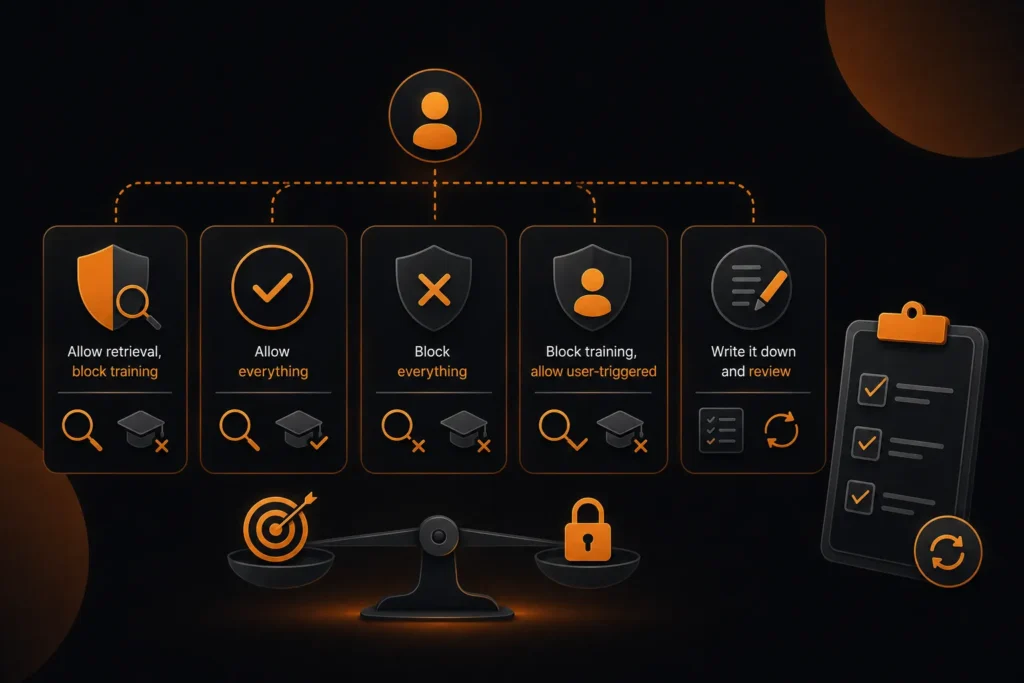
There is no universally correct answer, and anyone telling you otherwise is selling something. The reasonable positions depend on what your content is for.
- Allow retrieval, block training — the most common sensible default. You stay citable in live answers without contributing to training corpora.
- Allow everything — if visibility matters more than control and your content is marketing rather than product.
- Block everything — if your content is the product, as with paid research or journalism.
- Block training, allow user-triggered — so people who paste your URL still get a useful response.
For the first and most common option, the file might look like this (illustrative; confirm agent names against each operator’s current documentation before using it):
# Training crawlers: blocked
User-agent: GPTBot
Disallow: /

User-agent: Google-Extended
Disallow: /

# Search and retrieval: allowed
User-agent: OAI-SearchBot
Allow: /
Whichever you choose, write it down and revisit it. New agents appear regularly and a rule set from two years ago is unlikely to reflect what you would decide today.
A hypothetical example
A software company publishes a public documentation site and a paid research library. It decides that documentation should be citable in AI answers, while the research library is the product. The policy: allow search and retrieval agents on /docs/, block training agents everywhere, and disallow all AI agents on /research/. Because robots.txt is only a request, the research library also sits behind a login. The example is illustrative.
What robots.txt cannot do
It is a request, honoured by convention. It is not access control and it is not enforcement.
- It cannot stop a crawler that ignores it, and some do
- It cannot remove content already in a training set
- It cannot prevent a person copying your page manually
- Blocking a crawler does not remove you from answers built on data already collected
If you need actual enforcement, that is authentication, rate limiting or firewall rules rather than a text file. Treat robots.txt as a clearly stated preference that well-behaved operators respect.
The check most sites should run first
Before deciding anything about AI crawlers, confirm you are not blocking them by accident. We see this regularly: a disallow written years ago for an unrelated reason, now catching agents nobody considered.
The reverse is equally common. Sites that believe they are blocking AI training often are not, because their rules name agents that have since been renamed or split into separate crawlers.
Run the check, look at all fourteen results, and confirm each one matches a decision somebody actually made. It takes ten minutes and most sites fail it the first time.
Common robots.txt Mistakes That Affect AI Crawlers
| Mistake | How to check | Fix |
|---|---|---|
| Wildcard rule assumed to apply to named bots | Resolve each agent to its own group | Repeat needed rules inside each named group |
| Old agent names | Compare with current operator documentation | Update names and add newly split crawlers |
| Blanket block meant only for training | Search and retrieval agents also show as blocked | Allow the retrieval agents you want to be cited by |
| Rules on the wrong host | Each subdomain has its own robots.txt | Check www, root and any docs or blog subdomains |
| File returns an error | Open the URL and check the response status | Serve a plain 200 text file |
For related checks, see our other free tools such as the llms.txt generator and the AI answer extractability checker, and our AI crawler blocking study on how sites handle these rules in practice. Our AI SEO service covers crawler policy as part of wider AI visibility work. Ashish Khan and Sakshi Kumari, SEO specialists at MoxSEO, review this guidance.
Sources and further reading
Take Control of AI Crawler Access with MoxSEO
AI crawler access is no longer a simple allow-or-block decision. Training crawlers, live-answer retrieval bots, search-indexing agents, and user-triggered fetchers can all interact with your website differently. A single blanket robots.txt rule may reduce AI visibility, permit unwanted training access, or create outcomes that do not match your content strategy.
MoxSEO can help you review how major AI crawlers currently access your website and identify incorrect, outdated, or conflicting robots.txt rules. The AI crawler access checker evaluates multiple user agents and shows whether each crawler is allowed or blocked, helping you make deliberate decisions instead of relying on assumptions.
Whether you want to block training crawlers, remain visible in live AI answers, allow user-triggered fetching, or apply different rules to specific website sections, MoxSEO can help you create a practical crawler-access strategy aligned with your SEO, content ownership, and visibility goals.
For publishers, ecommerce websites, research platforms, membership sites, SaaS businesses, and content-driven brands, MoxSEO can also assess whether robots.txt provides enough control. Where stronger protection is required, the review can include recommendations for authentication, firewall rules, bot management, rate limiting, or access restrictions.
Do not leave AI crawler permissions to old robots.txt settings or incomplete user-agent lists. Review all major crawlers, document your policy, and ensure every allowed or blocked result reflects an intentional business decision.
Contact MoxSEO for an AI Crawler and Robots.txt Audit
Frequently asked questions
Does blocking GPTBot remove me from ChatGPT answers?
Not entirely. GPTBot is the training crawler. Live answers use different agents, so blocking one without the others produces a partial result.
Will blocking AI crawlers hurt my Google rankings?
No. Google-Extended is separate from Googlebot. Blocking it opts you out of AI training without affecting search indexing.
Can I allow some pages and block others?
Yes. Path rules work exactly as they do for any crawler, so you can expose documentation while withholding premium content.
How often should I review this?
Twice a year is reasonable. Agents appear, get renamed and split more often than most people expect.
Is there a traffic benefit to allowing them?
Retrieval crawlers can produce referral traffic when you are cited. Training crawlers produce none by definition. That asymmetry is the core of most decisions.
How long does it take for a robots.txt change to work?
It varies by operator. OpenAI says its search systems can take around 24 hours to adjust after an update, and other crawlers re-read the file on their own schedule. Re-check after a few days.
Do I need a separate robots.txt for each subdomain?
Yes. A robots.txt file applies only to the host and protocol where it is served, so your docs, blog and shop subdomains each need their own.
Should I use llms.txt instead of robots.txt?
No, they do different jobs. Robots.txt tells crawlers what they may fetch; llms.txt is a proposed file that points AI systems to useful content. You can create one with our llms.txt generator, but do not treat it as an access control.
What if I want to block only certain AI crawlers?
Add a named user-agent group for each crawler you want to block and repeat any shared rules inside it. Then run the checker to confirm the result.
Does robots.txt protect private content?
No. It is a public request file and does not stop determined access. Use authentication or server rules for private material.

Ashish Khan is an SEO Specialist at MoxSEO with expertise in keyword research, on-page optimization, technical SEO, content strategy, and link building. He focuses on improving website visibility, strengthening search performance, and helping businesses attract relevant organic traffic. By combining competitor analysis, SEO audits, and data-driven optimization, Ashish supports sustainable ranking growth and stronger digital presence.