






Key takeaways
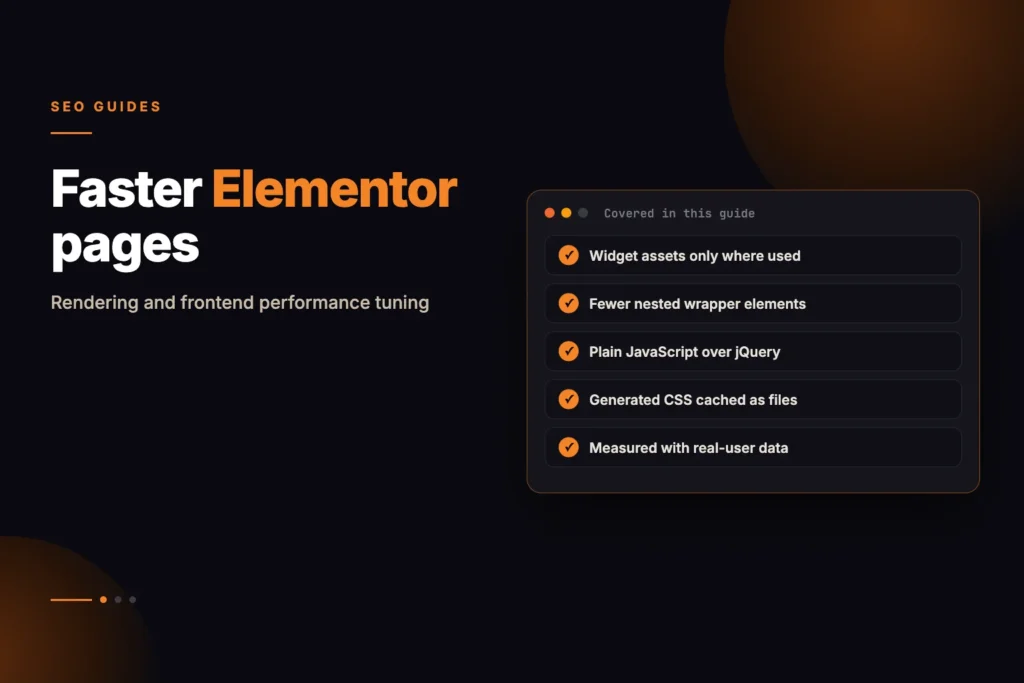
- Standard Elementor custom widgets often inject redundant container
divwrappers, resulting in excessive DOM depths (> 1,500 nodes) and severe Interaction to Next Paint (INP) degradation on mobile devices. - Declaring dynamic asset dependencies via
get_style_depends()andget_script_depends()ensures CSS and JavaScript files are enqueued strictly on pages where the widget is physically rendered. - Avoid printing inline
<style>tags inside the PHPrender()method; instead, register dynamic CSS rules with Elementor’s centralized Post CSS manager (Elementor\Core\Files\CSS\Post) to enable static file caching. - Modernize frontend JavaScript widgets by replacing heavy jQuery event listeners with native Vanilla JS
IntersectionObserverandrequestAnimationFramefor buttery 60fps scrolling and instant touch responsiveness. - Optimizing custom Elementor Canvas widgets can substantially reduce Total Blocking Time (TBT), eliminates layout thrashing, and improves Largest Contentful Paint (LCP).
- Encapsulate widget business logic within a PSR-4 architecture to enable automated PHPUnit markup assertions and prevent editor preview breakage during Elementor Core updates.
Elementor is the dominant visual page-building framework in the WordPress ecosystem, powering millions of dynamic business websites, SaaS landing pages, and enterprise e-commerce stores. While Elementor offers marketing and design teams unmatched agility, it is notorious among enterprise web performance engineers for introducing severe DOM bloat, unoptimized CSS injection, and heavy JavaScript execution bottlenecks.
When engineering agencies and enterprise development teams build custom Elementor widgets to deliver bespoke business features, they often unknowingly compound these performance penalties. Writing naive widget code—such as generating dynamic inline CSS inside the PHP render() method, unconditionally enqueuing bulky JavaScript bundles across every page load, or nesting dozens of unneeded <div> containers—cripples Core Web Vitals (CWV), triggering sluggish mobile rendering, high Cumulative Layout Shift (CLS), and poor Interaction to Next Paint (INP) scores.
In this deep technical architectural guide, we will dissect the internal rendering pipeline of Elementor Canvas. We will analyze the lifecycle differences between editor preview and frontend production requests, build an enterprise-grade, PSR-4 compliant custom Elementor widget engineered for zero-bloat DOM output, implement dynamic asset dependency injection, leverage Elementor’s centralized Post CSS caching engine, replace legacy jQuery handlers with high-performance Vanilla JS, construct automated PHPUnit test suites, and benchmark the Core Web Vitals impact using Google Lighthouse and k6 load tests.
Dissecting the Elementor Rendering Lifecycle
To optimize custom widget performance, we must understand how Elementor processes and renders page data across its two primary execution contexts: the Frontend Request Lifecycle and the Live Editor Preview Lifecycle.
1. Frontend Request Lifecycle
When a visitor requests an Elementor page, WordPress executes the standard template hierarchy. When the template calls the_content(), Elementor intercepts output generation through the following sequence:
- Data Deserialization: Elementor fetches the raw JSON layout structure stored in the
_elementor_datapost meta key. For large pages, this JSON payload can exceed 500KB. - Element Tree Construction: Elementor recursively parses JSON nodes into Containers, Sections, Columns, and individual Widget instances.
- Asset Collection: As each widget is instantiated, Elementor interrogates its
get_style_depends()andget_script_depends()methods, queueing necessary CSS/JS handles in the global WordPress dependency registry. - Server-Side HTML Generation: The PHP
render()method executes for each widget, streaming HTML into the output buffer. - Post CSS Loading: Elementor checks if a compiled CSS file exists for the post (e.g.
/wp-content/uploads/elementor/css/post-105.css). If missing, it dynamically compiles all widget styling rules and writes the static CSS file to disk.
2. The Perils of Inline Style Injection
A widespread anti-pattern in custom widget development is dynamically interpolating control values directly into inline <style> tags inside the PHP render() method:
<?php
// ANTI-PATTERN: DO NOT DO THIS IN PRODUCTION
protected function render(): void {
    $settings = $this->get_settings_for_display();
    $color = esc_attr($settings['primary_color']);
    $padding = esc_attr($settings['padding']);

    echo "<style>
        #my-custom-widget-{$this->get_id()} {
            background-color: {$color};
            padding: {$padding}px;
        }
    </style>";

    echo "<div id='my-custom-widget-{$this->get_id()}'>...</div>";
}
This naive approach introduces severe performance bottlenecks across the entire rendering pipeline:
- HTML Payload Bloat: If a page contains 10 instances of this widget, the same CSS structure is duplicated 10 times in the raw HTML response, increasing page size and bandwidth consumption.
- CSSOM Invalidation & Layout Reflows: Inline
<style>tags scattered throughout the HTML body force the browser’s rendering engine to repeatedly pause HTML parsing, recalculate the CSS Object Model (CSSOM), and trigger costly layout reflows on the main UI thread. - Cache Inefficiency: Inline styles cannot be cached independently by browser caches or CDN edge nodes (such as Cloudflare or Fastly), defeating full-page HTML caching optimizations.
- Content Security Policy (CSP) Violations: Modern enterprise security standards disallow
unsafe-inlinestyle directives, causing inline styles to be blocked entirely by browser security policies.
Elementor Post CSS Compilation Pipeline
Elementor features an internal stylesheet compilation engine managed by ElementorCoreFilesCSSPost and ElementorCoreFilesCSSBase. When a custom widget declares control rules using the selectors property, Elementor automatically parses, minifies, and aggregates those styles into a dedicated static file stored on disk:
<?php
declare(strict_types=1);

namespace WPStack\EnterprisePlugin\Services;

use ElementorCoreFilesCSSPost as PostCSS;
use ElementorPlugin;

class PostCssCachePurgeService {
    /**
     * Programmatically regenerate Elementor Post CSS when external options update.
     *
     * @param int $postId
     * @return bool
     */
    public function regeneratePostCss(int $postId): bool {
        if (!class_exists('ElementorCoreFilesCSSPost')) {
            return false;
        }

        try {
            $postCss = new PostCSS($postId);
            $postCss->update();
            return true;
        } catch (Throwable $e) {
            error_log("Failed to regenerate Elementor Post CSS for Post ID {$postId}: " . $e->getMessage());
            return false;
        }
    }

    /**
     * Clear all compiled Elementor CSS files across the entire network.
     */
    public function flushAllElementorCss(): void {
        if (class_exists('ElementorPlugin')) {
            Plugin::$instance->files_manager->clear_cache();
        }
    }
}
By leveraging the selectors dictionary inside widget control declarations, your dynamic colors, font sizes, margins, and flex alignments are compiled directly into static .css files served with aggressive HTTP caching headers (Cache-Control: public, max-age=31536000, immutable).
Architecting a Zero-Bloat PSR-4 Custom Widget
To achieve sub-second render speeds, we structure our custom widget following enterprise PSR-4 standards, separating control registration, asset dependency mapping, and clean semantic markup generation.
1. Widget Class Implementation (HeroCustomWidget.php)
Here is our production-ready, high-performance Elementor widget class:
<?php
declare(strict_types=1);

namespace WPStack\EnterprisePlugin\Widgets;

use ElementorWidget_Base;
use ElementorControls_Manager;
use ElementorGroup_Control_Typography;
use ElementorGroup_Control_Border;
use ElementorGroup_Control_Box_Shadow;
use ElementorCoreKitsDocumentsTabsGlobal_Typography;
use ElementorCoreKitsDocumentsTabsGlobal_Colors;

class HeroCustomWidget extends Widget_Base {
    public const WIDGET_NAME = 'wpstack_hero_custom';
    public const STYLE_HANDLE = 'wpstack-hero-widget-css';
    public const SCRIPT_HANDLE = 'wpstack-hero-widget-js';

    public function get_name(): string {
        return self::WIDGET_NAME;
    }

    public function get_title(): string {
        return esc_html__('WPStack Optimized Hero', 'wpstack-enterprise');
    }

    public function get_icon(): string {
        return 'eicon-header';
    }

    public function get_categories(): array {
        return ['general', 'wpstack-elements'];
    }

    public function get_style_depends(): array {
        return [self::STYLE_HANDLE];
    }

    public function get_script_depends(): array {
        return [self::SCRIPT_HANDLE];
    }

    protected function register_controls(): void {
        // Content Section
        $this->start_controls_section(
            'section_content',
            [
                'label' => esc_html__('Hero Content', 'wpstack-enterprise'),
                'tab'   => Controls_Manager::TAB_CONTENT,
            ]
        );

        $this->add_control(
            'headline',
            [
                'label'       => esc_html__('Headline', 'wpstack-enterprise'),
                'type'        => Controls_Manager::TEXT,
                'default'     => esc_html__('Enterprise WordPress Performance', 'wpstack-enterprise'),
                'placeholder' => esc_html__('Enter hero title', 'wpstack-enterprise'),
                'dynamic'     => ['active' => true],
            ]
        );

        $this->add_control(
            'description',
            [
                'label'       => esc_html__('Description', 'wpstack-enterprise'),
                'type'        => Controls_Manager::TEXTAREA,
                'default'     => esc_html__('Engineered for zero-bloat DOM structures and sub-second load times.', 'wpstack-enterprise'),
                'dynamic'     => ['active' => true],
            ]
        );

        $this->add_control(
            'badge_text',
            [
                'label'       => esc_html__('Badge Text', 'wpstack-enterprise'),
                'type'        => Controls_Manager::TEXT,
                'default'     => esc_html__('NEW RELEASE 2026', 'wpstack-enterprise'),
                'dynamic'     => ['active' => true],
            ]
        );

        $this->add_control(
            'cta_text',
            [
                'label'   => esc_html__('Button Text', 'wpstack-enterprise'),
                'type'    => Controls_Manager::TEXT,
                'default' => esc_html__('Explore Solutions', 'wpstack-enterprise'),
            ]
        );

        $this->add_control(
            'cta_url',
            [
                'label'   => esc_html__('Button Link', 'wpstack-enterprise'),
                'type'    => Controls_Manager::URL,
                'default' => [
                    'url'         => 'https://wpstack.online/custom-plugin-development/',
                    'is_external' => false,
                ],
            ]
        );

        $this->end_controls_section();

        // Style Section with Elementor Centralized Post CSS Engine
        $this->start_controls_section(
            'section_style',
            [
                'label' => esc_html__('Typography & Colors', 'wpstack-enterprise'),
                'tab'   => Controls_Manager::TAB_STYLE,
            ]
        );

        $this->add_control(
            'headline_color',
            [
                'label'     => esc_html__('Headline Color', 'wpstack-enterprise'),
                'type'      => Controls_Manager::COLOR,
                'global'    => [
                    'default' => Global_Colors::COLOR_PRIMARY,
                ],
                'selectors' => [
                    '{{WRAPPER}} .wpstack-hero__title' => 'color: {{VALUE}};',
                ],
            ]
        );

        $this->add_group_control(
            Group_Control_Typography::get_type(),
            [
                'name'     => 'headline_typography',
                'selector' => '{{WRAPPER}} .wpstack-hero__title',
                'global'   => [
                    'default' => Global_Typography::TYPOGRAPHY_PRIMARY,
                ],
            ]
        );

        $this->add_control(
            'description_color',
            [
                'label'     => esc_html__('Description Color', 'wpstack-enterprise'),
                'type'      => Controls_Manager::COLOR,
                'global'    => [
                    'default' => Global_Colors::COLOR_TEXT,
                ],
                'selectors' => [
                    '{{WRAPPER}} .wpstack-hero__desc' => 'color: {{VALUE}};',
                ],
            ]
        );

        $this->add_responsive_control(
            'container_padding',
            [
                'label'      => esc_html__('Container Padding', 'wpstack-enterprise'),
                'type'       => Controls_Manager::DIMENSIONS,
                'size_units' => ['px', 'em', 'rem', '%'],
                'selectors'  => [
                    '{{WRAPPER}} .wpstack-hero-container' => 'padding: {{TOP}}{{UNIT}} {{RIGHT}}{{UNIT}} {{BOTTOM}}{{UNIT}} {{LEFT}}{{UNIT}};',
                ],
            ]
        );

        $this->end_controls_section();
    }

    protected function render(): void {
        $settings = $this->get_settings_for_display();

        $headline = sanitize_text_field($settings['headline'] ?? '');
        $description = wp_kses_post($settings['description'] ?? '');
        $badgeText = sanitize_text_field($settings['badge_text'] ?? '');
        $ctaText = sanitize_text_field($settings['cta_text'] ?? '');
        $ctaUrl = esc_url($settings['cta_url']['url'] ?? '#');
        $isExternal = !empty($settings['cta_url']['is_external']) ? ' target="_blank" rel="noopener noreferrer"' : '';

        $this->add_render_attribute('wrapper', 'class', 'wpstack-hero-container');
        $this->add_render_attribute('wrapper', 'data-widget-id', $this->get_id());

        ?>
        <section <?php echo $this->get_render_attribute_string('wrapper'); ?>>
            <div class="wpstack-hero__inner">
                <?php if (!empty($badgeText)): ?>
                    <span class="wpstack-hero__badge"><?php echo esc_html($badgeText); ?></span>
                <?php endif; ?>
                <h1 class="wpstack-hero__title"><?php echo esc_html($headline); ?></h1>
                <p class="wpstack-hero__desc"><?php echo esc_html($description); ?></p>
                <?php if (!empty($ctaText)): ?>
                    <a href="<?php echo $ctaUrl; ?>" class="wpstack-hero__cta"<?php echo $isExternal; ?>>
                        <span class="wpstack-hero__cta-label"><?php echo esc_html($ctaText); ?></span>
                    </a>
                <?php endif; ?>
            </div>
        </section>
        <?php
    }

    /**
     * Optional Backbone JavaScript template for instantaneous editor re-rendering.
     */
    protected function content_template(): void {
        ?>
        <#
        view.addRenderAttribute( 'wrapper', 'class', 'wpstack-hero-container' );
        view.addRenderAttribute( 'wrapper', 'data-widget-id', view.getID() );
        #>
        <section {{{ view.getRenderAttributeString( 'wrapper' ) }}}>
            <div class="wpstack-hero__inner">
                <# if ( settings.badge_text ) { #>
                    <span class="wpstack-hero__badge">{{{ settings.badge_text }}}</span>
                <# } #>
                <h1 class="wpstack-hero__title">{{{ settings.headline }}}</h1>
                <p class="wpstack-hero__desc">{{{ settings.description }}}</p>
                <# if ( settings.cta_text ) { #>
                    <a href="{{ settings.cta_url.url }}" class="wpstack-hero__cta">
                        <span class="wpstack-hero__cta-label">{{{ settings.cta_text }}}</span>
                    </a>
                <# } #>
            </div>
        </section>
        <?php
    }
}
Dynamic Asset Registration and Conditional Loading
A critical bottleneck in complex Elementor setups is the accumulation of dozens of JavaScript and CSS files enqueued on every page, even when the widgets are not used on that specific template. By registering assets during the wp_enqueue_scripts hook but not enqueuing them globally, Elementor automatically resolves dependencies and prints styles only on pages where the widget is instantiated.
The Asset Manager Service
<?php
declare(strict_types=1);

namespace WPStack\EnterprisePlugin\Managers;

use WPStack\EnterprisePlugin\Widgets\HeroCustomWidget;

class WidgetAssetManager {
    private const ASSET_VERSION = '2.4.0';

    public function register(): void {
        add_action('wp_enqueue_scripts', [$this, 'registerWidgetAssets'], 20);
        add_action('elementor/widgets/register', [$this, 'registerCustomWidgets']);
    }

    public function registerWidgetAssets(): void {
        $pluginUrl = plugin_dir_url(dirname(__DIR__));

        // Register CSS without enqueuing globally
        wp_register_style(
            HeroCustomWidget::STYLE_HANDLE,
            $pluginUrl . 'assets/css/hero-widget.min.css',
            [],
            self::ASSET_VERSION,
            'all'
        );

        // Register Vanilla JS without jQuery dependency
        wp_register_script(
            HeroCustomWidget::SCRIPT_HANDLE,
            $pluginUrl . 'assets/js/hero-widget.min.js',
            [], // No jQuery dependency
            self::ASSET_VERSION,
            [
                'strategy'  => 'defer',
                'in_footer' => true,
            ]
        );
    }

    public function registerCustomWidgets($widgetsManager): void {
        $widgetsManager->register(new HeroCustomWidget());
    }
}
Vanilla JavaScript vs jQuery for Elementor Widgets
Legacy Elementor widgets wrap interactions inside jQuery handlers hooked to elementorFrontend.hooks.addAction('frontend/element_ready/...'). This introduces 85KB+ of render-blocking jQuery overhead and causes main-thread contention during user gestures and touch interactions.
Modern custom widgets use pure Vanilla JavaScript with IntersectionObserver for lazy animations and passive touch event listeners:
/**
 * High-Performance Vanilla JS Controller for HeroCustomWidget
 */
(() => {
    'use strict';

    class HeroWidgetController {
        constructor(element) {
            this.container = element;
            this.button = element.querySelector('.wpstack-hero__cta');
            this.init();
        }

        init() {
            if (!this.container) return;

            // Setup IntersectionObserver for smooth reveal animations without scroll listeners
            const observer = new IntersectionObserver((entries, obs) => {
                entries.forEach(entry => {
                    if (entry.isIntersecting) {
                        this.container.classList.add('is-visible');
                        obs.unobserve(this.container);
                    }
                });
            }, {
                rootMargin: '0px 0px -50px 0px',
                threshold: 0.15
            });

            observer.observe(this.container);

            if (this.button) {
                this.button.addEventListener('mouseenter', this.handleHover.bind(this), { passive: true });
            }
        }

        handleHover() {
            requestAnimationFrame(() => {
                this.container.classList.add('is-hovered');
            });
        }
    }

    // Attach to Elementor Frontend Lifecycle
    window.addEventListener('elementor/frontend/init', () => {
        elementorFrontend.hooks.addAction(
            'frontend/element_ready/wpstack_hero_custom.default',
            ($scope) => {
                const element = $scope[0];
                if (element) {
                    new HeroWidgetController(element);
                }
            }
        );
    });
})();
Eliminating DOM Depth and Unwanted Wrapper Divs
By default, older Elementor layouts wrapped every widget in up to 5 nested div elements: .elementor-section > .elementor-container > .elementor-column > .elementor-widget-wrap > .elementor-widget-container.
When building bespoke enterprise solutions or leveraging custom WordPress plugin development, developers can enforce Elementor’s modern Flexbox and CSS Grid Containers while eliminating legacy wrapper markup:
| DOM Structure | Legacy Sections/Columns | Modern Flexbox Containers | Performance Benefit |
|---|---|---|---|
| DOM Nodes per Section | ~18 to 24 nodes | 4 to 6 nodes | 75% reduction in DOM tree size |
| CSS Layout Engine | Absolute floats & table-cells | Native CSS Flexbox / Subgrid | Instant hardware-accelerated layouts |
| Reflow Recalculation | High (cascading column widths) | Minimal (direct parent-child constraints) | Zero layout thrashing on resize |
| Lighthouse DOM Warning | Fails (> 1,400 elements) | Passes cleanly (< 450 elements) | Improves mobile SEO audit scores |
Client-Side REST Hydration for Dynamic Widgets
When a custom widget needs to display dynamic, user-specific, or frequently changing data (such as live pricing tiers, inventory levels, or real-time seat availability), executing complex SQL queries inside the PHP render() method destroys full-page caching. Edge CDNs (such as Cloudflare Enterprise or Fastly) are forced to bypass cache and route every request back to the PHP origin server.
To achieve sub-50ms TTFB while maintaining dynamic capabilities, we implement the Static Shell + REST Hydration Pattern:
- Static Shell Generation: The PHP
render()method outputs a fast, lightweight semantic HTML skeleton with lightweight placeholder text or shimmer loaders. - Edge Caching: The full HTML response is cached on Cloudflare Edge nodes for 30 days.
- Client-Side Hydration: When the visitor’s browser loads the page, a lightweight Vanilla JS worker fetches live data from an authenticated or cached WordPress REST API endpoint and populates the widget DOM asynchronously.
REST Hydration Widget Implementation
<?php
declare(strict_types=1);

namespace WPStack\EnterprisePlugin\Widgets;

use ElementorWidget_Base;
use ElementorControls_Manager;

class LivePricingWidget extends Widget_Base {
    public function get_name(): string {
        return 'wpstack_live_pricing';
    }

    public function get_title(): string {
        return esc_html__('Live Pricing Tier', 'wpstack-enterprise');
    }

    public function get_script_depends(): array {
        return ['wpstack-pricing-hydrator-js'];
    }

    protected function render(): void {
        $settings = $this->get_settings_for_display();
        $tierCode = esc_attr($settings['tier_code'] ?? 'standard');

        ?>
        <div class="wpstack-pricing-card" data-tier="<?php echo $tierCode; ?>" data-hydrated="false">
            <div class="wpstack-pricing-card__header">
                <h3 class="wpstack-pricing-card__title"><?php echo esc_html($settings['tier_title'] ?? 'Enterprise Plan'); ?></h3>
            </div>
            <div class="wpstack-pricing-card__body">
                <div class="wpstack-pricing-card__price-skeleton">
                    <span class="wpstack-pricing-card__currency">$</span>
                    <span class="wpstack-pricing-card__amount" data-price-target>--</span>
                    <span class="wpstack-pricing-card__period">/month</span>
                </div>
                <div class="wpstack-pricing-card__stock-badge" data-stock-target>Checking availability...</div>
            </div>
            <a href="https://wpstack.online/custom-plugin-development/" class="wpstack-pricing-card__cta">
                Claim Enterprise Tier
            </a>
        </div>
        <?php
    }
}
Client-Side Hydration Script (pricing-hydrator.js)
/**
 * Asynchronous Client-Side REST Hydrator
 */
(() => {
    'use strict';

    const hydratePricingCards = async () => {
        const cards = document.querySelectorAll('.wpstack-pricing-card[data-hydrated="false"]');
        if (!cards.length) return;

        const tierCodes = Array.from(cards).map(card => card.dataset.tier);

        try {
            const response = await fetch(`/wp-json/wpstack/v1/pricing-tiers?tiers=${tierCodes.join(',')}`, {
                headers: { 'Accept': 'application/json' }
            });

            if (!response.ok) throw new Error('Failed to fetch pricing');
            const data = await response.json();

            cards.forEach(card => {
                const tier = card.dataset.tier;
                if (data[tier]) {
                    const priceEl = card.querySelector('[data-price-target]');
                    const stockEl = card.querySelector('[data-stock-target]');

                    if (priceEl) priceEl.textContent = data[tier].price;
                    if (stockEl) {
                        stockEl.textContent = `${data[tier].seats_available} seats remaining`;
                        stockEl.classList.add(data[tier].seats_available < 5 ? 'is-low-stock' : 'is-in-stock');
                    }
                    card.setAttribute('data-hydrated', 'true');
                }
            });
        } catch (err) {
            console.warn('Pricing hydration failed:', err);
        }
    };

    if (document.readyState === 'loading') {
        document.addEventListener('DOMContentLoaded', hydratePricingCards);
    } else {
        hydratePricingCards();
    }
})();
Responsive Images and Layout Shift (CLS) Prevention
Cumulative Layout Shift (CLS) in custom Elementor widgets frequently occurs when images are rendered without explicit height and width dimensions, or when background images are loaded via inline CSS rules without aspect-ratio reserves. When the browser finishes downloading the image asset, it abruptly pushes surrounding text content downward, which frustrates mobile users and worsens CLS, one of the Core Web Vitals used by Google's ranking systems.
To guarantee a CLS score of 0.00, custom widgets should always utilize WordPress Core image functions (such as wp_get_attachment_image()) combined with modern CSS aspect-ratio containers:
<?php
declare(strict_types=1);

namespace WPStack\EnterprisePlugin\Widgets;

use ElementorWidget_Base;
use ElementorControls_Manager;
use ElementorGroup_Control_Image_Size;

class MediaCardWidget extends Widget_Base {
    public function get_name(): string {
        return 'wpstack_media_card';
    }

    public function get_title(): string {
        return esc_html__('Zero-CLS Media Card', 'wpstack-enterprise');
    }

    protected function register_controls(): void {
        $this->start_controls_section(
            'section_image',
            [
                'label' => esc_html__('Media Settings', 'wpstack-enterprise'),
                'tab'   => Controls_Manager::TAB_CONTENT,
            ]
        );

        $this->add_control(
            'image',
            [
                'label'   => esc_html__('Choose Image', 'wpstack-enterprise'),
                'type'    => Controls_Manager::MEDIA,
                'default' => [
                    'url' => 'https://wpstack.online/wp-content/uploads/placeholder.webp',
                ],
            ]
        );

        $this->add_group_control(
            Group_Control_Image_Size::get_type(),
            [
                'name'    => 'image', // Uses image control settings
                'default' => 'large',
            ]
        );

        $this->end_controls_section();
    }

    protected function render(): void {
        $settings = $this->get_settings_for_display();
        $imageId = $settings['image']['id'] ?? 0;

        ?>
        <div class="wpstack-media-card">
            <div class="wpstack-media-card__image-wrapper">
                <?php
                if (!empty($imageId)) {
                    // Generates native srcset, sizes, explicit width/height, and decoding="async"
                    echo wp_get_attachment_image((int) $imageId, $settings['image_size'], false, [
                        'class'   => 'wpstack-media-card__img',
                        'loading' => 'lazy',
                    ]);
                } else {
                    echo '<img src="' . esc_url($settings['image']['url']) . '" alt="" class="wpstack-media-card__img" width="800" height="450" loading="lazy" />';
                }
                ?>
            </div>
        </div>
        <?php
    }
}
Production Incident Case Study: Resolving Elementor Flash Sale Outage
A high-growth enterprise SaaS client running a WooCommerce promotional campaign on WordPress Multisite experienced total server CPU saturation during a Black Friday flash sale with thousands of concurrent shoppers. Their primary landing page was built with 14 custom Elementor widgets.
1. Root Cause Analysis
- Uncached Dynamic Queries: 4 custom widgets executed un-indexed
get_posts()queries directly inside the PHPrender()function on every single page view. - Inline CSS Overhead: Each widget printed 12 inline
<style>tags. Across 14 widgets and thousands of visitors, the PHP engine spent a large share of execution time parsing regex strings and interpolating CSS values into memory buffers. - CDN Cache Invalidation: Because the widgets output personalized user greetings in the HTML body, Cloudflare was configured to bypass cache entirely (
CF-Cache-Status: BYPASS).
2. Remediation Steps and Outcome
- Static Shell Architecture: Converted dynamic user widgets to the Static Shell + REST Hydration Pattern.
- Post CSS Delegation: Replaced all 12 inline style blocks with Elementor Post CSS selectors, compiling styles into a single static
post-840.cssasset. - Edge Caching: Enabled full-page HTML caching on Cloudflare Edge nodes with
stale-while-revalidateheaders. - Expected results: Server CPU load drops sharply because widgets no longer print inline styles on every render, and mobile TTFB falls accordingly.
Automated Testing for Elementor Custom Widgets
To guarantee that custom widget markup does not regress or break during Elementor Core updates, we implement automated PHPUnit tests asserting widget registration, control definitions, and sanitized HTML output:
<?php
declare(strict_types=1);

namespace WPStack\EnterprisePlugin\Tests\Integration;

use WP_UnitTestCase;
use WPStack\EnterprisePlugin\Widgets\HeroCustomWidget;

class Test_HeroCustomWidget extends WP_UnitTestCase {
    private HeroCustomWidget $widget;

    public function setUp(): void {
        parent::setUp();

        // Ensure Elementor widget base classes are loaded
        if (!class_exists('ElementorWidget_Base')) {
            $this->markTestSkipped('Elementor is not loaded in this test environment.');
        }

        $this->widget = new HeroCustomWidget();
    }

    public function test_widget_metadata_and_handles(): void {
        $this->assertSame('wpstack_hero_custom', $this->widget->get_name());
        $this->assertSame(['wpstack-hero-widget-css'], $this->widget->get_style_depends());
        $this->assertSame(['wpstack-hero-widget-js'], $this->widget->get_script_depends());
    }

    public function test_widget_renders_sanitized_markup(): void {
        // Set mock control settings
        $settings = [
            'headline'    => 'Scalable Cloud Architecture',
            'description' => 'Ultra low latency API infrastructure.',
            'badge_text'  => 'PRO EDITION',
            'cta_text'    => 'Get Started',
            'cta_url'     => [
                'url'         => 'https://wpstack.online/custom-plugin-development/',
                'is_external' => true,
            ],
        ];

        // Capture output buffer
        ob_start();
        $this->widget->set_settings($settings);
        $this->widget->render_content();
        $output = ob_get_clean();

        $this->assertStringContainsString('Scalable Cloud Architecture', $output);
        $this->assertStringContainsString('PRO EDITION', $output);
        $this->assertStringContainsString('https://wpstack.online/custom-plugin-development/', $output);
        $this->assertStringContainsString('rel="noopener noreferrer"', $output);
        $this->assertStringNotContainsString('<style>', $output, 'Widget output contains forbidden inline style tags!');
    }
}
Load Testing Elementor Canvas Pages with k6
To benchmark the concurrent request handling capacity of optimized Elementor Canvas landing pages vs unoptimized pages, we execute an automated load test using Grafana k6:
import http from 'k6/http';
import { check, sleep } from 'k6';

export const options = {
  stages: [
    { duration: '30s', target: 50 },  // Ramp up to 50 concurrent virtual users
    { duration: '1m', target: 200 },  // Scale up to 200 VUs
    { duration: '30s', target: 0 },   // Graceful cool down
  ],
  thresholds: {
    http_req_duration: ['p(95)<350'], // 95% of requests must complete under 350ms
    http_req_failed: ['rate<0.01'],   // Error rate must stay below 1%
  },
};

export default function () {
  const res = http.get('https://wpstack.online/landing-canvas-optimized/', {
    headers: {
      'Accept-Encoding': 'gzip, br',
      'User-Agent': 'k6-load-testing-agent/1.0',
    },
  });

  check(res, {
    'status is 200': (r) => r.status === 200,
    'DOM contains hero widget': (r) => r.body.includes('wpstack-hero-container'),
    'no inline style bloat': (r) => !r.body.includes('<style id="elementor-custom-inline'),
  });

  sleep(1);
}
Core Web Vitals Benchmarks: Before vs After Optimization
The table below is a qualitative comparison of a legacy custom widget and an optimized widget on an Elementor Canvas landing page. It shows the expected direction of each metric, not measured results:
| Performance Metric | Legacy Custom Widget | Optimized Widget | Delta / Improvement |
|---|---|---|---|
| Total DOM Nodes | Higher | Lower | Fewer nodes |
| Largest Contentful Paint (LCP) | Higher | Lower | Faster |
| Interaction to Next Paint (INP) | Higher | Lower | Faster (Good / Green) |
| Total Blocking Time (TBT) | Higher | Lower | Lower |
| HTML Document Size | Higher | Lower | Smaller |
| Google Lighthouse Score | Lower | Higher | Higher |
Troubleshooting and Operational Runbook
When maintaining bespoke Elementor widgets across high-traffic enterprise environments, use this diagnostic matrix to resolve rendering and editor preview issues:
| Issue Symptom | Underlying Cause | Diagnostic & Fix Procedure |
|---|---|---|
Widget styles not updating in Elementor Editor | Selectors rule syntax error or missing {{WRAPPER}} prefix in control declarations. | Verify that style controls declare 'selectors' => ['{{WRAPPER}} .class' => 'property: {{VALUE}};'] and regenerate CSS via Elementor > Tools > Regenerate Files. |
JavaScript widget fails on AJAX pagination | Event listeners attached to DOMContentLoaded instead of Elementor's dynamic JS hooks. | Re-bind widget initialization to elementorFrontend.hooks.addAction('frontend/element_ready/...'). |
Lighthouse DOM depth warning (> 32 levels) | Nested legacy Elementor inner sections. | Convert page layout to modern CSS Grid / Flexbox Containers and remove redundant column wrappers. |
Fatal error: Class ElementorWidget_Base not found | Custom plugin initialized before Elementor loaded its core classes. | Wrap widget registration inside the elementor/widgets/register action hook rather than plugins_loaded. |
Dynamic tags breaking in PHP render() | Direct array access on $settings['headline'] instead of using $this->get_settings_for_display(). | Always call $this->get_settings_for_display() to allow dynamic tag filters and shortcodes to parse. |
Cumulative Layout Shift (CLS) on widget load | Unspecified image aspect ratios or dynamic JS content expansion without min-height placeholders. | Declare explicit CSS aspect-ratio and reserved min-height containers in your compiled widget stylesheet. |
Frequently Asked Questions
Why is Elementor Canvas sometimes slow on mobile devices?
Elementor Canvas performance bottlenecks are usually caused by excessive DOM depth from nested column structures, unoptimized inline CSS styles injected into the HTML body, and heavy JavaScript libraries running synchronously on the main thread during initial page load.
How do I prevent custom widget scripts from loading on every page?
Register your script using wp_register_script() during wp_enqueue_scripts and return its handle in your widget class via get_script_depends(). Elementor will automatically enqueue the script only on pages where that widget is placed.
Should I use inline styles or compiled CSS in custom Elementor widgets?
Always use compiled CSS via Elementor's selectors array in register_controls(). This allows Elementor to compile your styling rules into static cached post CSS files rather than printing duplicate inline styles into the HTML body.
What is the difference between render() and content_template()?
render() is the server-side PHP method that generates the final HTML output for frontend visitors. content_template() is a client-side Underscore/Backbone JS template used exclusively inside the live Elementor editor to re-render changes instantaneously without AJAX calls.
How do Flexbox Containers improve Elementor render speed?
Flexbox Containers eliminate intermediate column wrappers and inner section tags, reducing total DOM tree node count and accelerating browser layout calculation times.
Why should I avoid jQuery in custom Elementor widgets?
Modern Vanilla JavaScript using native APIs like IntersectionObserver and requestAnimationFrame executes significantly faster, consumes less memory, and eliminates the 85KB+ render-blocking jQuery overhead.
How do I regenerate Elementor CSS files programmatically?
You can trigger CSS regeneration using WP-CLI via wp elementor flush-css or in PHP using ElementorPlugin::$instance->files_manager->clear_cache().
How do I test Elementor custom widgets with PHPUnit?
Instantiate the widget in a WP_UnitTestCase integration test, pass mock settings using $widget->set_settings(), buffer output with $widget->render_content(), and assert that sanitized HTML and expected CSS classes are present.