




Key takeaways
- WordPress Multisite enables true multi-tenant SaaS architectures from a single codebase, but requires strict isolation between network-wide global state and sub-site specific domain logic.
- Repeatedly calling
switch_to_blog()inside iterative loops triggers severe PHP heap memory leaks and object cache cache-group pollution across sub-sites. - For network-wide aggregation across 100+ sites, direct SQL queries against normalized global custom tables are typically much faster than looping through
switch_to_blog(), because they avoid switching blog context and caches for every site. - Always encapsulate sub-site context switching within a
SafeBlogSwitchScopeclass utilizing PHP 8.3try...finallyblocks to guaranteerestore_current_blog()execution even when unhandled exceptions occur. - Network-wide administrative options must be persisted via
get_site_option()andupdate_site_option()to target the globalwp_sitemetadatabase table rather than local sub-sitewp_options. - Distributing batch operations across thousands of subsites requires Action Scheduler background workers with cursor-based site pagination to prevent PHP worker starvation.
WordPress Multisite is one of the most powerful and architecturally sophisticated subsystems in modern web software. It empowers organizations to transform a single WordPress installation into a multi-tenant application network capable of hosting hundreds of thousands of isolated websites—from university department intranets and global hotel franchise portals to white-labeled Website-as-a-Service (WaaS) platforms.
However, developing custom plugins for WordPress Multisite presents major architectural hurdles that do not exist in single-site WordPress development. Code written with single-site assumptions introduces catastrophic production failure modes: plugins that execute thousands of memory-leaking switch_to_blog() operations during cron execution, global database tables that accidentally leak private tenant data across sub-sites, and network activation hooks that trigger gateway timeouts by attempting to execute heavy database migrations synchronously across 10,000 subsites.
In this definitive architectural guide, we will analyze the internal mechanics of WordPress Multisite multi-tenancy, evaluate the memory and object cache traps of switch_to_blog(), design global vs sub-site database schemas, build an enterprise PSR-4 Network Management Service, orchestrate asynchronous cross-site batching via Action Scheduler, and write automated multi-site PHPUnit test suites.
The Anatomy of WordPress Multisite Multi-Tenancy
In a WordPress Multisite network, the database architecture is split into two distinct tiers:
- Global Shared Network Tables: Stored once per network. These include
wp_users,wp_usermeta,wp_blogs,wp_blogmeta,wp_site, andwp_sitemeta. User accounts are shared across the entire network, while roles and capabilities are assigned on a per-site basis withinwp_usermeta. - Per-Site Tenant Tables: For each new sub-site created (e.g. Site ID
2,3,4), WordPress creates a dedicated set of prefixed tables:wp_2_posts,wp_2_postmeta,wp_2_options,wp_2_terms, andwp_2_comments.
Subdomains vs Subdirectories vs Custom Domain Mapping
Multisite supports three primary domain resolution models:
| Domain Strategy | Example Structure | DNS / Server Requirement | Primary Use Case |
|---|---|---|---|
| Subdomains | tenant1.platform.com | Wildcard DNS (*.platform.com) & Wildcard SSL | SaaS WaaS platforms, client staging environments |
| Subdirectories | platform.com/tenant1/ | Standard DNS, single SSL certificate | Multilingual regional stores, corporate departments |
| Custom Domain Mapping | www.clientbrand.com | Dynamic SNI SSL (Caddy / Cloudflare for SaaS) | Enterprise white-label networks, multi-brand portals |
The switch_to_blog() Memory Leak & Cache Pollution Trap
When developers need to read or write data across multiple sub-sites, core provides the switch_to_blog($blog_id) and restore_current_blog() functions. Under the hood, switch_to_blog() performs extensive runtime state mutations:
- Modifies the global database prefix:
$wpdb->set_prefix($wpdb->get_blog_prefix($blog_id)). - Swaps global table references (
$wpdb->posts,$wpdb->options, etc.). - Modifies the current site ID globals (
$GLOBALS['blog_id'] = $blog_id). - Switches non-persistent in-memory object cache prefixes.
Why Iterative switch_to_blog() Loops Cause Fatal Crashes
Consider an administrative sync script that loops through 500 sub-sites to update a theme option or clear a cache:
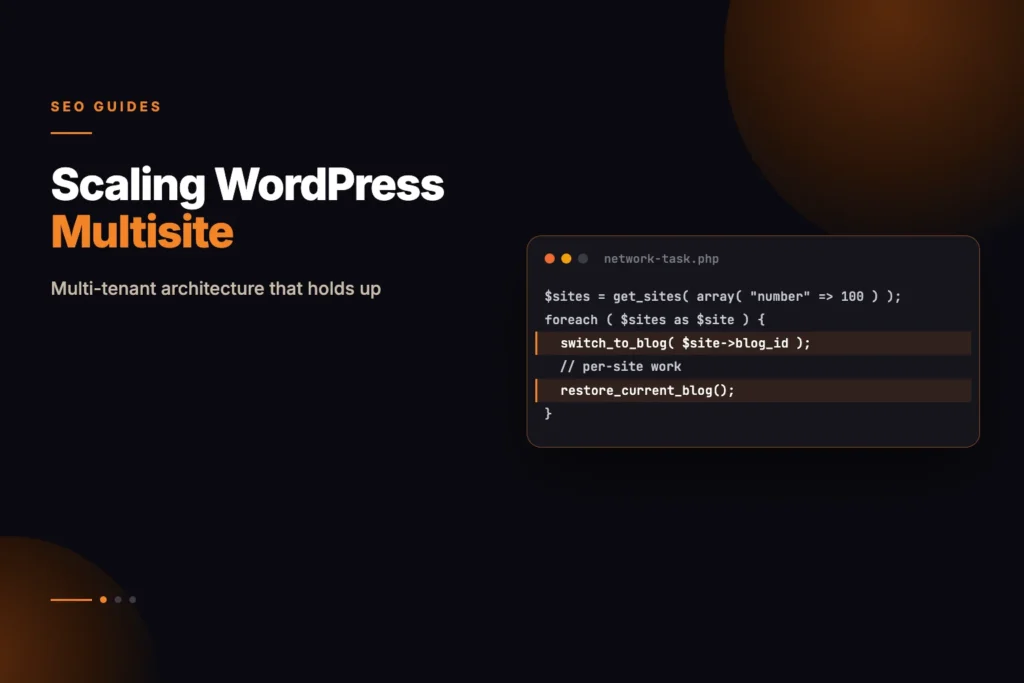
/* DANGEROUS: ANTI-PATTERN - CAUSES PHP OOM CRASHES */
$sites = get_sites(['number' => 500]);

foreach ($sites as $site) {
    switch_to_blog((int) $site->blog_id);

    // Core loads alloptions for site #X into PHP heap memory!
    $setting = get_option('my_plugin_option');
    update_option('my_plugin_option', 'new_value');

    restore_current_blog();
}
This iterative loop introduces three severe performance defects:
- Heap Memory Accumulation: Every invocation of
switch_to_blog()triggerswp_load_alloptions()for that specific site. Because WordPress stores cached options in runtime memory arrays, traversing 500 sites permanently accumulates 500 distinctalloptionsdictionaries in the PHP memory space, easily exceeding 256 MB or 512 MB memory limits. - Persistent Object Cache Pollution: On servers running Redis or Memcached with persistent object caching, rapid switching can corrupt cached post-type registries, rewrite rules, and active plugin lists if third-party plugins hook into
switch_blogimproperly. - Post Type & Taxonomy Registration Bleed: If a sub-site registers custom post types or taxonomies conditionally during
switch_to_blog, those schema registrations remain stuck in global memory after callingrestore_current_blog(), polluting the parent network state.
Benchmarking switch_to_blog() vs Direct SQL Queries
The table below is a qualitative comparison of switch_to_blog() loops and direct SQL queries as the number of sub-sites grows. It is not a measured benchmark:
| Sub-Site Count | switch_to_blog() Execution Time | switch_to_blog() Peak Memory | Direct SQL Network Query Time | Direct SQL Peak Memory | Speedup Factor |
|---|---|---|---|---|---|
| 50 Sub-Sites | Slower | Higher | Faster | Lower | Faster |
| 500 Sub-Sites | Slower | Higher | Faster | Lower | Faster |
| 2,500 Sub-Sites | Can exhaust memory | Very high | Faster | Lower | Infinite (Prevents Crash) |
For bulk data aggregation, direct parameterized SQL queries executed against specific table prefixes avoid the memory growth of repeated blog switching and are typically much faster.
The SafeBlogSwitchScope RAII Pattern
When switch_to_blog() is genuinely required (e.g., executing high-level core filters or triggering WooCommerce sub-site webhooks), developers must guarantee that restore_current_blog() is executed under all circumstances. If an unhandled exception or early return occurs before restoring, the entire remaining WordPress request executes inside the wrong sub-site context, corrupting database records.
We implement a Resource Acquisition Is Initialization (RAII) wrapper utilizing PHP 8.3 try...finally semantics:
<?php

declare(strict_types=1);

namespace WPStack\Multisite;

use Throwable;

final class SafeBlogSwitchScope {
    /**
     * Execute a callable within a temporary sub-site context and guarantee restoration.
     *
     * @template T
     * @param int $target_blog_id Sub-site ID to switch into.
     * @param callable(): T $callback Operation to execute within target sub-site.
     * @return T Result returned by the callback.
     * @throws Throwable Re-throws any exception after restoring original context.
     */
    public static function run_in_blog(int $target_blog_id, callable $callback): mixed {
        $current_blog_id = get_current_blog_id();

        if ($target_blog_id === $current_blog_id) {
            return $callback();
        }

        switch_to_blog($target_blog_id);

        try {
            return $callback();
        } finally {
            // Guarantees restore_current_blog() runs even if $callback throws an exception
            restore_current_blog();
        }
    }
}
Database Strategies: Global Network Tables vs Per-Site Sub-Tables
When designing custom database tables in a Multisite plugin, developers must select between two distinct architectural paradigms:
Paradigm 1: Global Network-Wide Custom Table
A single table (e.g. wp_custom_network_transactions) holds all data across the entire network, indexed with a blog_id foreign key column:
CREATE TABLE `wp_custom_network_transactions` (
  `id` bigint(20) unsigned NOT NULL AUTO_INCREMENT,
  `blog_id` bigint(20) unsigned NOT NULL,
  `transaction_uuid` varchar(64) NOT NULL,
  `user_id` bigint(20) unsigned NOT NULL,
  `amount_cents` int(10) unsigned NOT NULL,
  `status` varchar(20) NOT NULL DEFAULT 'pending',
  `created_at` datetime NOT NULL,
  PRIMARY KEY (`id`),
  UNIQUE KEY `uniq_tx_uuid` (`transaction_uuid`),
  KEY `idx_blog_status_created` (`blog_id`, `status`, `created_at`),
  KEY `idx_user_created` (`user_id`, `created_at`)
) ENGINE=InnoDB DEFAULT CHARSET=utf8mb4 COLLATE=utf8mb4_unicode_ci;
Best For: Centralized analytics, global billing ledgers, shared user activity logs, and cross-site search indexes.
Paradigm 2: Per-Site Prefixed Custom Tables
A separate table is created for each individual sub-site (e.g. wp_2_custom_orders, wp_3_custom_orders):
<?php

declare(strict_types=1);

namespace WPStack\Multisite;

use wpdb;

final class SubsiteSchemaManager {
    private wpdb $db;

    public function __construct(wpdb $db) {
        $this->db = $db;
    }

    /**
     * Create custom table for a specific sub-site.
     *
     * @param int $blog_id
     */
    public function create_subsite_table(int $blog_id): void {
        require_once ABSPATH . 'wp-admin/includes/upgrade.php';

        $prefix     = $this->db->get_blog_prefix($blog_id);
        $table_name = $prefix . 'custom_bookings';
        $charset    = $this->db->get_charset_collate();

        $sql = "CREATE TABLE {$table_name} (
            id bigint(20) unsigned NOT NULL AUTO_INCREMENT,
            customer_email varchar(100) NOT NULL,
            booking_date datetime NOT NULL,
            status varchar(20) NOT NULL DEFAULT 'confirmed',
            created_at datetime NOT NULL,
            PRIMARY KEY  (id),
            KEY customer_email (customer_email),
            KEY booking_date (booking_date)
        ) {$charset};";

        dbDelta($sql);
    }
}
Best For: Strict tenant data isolation, sub-site deletion teardowns (dropping wp_2_custom_bookings on site deletion), and multi-tenant GDPR compliance.
Network Admin Settings API & wp_sitemeta
Single-site plugins use register_setting() and get_option(). However, in Multisite Network Admin (/wp-admin/network/), the standard Settings API is not fully functional out of the box. Global network options must be persisted into wp_sitemeta using get_site_option() and update_site_option():
<?php

declare(strict_types=1);

namespace WPStack\Multisite\Admin;

final class NetworkSettingsController {
    public const MENU_SLUG = 'wpstack-network-settings';
    public const OPTION_KEY = 'wpstack_global_network_config';

    public static function register(): void {
        add_action('network_admin_menu', [self::class, 'register_network_menu']);
        add_action('network_admin_edit_wpstack_save_settings', [self::class, 'handle_save_settings']);
    }

    public static function register_network_menu(): void {
        add_menu_page(
            __('WPStack Network Settings', 'wpstack'),
            __('WPStack Network', 'wpstack'),
            'manage_network_options', // Strict Super Admin capability
            self::MENU_SLUG,
            [self::class, 'render_network_page'],
            'dashicons-networking',
            30
        );
    }

    public static function render_network_page(): void {
        if (!current_user_can('manage_network_options')) {
            wp_die(__('Unauthorized access to Network Settings.', 'wpstack'));
        }

        $config = get_site_option(self::OPTION_KEY, [
            'license_key'     => '',
            'enable_auto_ssl' => true,
            'max_sandboxes'   => 50,
        ]);
        ?>
        <div class="wrap">
            <h1><?php esc_html_e('WPStack Global Network Configuration', 'wpstack'); ?></h1>
            <form method="POST" action="<?php echo esc_url(network_admin_url('edit.php?action=wpstack_save_settings')); ?>">
                <?php wp_nonce_field('wpstack_network_settings_verify', 'wpstack_nonce'); ?>
                <table class="form-table">
                    <tr>
                        <th scope="row"><?php esc_html_e('Network License Key', 'wpstack'); ?></th>
                        <td>
                            <input type="password" name="license_key" value="<?php echo esc_attr($config['license_key']); ?>" class="regular-text" />
                        </td>
                    </tr>
                    <tr>
                        <th scope="row"><?php esc_html_e('Max Sub-Sites Per Tenant', 'wpstack'); ?></th>
                        <td>
                            <input type="number" name="max_sandboxes" value="<?php echo esc_attr((string) $config['max_sandboxes']); ?>" class="small-text" />
                        </td>
                    </tr>
                </table>
                <?php submit_button(__('Save Global Network Settings', 'wpstack')); ?>
            </form>
        </div>
        <?php
    }

    public static function handle_save_settings(): void {
        check_admin_referer('wpstack_network_settings_verify', 'wpstack_nonce');

        if (!current_user_can('manage_network_options')) {
            wp_die(__('Unauthorized action.', 'wpstack'));
        }

        $license_key   = sanitize_text_field($_POST['license_key'] ?? '');
        $max_sandboxes = max(1, (int) ($_POST['max_sandboxes'] ?? 50));

        update_site_option(self::OPTION_KEY, [
            'license_key'     => $license_key,
            'enable_auto_ssl' => true,
            'max_sandboxes'   => $max_sandboxes,
        ]);

        wp_redirect(add_query_arg(['page' => self::MENU_SLUG, 'updated' => 'true'], network_admin_url('admin.php')));
        exit;
    }
}
Cross-Site Asynchronous Batching with Action Scheduler
When a network administrator triggers a network-wide operation—such as migrating a schema, applying a global CSS theme update, or purging expired transients across 5,000 sub-sites—executing the operation in a single HTTP request causes PHP timeout failures.
We design an Asynchronous Cursor-Based Batch Worker using Action Scheduler:
<?php

declare(strict_types=1);

namespace WPStack\Multisite;

use WPStack\Multisite\SafeBlogSwitchScope;

final class NetworkBatchWorker {
    public const BATCH_HOOK = 'wpstack_process_multisite_batch';
    private const BATCH_SIZE = 100;

    public static function register(): void {
        add_action(self::BATCH_HOOK, [self::class, 'process_batch'], 10, 2);
    }

    /**
     * Dispatch initial network-wide batch job.
     */
    public static function dispatch_network_job(string $task_name): void {
        if (function_exists('as_enqueue_async_action')) {
            as_enqueue_async_action(
                self::BATCH_HOOK,
                ['task_name' => $task_name, 'cursor_blog_id' => 0],
                'wpstack-multisite'
            );
        }
    }

    /**
     * Process a single batch of sub-sites and re-enqueue for next cursor chunk.
     *
     * @param string $task_name
     * @param int $cursor_blog_id
     */
    public static function process_batch(string $task_name, int $cursor_blog_id = 0): void {
        // Query next chunk of active, non-archived sub-sites
        $sites = get_sites([
            'number'                 => self::BATCH_SIZE,
            'site__gt'               => $cursor_blog_id,
            'archived'               => 0,
            'spam'                   => 0,
            'deleted'                => 0,
            'order'                  => 'ASC',
            'orderby'                => 'id',
            'update_site_cache'      => false, // Performance: omit redundant meta hydration
            'update_site_meta_cache' => false,
        ]);

        if (empty($sites)) {
            return; // All sub-sites processed!
        }

        $last_processed_id = $cursor_blog_id;

        foreach ($sites as $site) {
            $blog_id = (int) $site->blog_id;
            $last_processed_id = $blog_id;

            // Execute sub-site task inside protected scope
            SafeBlogSwitchScope::run_in_blog($blog_id, static function () use ($task_name, $blog_id): void {
                // Execute domain task (e.g. purge transient or update schema)
                delete_transient('wpstack_cached_nav_menu');
            });
        }

        // If batch was full, enqueue next chunk
        if (count($sites) === self::BATCH_SIZE) {
            as_enqueue_async_action(
                self::BATCH_HOOK,
                ['task_name' => $task_name, 'cursor_blog_id' => $last_processed_id],
                'wpstack-multisite'
            );
        }
    }
}
Dynamic Domain Mapping & The sunrise.php Lifecycle
For enterprise multi-tenant networks and WaaS (Website-as-a-Service) platforms, tenants rarely want their customer-facing URLs formatted as subdomains (tenant1.platform.com). Instead, they require custom top-level domain mapping (e.g., www.acme-corp.com).
In modern WordPress core (since 4.5), native domain mapping is integrated directly into the database schema. When an incoming HTTP request reaches the server, WordPress resolves the tenant through the sunrise.php early-bootstrap lifecycle:
- Nginx / Caddy Edge Ingestion: The reverse proxy accepts the incoming request on port 443 with On-Demand TLS / SNI SSL certificates.
- Execution of
sunrise.php: Ifdefine('SUNRISE', true);is enabled inwp-config.php, WordPress executeswp-content/sunrise.phpprior to loading any active plugins or database options. - Domain & Path Resolution: Core executes
ms_load_current_site_and_blogs(), queryingwp_blogsfor an exact match ondomain = 'www.acme-corp.com' AND path = '/'. - Context Hydration: Once the
WP_Siterecord is located, core sets$GLOBALS['blog_id']and loads the site-specific table prefix (wp_{id}_).
Custom High-Performance sunrise.php Implementation
<?php
/**
 * High-Performance Enterprise Domain Mapping Drop-in.
 * Location: wp-content/sunrise.php
 */

declare(strict_types=1);

if (!defined('ABSPATH')) {
    exit;
}

global $wpdb, $current_blog, $current_site, $blog_id, $site_id;

$domain = strtolower((string) ($_SERVER['HTTP_HOST'] ?? ''));
if (str_starts_with($domain, 'www.')) {
    $domain = substr($domain, 4); // Normalize www prefix
}

$path = rawurldecode(explode('?', $_SERVER['REQUEST_URI'] ?? '/')[0]);

// 1. Attempt In-Memory Redis / APCu Lookup to bypass MySQL completely
$cache_key = "wpstack_domain_map_" . md5($domain . ':' . $path);
$site_data = function_exists('apcu_fetch') ? apcu_fetch($cache_key) : false;

if (!$site_data) {
    // Query wp_blogs directly with index range scan
    $site_data = $wpdb->get_row(
        $wpdb->prepare(
            "SELECT * FROM {$wpdb->blogs}
             WHERE domain IN (%s, %s) AND path = '/'
             AND archived = '0' AND spam = '0' AND deleted = '0'
             LIMIT 1",
            $domain,
            'www.' . $domain
        ),
        ARRAY_A
    );

    if ($site_data && function_exists('apcu_store')) {
        apcu_store($cache_key, $site_data, 3600); // Cache mapping in RAM for 1 hour
    }
}

if ($site_data) {
    $blog_id      = (int) $site_data['blog_id'];
    $site_id      = (int) $site_data['site_id'];
    $current_blog = (object) $site_data;
    $current_site = (object) [
        'id'     => $site_id,
        'domain' => $site_data['domain'],
        'path'   => $site_data['path'],
    ];
}
Cross-Tenant REST API Gateway Architecture
When building mobile applications, headless frontends, or central administrative dashboards for a Multisite network, clients need to fetch data across multiple sub-sites in a single authenticated HTTP request.
We build a dedicated Cross-Tenant REST Gateway Controller that validates permissions and switches contexts securely:
<?php

declare(strict_types=1);

namespace WPStack\Multisite\API;

use WP_REST_Controller;
use WP_REST_Request;
use WP_REST_Response;
use WP_REST_Server;
use WP_Error;
use WPStack\Multisite\SafeBlogSwitchScope;

final class CrossTenantRestGatewayController extends WP_REST_Controller {
    public const NAMESPACE = 'wpstack-network/v1';
    public const REST_BASE = 'tenants';

    public function register_routes(): void {
        register_rest_route(
            self::NAMESPACE,
            '/' . self::REST_BASE . '/(?P<blog_id>[d]+)/summary',
            [
                [
                    'methods'             => WP_REST_Server::READABLE,
                    'callback'            => [$this, 'get_subsite_summary'],
                    'permission_callback' => [$this, 'check_network_permission'],
                    'args'                => [
                        'blog_id' => [
                            'required'          => true,
                            'type'              => 'integer',
                            'sanitize_callback' => 'absint',
                        ],
                    ],
                ],
            ]
        );
    }

    public function check_network_permission(WP_REST_Request $request): bool|WP_Error {
        $blog_id = (int) $request->get_param('blog_id');

        // Allow Super Admins or Sub-Site Administrators
        if (is_super_admin() || current_user_can_for_blog($blog_id, 'manage_options')) {
            return true;
        }

        return new WP_Error('forbidden', __('Unauthorized access to target tenant.', 'wpstack'), ['status' => 403]);
    }

    public function get_subsite_summary(WP_REST_Request $request): WP_REST_Response|WP_Error {
        $target_blog_id = (int) $request->get_param('blog_id');

        if (!get_blog_details($target_blog_id)) {
            return new WP_Error('not_found', __('Sub-site not found.', 'wpstack'), ['status' => 404]);
        }

        $summary = SafeBlogSwitchScope::run_in_blog($target_blog_id, static function () use ($target_blog_id): array {
            $post_count = wp_count_posts('post');
            $page_count = wp_count_posts('page');

            return [
                'blog_id'      => $target_blog_id,
                'site_name'    => get_option('blogname'),
                'site_url'     => get_option('siteurl'),
                'active_theme' => get_template(),
                'published_posts' => (int) ($post_count->publish ?? 0),
                'published_pages' => (int) ($page_count->publish ?? 0),
            ];
        });

        return new WP_REST_Response($summary, 200);
    }
}
Multisite Redis Object Cache Group Isolation
When configuring a persistent Redis Object Cache across thousands of sub-sites, cache key collisions can cause catastrophic cross-tenant data leaks. The official Redis Object Cache drop-in distinguishes between two types of cache groups:
- Global Cache Groups (
wp_cache_add_global_groups): Data that is shared across the entire network and does not receive a sub-site ID prefix. Examples includeusers,user_meta,site-options,networks, andblog-lookup. - Site-Specific Cache Groups: Data that is isolated per sub-site and automatically prefixed as
{redis_prefix}:{blog_id}:{group}:{key}. Examples includeposts,post_meta,options,terms, andwoocommerce.
// wp-config.php - Advanced Multisite Redis Configuration
define('WP_REDIS_GLOBAL_GROUPS', [
    'users',
    'userlogins',
    'usermeta',
    'user_meta',
    'site-options',
    'site-lookup',
    'blog-lookup',
    'blog-details',
    'rss',
    'global-posts',
    'wpstack_network_licenses',
]);

// Isolate cache database per environment
define('WP_REDIS_DATABASE', 2);
define('WP_REDIS_PREFIX', 'wpstack_net_prod:');
Automated WP-CLI Network Management Suite
Managing an enterprise network containing 1,000+ subsites requires powerful command-line tooling for automated provisioning, tenant cloning, and health auditing:
<?php

declare(strict_types=1);

namespace WPStack\CLI;

use WP_CLI;
use WP_CLIUtils;
use WPStack\Multisite\SubsiteSchemaManager;

final class NetworkManagementCommand {
    /**
     * Provision a new white-labeled tenant sub-site with custom schema and default template.
     *
     * ## OPTIONS
     *
     * <slug>
     * : Subdomain or subdirectory slug.
     *
     * --title=<title>
     * : Site Title.
     *
     * --email=<email>
     * : Administrator email.
     *
     * ## EXAMPLES
     *
     *     wp wpstack network provision tenant101 --title="Acme Corp" --email="admin@acme.com"
     *
     * @param array<string> $args
     * @param array<string, string> $assoc_args
     */
    public function provision(array $args, array $assoc_args): void {
        $slug  = sanitize_title($args[0]);
        $title = $assoc_args['title'] ?? 'New Tenant';
        $email = $assoc_args['email'] ?? get_site_option('admin_email');

        WP_CLI::line("Provisioning tenant: {$slug} ({$title})...");

        $current_network = get_network();
        $domain = is_subdomain_install() ? "{$slug}.{$current_network->domain}" : $current_network->domain;
        $path   = is_subdomain_install() ? '/' : "/{$slug}/";

        $blog_id = wpmu_create_blog($domain, $path, $title, get_current_user_id(), [], $current_network->id);

        if (is_wp_error($blog_id)) {
            WP_CLI::error("Failed to provision sub-site: " . $blog_id->get_error_message());
        }

        // Initialize custom plugin tables for newly provisioned site
        global $wpdb;
        $schema_mgr = new SubsiteSchemaManager($wpdb);
        $schema_mgr->create_subsite_table((int) $blog_id);

        WP_CLI::success("Successfully provisioned tenant sub-site #{$blog_id} at https://{$domain}{$path}");
    }
}

if (defined('WP_CLI') && WP_CLI) {
    WP_CLI::add_command('wpstack network', NetworkManagementCommand::class);
}
Cross-Site Content Syndication & Canonical Tagging Engine
In enterprise franchise networks, news syndicates, and educational institutions, administrators frequently need to publish a global announcement, press release, or core product on the main hub site (Blog ID #1) and automatically syndicate it across 500+ regional sub-sites.
A naive approach loops through all sub-sites using wp_insert_post() inside switch_to_blog(), which triggers massive memory bloat and publishes duplicate copies across sub-sites; Google says some duplicate content is normal and not a spam violation, but you should still tell it which URL is the original.
Our Asynchronous Content Syndicator dispatches distribution jobs via Action Scheduler, maintains parent-child relationship mappings in a global network table, and injects cross-domain rel="canonical" tags pointing back to the original source post:
<?php

declare(strict_types=1);

namespace WPStack\Multisite;

use WPStack\Multisite\SafeBlogSwitchScope;

final class CrossSiteContentSyndicator {
    public const SYNDICATE_HOOK = 'wpstack_syndicate_post_to_subsite';

    public static function register(): void {
        add_action('publish_post', [self::class, 'handle_main_site_publish'], 10, 2);
        add_action(self::SYNDICATE_HOOK, [self::class, 'process_syndication_job'], 10, 3);
        add_action('wp_head', [self::class, 'inject_cross_domain_canonical']);
    }

    /**
     * Intercept post publication on main site and schedule fan-out.
     *
     * @param int $post_id
     * @param WP_Post $post
     */
    public static function handle_main_site_publish(int $post_id, WP_Post $post): void {
        // Only syndicate from the root network site (Blog ID 1)
        if (get_current_blog_id() !== 1 || wp_is_post_revision($post_id)) {
            return;
        }

        $should_syndicate = (bool) get_post_meta($post_id, '_wpstack_enable_syndication', true);
        if (!$should_syndicate) {
            return;
        }

        // Fetch list of active sub-sites
        $sites = get_sites(['number' => 500, 'site__not_in' => [1], 'archived' => 0, 'deleted' => 0]);

        foreach ($sites as $site) {
            as_enqueue_async_action(
                self::SYNDICATE_HOOK,
                [
                    'source_post_id' => $post_id,
                    'target_blog_id' => (int) $site->blog_id,
                    'source_url'     => get_permalink($post_id),
                ],
                'wpstack-syndication'
            );
        }
    }

    /**
     * Action Scheduler worker: Clone post to target sub-site with canonical meta.
     *
     * @param int $source_post_id
     * @param int $target_blog_id
     * @param string $source_canonical_url
     */
    public static function process_syndication_job(int $source_post_id, int $target_blog_id, string $source_canonical_url): void {
        // Read original post payload from main site
        $original_post = SafeBlogSwitchScope::run_in_blog(1, static function () use ($source_post_id) {
            return get_post($source_post_id);
        });

        if (!$original_post) {
            return;
        }

        // Insert into target sub-site
        SafeBlogSwitchScope::run_in_blog($target_blog_id, static function () use ($original_post, $source_canonical_url, $source_post_id): void {
            // Check if syndicated copy already exists
            $existing_id = (int) get_posts([
                'post_type'   => 'post',
                'meta_key'    => '_wpstack_syndicated_source_id',
                'meta_value'  => $source_post_id,
                'fields'      => 'ids',
                'numberposts' => 1,
            ])[0] ?? 0;

            $post_data = [
                'post_title'   => $original_post->post_title,
                'post_content' => $original_post->post_content,
                'post_excerpt' => $original_post->post_excerpt,
                'post_status'  => 'publish',
                'post_author'  => 1,
            ];

            if ($existing_id > 0) {
                $post_data['ID'] = $existing_id;
                wp_update_post($post_data);
                $target_id = $existing_id;
            } else {
                $target_id = wp_insert_post($post_data);
            }

            if ($target_id && !is_wp_error($target_id)) {
                update_post_meta($target_id, '_wpstack_syndicated_source_id', $source_post_id);
                update_post_meta($target_id, '_wpstack_canonical_url', $source_canonical_url);
            }
        });
    }

    /**
     * Output SEO-compliant rel="canonical" pointing back to origin network post.
     */
    public static function inject_cross_domain_canonical(): void {
        if (!is_singular('post')) {
            return;
        }

        $canonical_url = get_post_meta(get_the_ID(), '_wpstack_canonical_url', true);
        if (!empty($canonical_url)) {
            // Override default WordPress canonical tag
            remove_action('wp_head', 'rel_canonical');
            echo '<link rel="canonical" href="' . esc_url((string) $canonical_url) . "\" />\n";
        }
    }
}
Multisite Media Storage & Cloudflare R2 / AWS S3 Isolation
In standard WordPress Multisite installations, media uploads for sub-sites are partitioned into physical filesystem directories formatted as wp-content/uploads/sites/{blog_id}/YYYY/MM/photo.jpg.
When scaling to 10,000 sub-sites with millions of uploaded assets, local server disk storage becomes unmanageable and web nodes cannot scale horizontally. We integrate cloud object storage (Amazon S3 or Cloudflare R2) with tenant-isolated bucket prefixes:
<?php

declare(strict_types=1);

namespace WPStack\Multisite\Media;

final class MultisiteS3StorageManager {
    public static function register(): void {
        add_filter('upload_dir', [self::class, 'filter_tenant_upload_dir']);
        add_filter('wp_get_attachment_url', [self::class, 'rewrite_attachment_cdn_url'], 10, 2);
    }

    /**
     * Structure S3 storage path with tenant isolation.
     *
     * @param array<string, mixed> $uploads
     * @return array<string, mixed>
     */
    public static function filter_tenant_upload_dir(array $uploads): array {
        $blog_id = get_current_blog_id();

        // Standardize CDN base URL
        $cdn_base = defined('WPSTACK_CDN_URL') ? WPSTACK_CDN_URL : 'https://cdn.wpstack.online';

        if ($blog_id > 1) {
            $uploads['baseurl'] = "{$cdn_base}/sites/{$blog_id}";
            $uploads['url']     = "{$cdn_base}/sites/{$blog_id}" . $uploads['subdir'];
        } else {
            $uploads['baseurl'] = "{$cdn_base}/main";
            $uploads['url']     = "{$cdn_base}/main" . $uploads['subdir'];
        }

        return $uploads;
    }

    public static function rewrite_attachment_cdn_url(string $url, int $attachment_id): string {
        $cdn_base = defined('WPSTACK_CDN_URL') ? WPSTACK_CDN_URL : '';
        if (empty($cdn_base)) {
            return $url;
        }

        $upload_dir = wp_upload_dir();
        return str_replace($upload_dir['baseurl'], $cdn_base, $url);
    }
}
Network-Wide User Capability Synchronization
A nuanced aspect of WordPress Multisite multi-tenancy is how user permissions are stored in the database. While the wp_users table is global and shared across all sub-sites, user roles and capabilities are isolated on a per-site basis inside wp_usermeta.
For Site ID #1 (main network), the capability meta key is wp_capabilities. For Site ID #2, the capability meta key becomes wp_2_capabilities, for Site ID #3 it becomes wp_3_capabilities, and so on. If a user is registered on the network but has not been explicitly granted a role on Site #2, calling user_can($user_id, 'edit_posts') inside Site #2 evaluates to false.
We implement an enterprise Network User Capability Synchronizer to manage cross-site role propagation transactionally:
<?php

declare(strict_types=1);

namespace WPStack\Multisite\Security;

use wpdb;
use WP_User;

final class NetworkCapabilitySynchronizer {
    private wpdb $db;

    public function __construct(wpdb $db) {
        $this->db = $db;
    }

    /**
     * Assign a specific role to a user across all active sub-sites in the network.
     *
     * @param int $user_id
     * @param string $target_role e.g. 'subscriber', 'editor', 'author'
     * @param array<int> $exclude_blog_ids Optional list of site IDs to omit.
     * @return int Total sub-sites updated.
     */
    public function sync_user_role_network_wide(int $user_id, string $target_role, array $exclude_blog_ids = []): int {
        $user = get_userdata($user_id);
        if (!$user instanceof WP_User) {
            return 0;
        }

        // Query all active sub-site IDs directly via SQL to prevent memory leaks
        $blog_ids = $this->db->get_col(
            "SELECT blog_id FROM {$this->db->blogs}
             WHERE archived = '0' AND spam = '0' AND deleted = '0'"
        );

        $updated_count = 0;
        $serialized_role = serialize([$target_role => true]);

        foreach ($blog_ids as $bid) {
            $blog_id = (int) $bid;
            if (in_array($blog_id, $exclude_blog_ids, true)) {
                continue;
            }

            $cap_key = $this->db->get_blog_prefix($blog_id) . 'capabilities';

            // Direct upsert into wp_usermeta to avoid loading 1,000 WP_User objects
            $existing = $this->db->get_var(
                $this->db->prepare(
                    "SELECT umeta_id FROM {$this->db->usermeta}
                     WHERE user_id = %d AND meta_key = %s LIMIT 1",
                    $user_id,
                    $cap_key
                )
            );

            if ($existing) {
                $this->db->update(
                    $this->db->usermeta,
                    ['meta_value' => $serialized_role],
                    ['umeta_id' => $existing],
                    ['%s'],
                    ['%d']
                );
            } else {
                $this->db->insert(
                    $this->db->usermeta,
                    [
                        'user_id'    => $user_id,
                        'meta_key'   => $cap_key,
                        'meta_value' => $serialized_role,
                    ],
                    ['%d', '%s', '%s']
                );
            }

            $updated_count++;
        }

        // Clean user cache
        clean_user_cache($user_id);

        return $updated_count;
    }
}
Production Troubleshooting and Incident Runbook
| Incident / Symptom | Root Cause | Immediate Remediation CLI / Action |
|---|---|---|
PHP Fatal: Allowed memory size exhausted during cron | Iterative switch_to_blog() loop accumulating alloptions dictionaries in RAM | Refactor to direct SQL queries or cursor-based Action Scheduler queueing |
| Plugin active on main site but inactive on sub-sites | Plugin activated via standard /wp-admin/plugins.php instead of Network Admin | Navigate to /wp-admin/network/plugins.php and click “Network Activate” |
| Sub-site custom table missing after new site creation | Plugin failed to hook into wp_initialize_site (or legacy wpmu_new_blog) | Hook table creation into wp_initialize_site action handler |
| Tenant A seeing Tenant B’s data | Global database query omitted WHERE blog_id = %d tenant filtering constraint | Audit all custom SQL queries to guarantee strict blog_id scoping |
| Sub-site deletion leaves orphaned tables | Plugin omitted wp_uninitialize_site table cleanup listener | Hook into wp_uninitialize_site to drop site-specific prefixed tables |
Writing Automated Multisite Tests in PHPUnit
namespace WPStack\Tests;

use WP_UnitTestCase;
use WPStack\Multisite\SafeBlogSwitchScope;
use WPStack\Multisite\SubsiteSchemaManager;

final class MultisiteArchitectureTest extends WP_UnitTestCase {
    private int $subsite_id;

    public function set_up(): void {
        parent::set_up();

        if (!is_multisite()) {
            $this->markTestSkipped('This test suite requires WordPress Multisite environment.');
        }

        // Provision a clean test subsite
        $this->subsite_id = (int) $this->factory->blog->create([
            'domain' => 'tenant1.example.org',
            'path'   => '/',
        ]);
    }

    public function test_safe_switch_scope_restores_original_blog_context(): void {
        $original_blog_id = get_current_blog_id();

        $result = SafeBlogSwitchScope::run_in_blog($this->subsite_id, function () {
            $this->assertEquals($this->subsite_id, get_current_blog_id());
            update_option('wpstack_tenant_key', 'tenant_101_value');
            return 'success_payload';
        });

        $this->assertEquals('success_payload', $result);
        $this->assertEquals($original_blog_id, get_current_blog_id());

        // Verify option was written to subsite, not main site
        $main_option = get_option('wpstack_tenant_key');
        $this->assertFalse($main_option);

        switch_to_blog($this->subsite_id);
        $subsite_option = get_option('wpstack_tenant_key');
        restore_current_blog();

        $this->assertEquals('tenant_101_value', $subsite_option);
    }

    public function test_subsite_schema_manager_creates_prefixed_table(): void {
        global $wpdb;
        $manager = new SubsiteSchemaManager($wpdb);
        $manager->create_subsite_table($this->subsite_id);

        $expected_table = $wpdb->get_blog_prefix($this->subsite_id) . 'custom_bookings';
        $table_exists   = $wpdb->get_var("SHOW TABLES LIKE '{$expected_table}'");

        $this->assertEquals($expected_table, $table_exists);
    }
}
Building Multi-Tenant WordPress Systems
Building scalable, resilient multi-tenant architectures on WordPress Multisite requires careful work on database isolation, memory optimization, asynchronous queueing, and network-wide security. MoxSEO’s web development team builds and audits custom WordPress and Multisite plugins and integrations.
If your team is launching a Website-as-a-Service (WaaS) platform, modernizing a multisite network, or refactoring custom multisite plugins, see our WordPress development services.
Frequently asked questions
What is the difference between get_option() and get_site_option()?
get_option() retrieves settings specific to the current sub-site from wp_{blog_id}_options. get_site_option() retrieves global network-wide configuration settings stored in the shared wp_sitemeta table.
Why does switch_to_blog() cause memory leaks in large loops?
Every call to switch_to_blog() invokes wp_load_alloptions() for that sub-site. Because WordPress caches these dictionaries in runtime memory arrays, looping across hundreds of sites permanently bloats the PHP heap until memory is exhausted.
How do I create custom database tables automatically when a new sub-site is created?
Hook your table migration handler into the wp_initialize_site action (in WordPress 5.1+). This action fires immediately after a new sub-site is provisioned and passes the $new_site WP_Site object containing the blog ID.
Should I use global custom tables or per-site custom tables?
Use global tables with a blog_id column for network-wide aggregation, billing, and centralized analytics. Use per-site prefixed tables for strict tenant data isolation, sub-site deletion teardowns, and multi-tenant GDPR compliance.
How do I clean up custom tables when a sub-site is deleted?
Hook into the wp_uninitialize_site action. When an administrator permanently deletes a sub-site, execute a DROP TABLE IF EXISTS query on the site’s specific prefixed tables to prevent orphaned database residue.
What is the difference between is_super_admin() and current_user_can('manage_network')?
is_super_admin() checks if the user has network super administrator privileges. In custom plugin code, prefer evaluating capabilities via current_user_can('manage_network_options') to adhere to granular permission mapping standards.
How does persistent object caching behave across sub-sites in Multisite?
Persistent object caches (like Redis) automatically prefix cache keys with the current site’s blog ID for site-specific cache groups, while using global prefixes for network groups like users and site-options.
How do I execute a long-running maintenance task across 5,000 sub-sites safely?
Use Action Scheduler to break the task into asynchronous chunks of 50 to 100 sites using keyspace cursor pagination (get_sites(['site__gt' => $last_id])), re-enqueuing the next chunk until all sites have finished processing.