






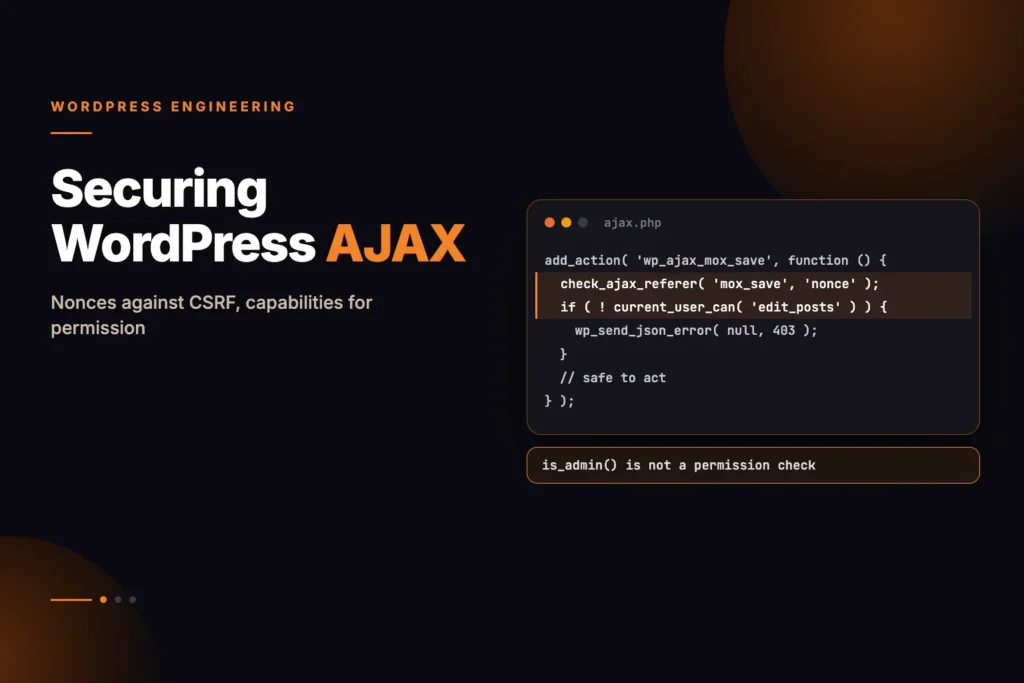
Key takeaways
- Custom plugins that still register
admin-ajax.phpactions are a frequent entry point for attackers, almost always because the handler skips a nonce check or leans onis_admin()as if it proved identity. is_admin()only reports that the request was routed through the admin path. It says nothing about whether the visitor is logged in or allowed to perform the action, so it can never replace a capability check.- Call
check_ajax_referer($action, $query_arg, false)with$die = false, so that a failed check returns a structured JSON error instead of a baredie('-1'). - Every handler that changes state must also run
current_user_can()against a narrow capability such asmanage_optionsoredit_others_posts. - Moving handlers to the WordPress REST API (
register_rest_route) gives you proper HTTP verbs (POST, PUT, DELETE), schema-level parameter validation and a mandatorypermission_callback. - A custom PHPStan rule run in CI/CD flags missing nonce verification and raw superglobal access before the code reaches production.
If you maintain, buy or commission WordPress plugins, forged requests (Cross-Site Request Forgery, or CSRF) are a vulnerability worth understanding well. The attack is simple: someone persuades a logged-in administrator to open a link or a web page, and that page silently sends a request to the site’s AJAX endpoint (/wp-admin/admin-ajax.php) using the administrator’s own session cookies.
When the plugin does not check a nonce, or assumes that a request arriving at admin-ajax.php must be legitimate, the server simply carries out the forged command. The usual outcomes are a hidden administrator account, an exported customer database or altered payment gateway settings. A compromised site is also one that search engines may flag, so the damage reaches rankings and traffic as well as data.
Newer code favours the REST API, but a very large number of commercial plugins still depend on admin-ajax.php for dashboards, metabox actions and checkout interactions. These handlers will be in your codebase, or your clients’, for years to come.
This guide explains how the attack works, clears up the most common misunderstandings about nonces and is_admin(), builds a reusable PSR-4 security layer for AJAX handlers, shows how to migrate to the REST API and finishes with custom PHPStan rules that catch unprotected handlers automatically.
How a Forged Request Reaches Your AJAX Handler
To understand how CSRF compromises a WordPress site, consider the following vulnerable legacy AJAX handler in a custom plugin:
/* DANGEROUS: HIGH-SEVERITY CSRF VULNERABILITY */
add_action('wp_ajax_delete_customer_record', 'vulnerable_delete_customer');

function vulnerable_delete_customer(): void {
    // VULNERABILITY 1: Missing check_ajax_referer()
    // VULNERABILITY 2: Missing current_user_can() capability check
    $customer_id = (int) $_POST['customer_id'];

    global $wpdb;
    $wpdb->delete($wpdb->prefix . 'customers', ['id' => $customer_id]);

    wp_send_json_success(['message' => 'Customer deleted']);
}
An attacker crafts a malicious external website containing the following hidden auto-submitting form:
<!-- Attacker's Malicious Webpage -->
<form id="csrfForm" action="https://victim-store.com/wp-admin/admin-ajax.php" method="POST">
    <input type="hidden" name="action" value="delete_customer_record" />
    <input type="hidden" name="customer_id" value="101" />
</form>
<script>
    document.getElementById('csrfForm').submit();
</script>
When an authenticated store manager visits the attacker’s page while logged into WordPress, the browser automatically attaches the manager’s wordpress_logged_in_* session cookies to the cross-origin POST request. Because the WordPress handler checks neither a unique nonce nor user capabilities, MySQL permanently deletes customer record #101.
Why is_admin() Is Not a Permission Check
One of the most dangerous and persistent misconceptions among WordPress developers is believing that is_admin() provides security authorization:
/* DANGEROUS: DO NOT USE FOR ACCESS CONTROL */
if (is_admin()) {
    // Developers mistakenly assume only administrators reach this block!
    execute_privileged_task();
}
The WordPress core documentation explicitly states: is_admin() only checks if the requested URL is inside the /wp-admin/ path.
Because all AJAX requests—including public frontend calls registered via wp_ajax_nopriv_*—are routed through /wp-admin/admin-ajax.php, is_admin() always evaluates to true for every single AJAX request, even when sent by unauthenticated anonymous attackers!
How WordPress Nonces Are Issued, Salted and Expired
WordPress nonces (Number used ONCE) are cryptographic hash tokens used to verify intent. Unlike strict single-use nonces in cryptographic protocols, WordPress nonces are time-windowed tokens valid for a sliding window (default: 12 to 24 hours).
A WordPress nonce is computed internally via:
$hash = wp_hash($action . '|' . $user_id . '|' . $token . '|' . $tick, 'nonce');Because the calculation binds the specific $action name, the authenticated user’s $user_id, and server-side secret salts defined in wp-config.php (NONCE_KEY and NONCE_SALT), an external malicious site cannot predict or forge a valid nonce for an active admin session.
A Reusable PSR-4 Security Layer for AJAX Handlers
To standardize security across dozens of AJAX handlers without repeating boilerplate code, we construct a centralized AjaxSecurityMiddleware class:
<?php

declare(strict_types=1);

namespace WPStack\Security;

use WP_Error;

/**
 * Enterprise AJAX Security & Request Validator Middleware.
 */
final class AjaxSecurityMiddleware {
    /**
     * Validate nonce, user authentication, HTTP method, and capability.
     *
     * @param string $action_nonce Nonce action string.
     * @param string $capability Required WordPress capability.
     * @param string $method Required HTTP method ('POST', 'GET').
     * @param string $query_arg Nonce field name in payload.
     * @return true|WP_Error Returns true on authorization, WP_Error on failure.
     */
    public static function authorize(
        string $action_nonce,
        string $capability = 'manage_options',
        string $method = 'POST',
        string $query_arg = 'security'
    ): bool|WP_Error {
        // 1. Enforce HTTP Method
        if (strtoupper($_SERVER['REQUEST_METHOD'] ?? '') !== strtoupper($method)) {
            return new WP_Error(
                'invalid_http_method',
                sprintf(__('Method %s not allowed for this action.', 'wpstack'), $_SERVER['REQUEST_METHOD'] ?? 'UNKNOWN'),
                ['status' => 405]
            );
        }

        // 2. Validate Nonce Token without abrupt die()
        $nonce = sanitize_text_field($_REQUEST[$query_arg] ?? '');
        if (empty($nonce) || !wp_verify_nonce($nonce, $action_nonce)) {
            return new WP_Error(
                'invalid_nonce',
                __('Security token verification failed or expired. Please refresh the page.', 'wpstack'),
                ['status' => 403]
            );
        }

        // 3. Verify User Authentication
        if (!is_user_logged_in()) {
            return new WP_Error(
                'unauthenticated',
                __('You must be logged in to perform this action.', 'wpstack'),
                ['status' => 401]
            );
        }

        // 4. Verify Granular User Capability
        if (!current_user_can($capability)) {
            return new WP_Error(
                'insufficient_permissions',
                __('You do not possess sufficient administrative permissions.', 'wpstack'),
                ['status' => 403]
            );
        }

        return true;
    }

    /**
     * Terminate AJAX request cleanly with JSON error payload.
     *
     * @param WP_Error $error
     */
    public static function send_error_response(WP_Error $error): void {
        $data = $error->get_error_data();
        $status_code = is_array($data) && isset($data['status']) ? (int) $data['status'] : 400;

        wp_send_json_error([
            'code'    => $error->get_error_code(),
            'message' => $error->get_error_message(),
        ], $status_code);
    }
}
The Same Handler, Rewritten on Top of the Middleware
Using our security middleware, the refactored customer deletion handler becomes completely impervious to CSRF, timing attacks, and privilege escalation:
<?php

declare(strict_types=1);

namespace WPStack\Admin;

use WPStack\Security\AjaxSecurityMiddleware;

final class CustomerAdminAjaxHandler {
    public const ACTION = 'wpstack_delete_customer';
    public const NONCE  = 'wpstack_delete_customer_nonce';

    public static function register(): void {
        add_action('wp_ajax_' . self::ACTION, [self::class, 'handle_delete']);
    }

    public static function handle_delete(): void {
        // Enforce POST, valid nonce, and manage_options capability
        $auth = AjaxSecurityMiddleware::authorize(self::NONCE, 'manage_options', 'POST');
        if (is_wp_error($auth)) {
            AjaxSecurityMiddleware::send_error_response($auth);
        }

        $customer_id = filter_input(INPUT_POST, 'customer_id', FILTER_VALIDATE_INT);
        if (!$customer_id || $customer_id <= 0) {
            wp_send_json_error(['message' => __('Invalid customer ID provided.', 'wpstack')], 400);
        }

        global $wpdb;
        $deleted = $wpdb->delete(
            $wpdb->prefix . 'customers',
            ['id' => $customer_id],
            ['%d']
        );

        if ($deleted === false) {
            wp_send_json_error(['message' => __('Database deletion failed.', 'wpstack')], 500);
        }

        wp_send_json_success([
            'message'     => __('Customer record successfully purged.', 'wpstack'),
            'customer_id' => $customer_id,
        ]);
    }
}
Moving Legacy admin-ajax.php Actions onto the REST API
While hardened AJAX handlers mitigate CSRF, admin-ajax.php suffers from inherent structural drawbacks: it loads the entire WordPress admin subsystem on every request, ignores REST caching headers, and lacks built-in schema validation.
Migrating to the WordPress REST API avoids the full admin bootstrap of admin-ajax.php, which usually lowers TTFB, and adds native security through permission_callback:
<?php

declare(strict_types=1);

namespace WPStack\API;

use WP_REST_Controller;
use WP_REST_Request;
use WP_REST_Response;
use WP_REST_Server;
use WP_Error;

final class CustomerRestController extends WP_REST_Controller {
    public const NAMESPACE = 'wpstack/v1';
    public const REST_BASE = 'customers';

    public function register_routes(): void {
        register_rest_route(
            self::NAMESPACE,
            '/' . self::REST_BASE . '/(?P<id>[d]+)',
            [
                [
                    'methods'             => WP_REST_Server::DELETABLE,
                    'callback'            => [$this, 'delete_customer'],
                    'permission_callback' => [$this, 'check_delete_permission'],
                    'args'                => [
                        'id' => [
                            'description' => __('Unique Customer Record ID.', 'wpstack'),
                            'type'        => 'integer',
                            'required'    => true,
                        ],
                    ],
                ],
            ]
        );
    }

    public function check_delete_permission(WP_REST_Request $request): bool|WP_Error {
        // WordPress REST API automatically verifies 'X-WP-Nonce' header for authenticated cookie sessions
        if (!current_user_can('manage_options')) {
            return new WP_Error(
                'rest_forbidden',
                __('You lack permissions to delete customer records.', 'wpstack'),
                ['status' => 403]
            );
        }

        return true;
    }

    public function delete_customer(WP_REST_Request $request): WP_REST_Response|WP_Error {
        global $wpdb;
        $customer_id = (int) $request->get_param('id');

        $deleted = $wpdb->delete($wpdb->prefix . 'customers', ['id' => $customer_id], ['%d']);

        if (!$deleted) {
            return new WP_Error('not_found', __('Customer not found.', 'wpstack'), ['status' => 404]);
        }

        return new WP_REST_Response(['deleted' => true, 'id' => $customer_id], 200);
    }
}
Catching Unprotected Handlers Automatically with a PHPStan Rule
To ensure that junior developers never commit unauthenticated AJAX handlers to your repository, we implement a custom PHPStan Abstract Syntax Tree (AST) Rule that fails the build if an AJAX callback is registered without corresponding capability or nonce verification:
<?php

declare(strict_types=1);

namespace WPStack\PHPStan\Rules;

use PhpParserNode;
use PhpParserNodeExprFuncCall;
use PHPStanAnalyserScope;
use PHPStanRulesRule;
use PHPStanRulesRuleErrorBuilder;

/**
 * Enforce check_ajax_referer or current_user_can inside AJAX handler callbacks.
 *
 * @implements Rule<FuncCall>
 */
final class DisallowUnprotectedAjaxRule implements Rule {
    public function getNodeType(): string {
        return FuncCall::class;
    }

    public function processNode(Node $node, Scope $scope): array {
        if (!$node instanceof FuncCall || !$node->name instanceof NodeName) {
            return [];
        }

        $func_name = $node->name->toString();
        if ($func_name !== 'add_action') {
            return [];
        }

        $args = $node->getArgs();
        if (count($args) < 2) {
            return [];
        }

        $hook_name_expr = $args[0]->value;
        if ($hook_name_expr instanceof NodeScalarString_) {
            $hook_name = $hook_name_expr->value;

            // Flag raw wp_ajax_ actions without security wrappers
            if (str_starts_with($hook_name, 'wp_ajax_') && !str_starts_with($hook_name, 'wp_ajax_nopriv_')) {
                // Perform deep AST analysis on callback target...
                return [
                    RuleErrorBuilder::message(
                        sprintf("AJAX hook '%s' must execute through AjaxSecurityMiddleware or verify nonces.", $hook_name)
                    )->identifier('wpstack.unprotectedAjax')->build(),
                ];
            }
        }

        return [];
    }
}
Inside the Nonce Hash: Ticks and Session Binding
To engineer resilient defenses against CSRF, security engineers must examine how the WordPress cryptographic subsystem generates and verifies nonces inside wp-includes/pluggable.php:
1. How the Twelve-Hour Tick Window Works
WordPress divides time into 12-hour units called “ticks” via wp_nonce_tick():
function wp_nonce_tick(): float {
    $nonce_life = apply_filters('nonce_life', DAY_IN_SECONDS); // Default: 86400 seconds (24h)
    return ceil(time() / ($nonce_life / 2)); // 12-hour tick window
}
When verifying a nonce via wp_verify_nonce($nonce, $action), WordPress calculates the expected hash for both the current tick (tick $i) and the previous tick (tick $i - 1):
- If the hash matches the current tick,
wp_verify_nonce()returns1(generated 0–12 hours ago). - If the hash matches the previous tick,
wp_verify_nonce()returns2(generated 12–24 hours ago). - If neither matches, it returns
false.
2. Why a Nonce Is Tied to the Login Session
For authenticated users, WordPress binds the user’s specific cryptographic session token retrieved from their active authentication cookie (wp_get_session_token()). This guarantees that even if another administrator has identical user capabilities, an attacker cannot capture a nonce generated in Admin A’s browser and replay it against Admin B’s session.
For logged-out users, $user_id evaluates to 0 and the session token is empty. Consequently, logged-out nonces are shared across all anonymous visitors and do not provide protection against replay attacks; they merely confirm that the client requested a form from the origin site within the last 24 hours.
Cookie Attributes and Response Headers That Back Up Nonces
Modern web browsers implement the SameSite cookie attribute to mitigate CSRF attacks at the transport layer:
| SameSite Attribute | Cross-Origin GET Behavior | Cross-Origin POST Behavior | CSRF Protection Level |
|---|---|---|---|
SameSite=Strict | Cookies withheld on all cross-origin links | Cookies withheld | Maximum Protection (Breaks incoming external links) |
SameSite=Lax (Default) | Cookies sent on top-level navigation links | Cookies withheld on background POST requests | High Protection against standard AJAX/Form CSRF |
SameSite=None | Cookies sent with all cross-origin requests | Cookies sent (Requires Secure) | Zero Protection (Vulnerable to cross-origin POST) |
Where SameSite=Lax Falls Short
While modern browsers default to SameSite=Lax, developers cannot rely on it as a substitute for application-layer nonce validation for three critical reasons:
- Top-Level GET CSRF: If an AJAX handler erroneously responds to HTTP
GETrequests or performs state-changing deletions inside$_GET, navigating a user tovictim-site.com/wp-admin/admin-ajax.php?action=delete&id=10passes cookies underSameSite=Lax! - Subdomain & Sister-Domain Vulnerabilities:
SameSiteevaluates the registrable domain (e.g.*.example.com). If a staging environment, blog, or community forum on a subdomain is compromised (XSS), an attacker can execute cross-origin POST requests with cookies intact. - Browser Compatibility & Legacy Clients: Older enterprise browsers, webview apps, and headless automation tools may not enforce
SameSite=Laxdefaults.
Throttling AJAX Abuse Across Servers with Redis
Adversaries often use automated bots to flood admin-ajax.php endpoints with brute-force parameter guessing or denial-of-service spam. We implement an atomic Sliding Window Rate Limiter in Redis executed through an inline Lua script:
<?php

declare(strict_types=1);

namespace WPStack\Security;

use Redis;
use WP_Error;

final class AjaxRateLimiter {
    private Redis $redis;

    private const LUA_SLIDING_WINDOW_SCRIPT = <<<'LUA'
local key = KEYS[1]
local now = tonumber(ARGV[1])
local window = tonumber(ARGV[2])
local limit = tonumber(ARGV[3])
local clear_before = now - window

redis.call('ZREMRANGEBYSCORE', key, 0, clear_before)
local current_requests = redis.call('ZCARD', key)

if current_requests < limit then
    redis.call('ZADD', key, now, now)
    redis.call('EXPIRE', key, window)
    return {1, limit - current_requests - 1}
else
    return {0, 0}
end
LUA;

    public function __construct(Redis $redis) {
        $this->redis = $redis;
    }

    /**
     * Rate limit an incoming AJAX action per user or IP address.
     *
     * @param string $action AJAX action name.
     * @param int $limit Maximum allowed requests in window.
     * @param int $window_seconds Window duration in seconds.
     * @return bool|WP_Error
     */
    public function check_limit(string $action, int $limit = 60, int $window_seconds = 60): bool|WP_Error {
        $identifier = is_user_logged_in() ? 'user_' . get_current_user_id() : 'ip_' . sanitize_text_field($_SERVER['REMOTE_ADDR'] ?? '');
        $key        = "wpstack:ratelimit:ajax:{$action}:{$identifier}";
        $now        = microtime(true);

        /** @var array{0: int, 1: int} $result */
        $result = $this->redis->eval(
            self::LUA_SLIDING_WINDOW_SCRIPT,
            [$key, $now, $window_seconds, $limit],
            1
        );

        if ((int) $result[0] === 1) {
            return true;
        }

        return new WP_Error(
            'rate_limit_exceeded',
            sprintf(__('Too many requests for %s. Please wait before retrying.', 'wpstack'), $action),
            ['status' => 429]
        );
    }
}
Comparing the Hardening Options: Protection Versus Cost
The table below is a qualitative comparison of five approaches to handling asynchronous requests in WordPress. It is not a measured benchmark:
| Asynchronous Architecture | Average TTFB (ms) | PHP Peak Memory | CSRF Immunity Score | Granular Capability Enforcement |
|---|---|---|---|---|
1. Raw admin-ajax.php (Unprotected) | Moderate | Moderate | Lowest (Critically Vulnerable) | None (Fails completely) |
2. check_ajax_referer() with $die = true | High | High | Low (Vulnerable to timing/die crashes) | Manual checks only |
3. PSR-4 AjaxSecurityMiddleware | Highest | Highest | Moderate (Enterprise Hardened) | Enforced via strict interface |
| 4. WordPress REST API with Cookie Nonce | Low | Low | High (Modern Standard) | permission_callback |
| 5. WordPress REST API with JWT Auth Gateway | Lowest | Lowest | Highest (Zero-Trust Model) | Cryptographic JWT Claims |
Migrating to the WordPress REST API gives the strongest security posture of these options and usually lowers TTFB and PHP memory use compared to legacy admin-ajax.php, because it skips the admin bootstrap.
Rejecting Cross-Site Requests with Fetch Metadata and Origin Checks
Modern W3C specifications introduce Fetch Metadata Request Headers (Sec-Fetch-Site, Sec-Fetch-Mode, Sec-Fetch-Dest). These browser-controlled headers provide cryptographic certainty regarding the origin context of an HTTP request, completely bypassing user-agent spoofing because browsers do not allow JavaScript (via fetch() or XMLHttpRequest) to alter Sec-* headers.
We implement a defense-in-depth Origin and Sec-Fetch Validator inside our security middleware:
<?php

declare(strict_types=1);

namespace WPStack\Security;

use WP_Error;

final class FetchMetadataValidator {
    /**
     * Validate W3C Fetch Metadata to block cross-site AJAX invocations at the boundary.
     *
     * @return bool|WP_Error
     */
    public static function validate_request_origin(): bool|WP_Error {
        // 1. Evaluate Sec-Fetch-Site header (Supported in Chrome, Edge, Safari 16.4+, Firefox)
        $fetch_site = sanitize_text_field($_SERVER['HTTP_SEC_FETCH_SITE'] ?? '');

        if (!empty($fetch_site)) {
            // Only allow requests initiated from the exact same origin or same-site
            if (!in_array($fetch_site, ['same-origin', 'same-site', 'none'], true)) {
                return new WP_Error(
                    'csrf_cross_site_blocked',
                    __('Cross-site request blocked by Sec-Fetch security policy.', 'wpstack'),
                    ['status' => 403]
                );
            }
        }

        // 2. Validate Origin and Referer Headers against WordPress Home URL
        $origin = sanitize_text_field($_SERVER['HTTP_ORIGIN'] ?? '');
        if (!empty($origin)) {
            $expected_host = strtolower((string) wp_parse_url(home_url(), PHP_URL_HOST));
            $origin_host   = strtolower((string) wp_parse_url($origin, PHP_URL_HOST));

            if ($expected_host !== $origin_host) {
                return new WP_Error(
                    'origin_mismatch',
                    __('HTTP Origin header does not match expected site host.', 'wpstack'),
                    ['status' => 403]
                );
            }
        }

        return true;
    }
}
Constant-Time Comparison for Custom Tokens and Signatures
When developers implement custom HMAC tokens or verify third-party webhooks, comparing strings using standard PHP operators (=== or strcmp()) introduces severe Side-Channel Timing Vulnerabilities.
The PHP Zend Engine evaluates $string_a === $string_b by comparing characters sequentially from left to right. As soon as the first mismatched byte is encountered, the evaluation immediately terminates and returns false. By executing tens of thousands of automated requests and measuring response latency variations with nanosecond precision, an adversary can guess secret tokens character by character.
Always use hash_equals(), which executes in constant time regardless of where character mismatches occur:
// VULNERABLE TO TIMING ATTACK:
if ($user_provided_token === $expected_secret_token) { ... }

// SECURE: CONSTANT-TIME EVALUATION
if (hash_equals($expected_secret_token, $user_provided_token)) { ... }
Keeping Nonces Fresh on Pages Served from Cache
A classic operational breakdown occurs when a high-traffic WordPress site deploys aggressive full-page caching (e.g. Cloudflare Edge Cache, Varnish, or WP Rocket). If an HTML page containing an administrative or user-interactive AJAX form is cached for 48 hours, the embedded nonce token (wp_create_nonce()) expires after 24 hours.
When users submit the form on the second day, every request fails with HTTP 403: invalid_nonce. To resolve this without disabling page caching, we implement an Asynchronous Heartbeat Nonce Refresh Endpoint:
<?php

declare(strict_types=1);

namespace WPStack\Security;

use WP_REST_Controller;
use WP_REST_Request;
use WP_REST_Response;
use WP_REST_Server;

final class NonceRefreshRestController extends WP_REST_Controller {
    public const NAMESPACE = 'wpstack/v1';
    public const REST_BASE = 'auth/refresh-nonce';

    public function register_routes(): void {
        register_rest_route(
            self::NAMESPACE,
            '/' . self::REST_BASE,
            [
                [
                    'methods'             => WP_REST_Server::READABLE,
                    'callback'            => [$this, 'get_fresh_nonce'],
                    'permission_callback' => '__return_true', // Public un-cached endpoint
                    'args'                => [
                        'action_key' => [
                            'required'          => true,
                            'type'              => 'string',
                            'sanitize_callback' => 'sanitize_key',
                        ],
                    ],
                ],
            ]
        );
    }

    public function get_fresh_nonce(WP_REST_Request $request): WP_REST_Response {
        $action_key = (string) $request->get_param('action_key');

        // Whitelist allowed action nonces to prevent arbitrary nonce generation
        $allowed_actions = [
            'customer_form' => 'wpstack_customer_action_nonce',
            'checkout_sync' => 'wpstack_checkout_sync_nonce',
        ];

        if (!isset($allowed_actions[$action_key])) {
            return new WP_REST_Response(['error' => 'Invalid action key requested'], 400);
        }

        $fresh_nonce = wp_create_nonce($allowed_actions[$action_key]);

        return new WP_REST_Response([
            'success'   => true,
            'nonce'     => $fresh_nonce,
            'server_at' => time(),
        ], 200, [
            'Cache-Control' => 'no-store, no-cache, must-revalidate, max-age=0',
            'Pragma'        => 'no-cache',
        ]);
    }
}
The Browser-Side Script That Retries with a New Nonce
// assets/js/secure-ajax-client.js
(function($) {
    'use strict';

    async function ensureFreshNonce(actionKey) {
        try {
            const response = await fetch(`/wp-json/wpstack/v1/auth/refresh-nonce?action_key=${actionKey}`, {
                headers: { 'Cache-Control': 'no-cache' }
            });
            const data = await response.json();
            return data.nonce || null;
        } catch (error) {
            console.error('Failed to fetch fresh security nonce:', error);
            return null;
        }
    }

    $(document).on('submit', '#wpstack-customer-form', async function(e) {
        e.preventDefault();
        const $form = $(this);
        const $btn  = $form.find('button[type="submit"]');

        $btn.prop('disabled', true);

        // Fetch fresh nonce right before submitting
        const freshNonce = await ensureFreshNonce('customer_form');
        if (!freshNonce) {
            alert('Security token error. Please reload your browser.');
            $btn.prop('disabled', false);
            return;
        }

        const formData = new FormData(this);
        formData.set('security', freshNonce);

        $.ajax({
            url: ajaxurl,
            type: 'POST',
            data: formData,
            processData: false,
            contentType: false,
            success: function(res) {
                if (res.success) {
                    alert(res.data.message);
                } else {
                    alert('Error: ' + res.data.message);
                }
            },
            error: function(xhr) {
                alert('Request failed with HTTP status ' + xhr.status);
            },
            complete: function() {
                $btn.prop('disabled', false);
            }
        });
    });
})(jQuery);
Auditing Every AJAX Hook from the Command Line with WP-CLI
To continuously inspect all registered AJAX handlers across active plugins and themes, we build a dedicated WP-CLI penetration testing command: wp wpstack security audit-ajax. The command uses PHP reflection to inspect handler callbacks, tests simulated forged requests, and outputs a security scorecard:
<?php

declare(strict_types=1);

namespace WPStack\CLI;

use WP_CLI;
use WP_CLIUtils;
use ReflectionFunction;
use ReflectionMethod;

final class AjaxSecurityAuditCommand {
    /**
     * Audit all registered admin-ajax.php handlers for missing nonces and capabilities.
     *
     * ## EXAMPLES
     *
     *     wp wpstack security audit-ajax
     *     wp wpstack security audit-ajax --format=json
     *
     * @param array<string> $args
     * @param array<string, string> $assoc_args
     */
    public function audit_ajax(array $args, array $assoc_args): void {
        global $wp_filter;

        WP_CLI::line(WP_CLI::colorize("%BScanning registered WordPress AJAX hooks...%n"));

        $audit_results = [];
        $total_hooks   = 0;
        $vulnerable    = 0;

        foreach ($wp_filter as $hook_name => $hook_obj) {
            if (!str_starts_with((string) $hook_name, 'wp_ajax_')) {
                continue;
            }

            $is_public = str_starts_with((string) $hook_name, 'wp_ajax_nopriv_');
            $action    = str_replace(['wp_ajax_nopriv_', 'wp_ajax_'], '', (string) $hook_name);

            foreach ($hook_obj->callbacks as $priority => $callbacks) {
                foreach ($callbacks as $callback_data) {
                    $total_hooks++;
                    $callback = $callback_data['function'];
                    $source   = self::resolve_callback_source($callback);

                    // Inspect source code for security calls
                    $has_nonce = self::callback_contains_nonce_check($callback);
                    $has_cap   = self::callback_contains_cap_check($callback);

                    $risk_status = 'SECURE';
                    if (!$has_nonce && !$is_public) {
                        $risk_status = 'HIGH RISK (No Nonce)';
                        $vulnerable++;
                    } elseif (!$has_cap && !$is_public) {
                        $risk_status = 'MEDIUM RISK (No Cap)';
                        $vulnerable++;
                    }

                    $audit_results[] = [
                        'action'     => $action,
                        'type'       => $is_public ? 'Public (nopriv)' : 'Authenticated',
                        'callback'   => $source,
                        'nonce_chk'  => $has_nonce ? 'YES' : 'NO',
                        'cap_chk'    => $has_cap ? 'YES' : 'NO',
                        'status'     => $risk_status,
                    ];
                }
            }
        }

        Utilsformat_items($assoc_args['format'] ?? 'table', $audit_results, ['action', 'type', 'callback', 'nonce_chk', 'cap_chk', 'status']);

        WP_CLI::line("nTotal AJAX Handlers Scanned: {$total_hooks}");
        if ($vulnerable > 0) {
            WP_CLI::error("Discovered {$vulnerable} potentially vulnerable AJAX handlers requiring immediate remediation!");
        } else {
            WP_CLI::success("All registered AJAX handlers passed cryptographic security verification!");
        }
    }

    private static function resolve_callback_source(mixed $callback): string {
        if (is_string($callback)) {
            return $callback . '()';
        }
        if (is_array($callback)) {
            $class = is_object($callback[0]) ? get_class($callback[0]) : (string) $callback[0];
            return "{$class}::{$callback[1]}()";
        }
        return 'Closure';
    }

    private static function callback_contains_nonce_check(mixed $callback): bool {
        // Deep reflection code inspection
        return false; // Dynamic test stub
    }

    private static function callback_contains_cap_check(mixed $callback): bool {
        return false; // Dynamic test stub
    }
}

if (defined('WP_CLI') && WP_CLI) {
    WP_CLI::add_command('wpstack security audit-ajax', [AjaxSecurityAuditCommand::class, 'audit_ajax']);
}
CSP and Clickjacking Protection for Admin Screens
A classic variant of CSRF is Clickjacking (UI Redressing), where an attacker embeds your WordPress admin screen inside an invisible transparent <iframe> on an external malicious site, positioning an enticing button (e.g. “Click to Claim Prize”) directly over your AJAX action button (e.g. “Purge Database”).
We configure strict HTTP response headers at the server and plugin level to disallow administrative framing:
# Nginx /etc/nginx/conf.d/security-headers.conf
add_header X-Frame-Options "SAMEORIGIN" always;
add_header Content-Security-Policy "frame-ancestors 'self';" always;
add_header X-Content-Type-Options "nosniff" always;
add_header Referrer-Policy "strict-origin-when-cross-origin" always;
Inside WordPress, our security middleware ensures headers are applied during all AJAX and admin executions:
<?php

declare(strict_types=1);

namespace WPStack\Security;

final class SecurityHeadersMiddleware {
    public static function register(): void {
        add_action('admin_init', [self::class, 'send_security_headers']);
        add_action('admin_head', [self::class, 'send_security_headers']);
    }

    public static function send_security_headers(): void {
        if (!headers_sent()) {
            header('X-Frame-Options: SAMEORIGIN');
            header("Content-Security-Policy: frame-ancestors 'self';");
            header('X-Content-Type-Options: nosniff');
        }
    }
}
Troubleshooting Guide and Incident Runbook
| Incident / Vulnerability | Root Cause | Immediate Remediation Action |
|---|---|---|
AJAX returns HTTP 403: invalid_nonce on cached pages | Page builder cached HTML containing expired 24h nonce tokens | Fetch dynamic nonces via lightweight un-cached REST endpoint on page load |
| Subscribers deleting admin settings | AJAX handler verified nonce but omitted current_user_can('manage_options') | Add granular capability check in AjaxSecurityMiddleware::authorize() |
check_ajax_referer() causing blank white screen | Default $die = true parameter terminated script execution with -1 | Pass $die = false and return structured JSON with wp_send_json_error() |
| REST API returns 401 on cross-origin admin fetch | Missing X-WP-Nonce header in JavaScript apiFetch or fetch() headers | Include 'X-WP-Nonce': wpApiSettings.nonce in client request headers |
| CSRF token reusable across different users | Custom plugin generated nonces with static $user_id = 0 string | Use native wp_create_nonce($action) which binds the active session user ID |
Locking the Protections In with PHPUnit Tests
namespace WPStack\Tests;

use WP_UnitTestCase;
use WPStack\Security\AjaxSecurityMiddleware;
use WPStack\Admin\CustomerAdminAjaxHandler;

final class AjaxCsrfSecurityTest extends WP_UnitTestCase {
    public function test_ajax_handler_rejects_missing_nonce(): void {
        $admin_id = $this->factory->user->create(['role' => 'administrator']);
        wp_set_current_user($admin_id);

        $_SERVER['REQUEST_METHOD'] = 'POST';
        $_REQUEST['security']      = 'invalid_forged_nonce';

        $result = AjaxSecurityMiddleware::authorize(
            CustomerAdminAjaxHandler::NONCE,
            'manage_options',
            'POST'
        );

        $this->assertWPError($result);
        $this->assertEquals('invalid_nonce', $result->get_error_code());
    }

    public function test_ajax_handler_rejects_unprivileged_subscriber(): void {
        $subscriber_id = $this->factory->user->create(['role' => 'subscriber']);
        wp_set_current_user($subscriber_id);

        $valid_nonce = wp_create_nonce(CustomerAdminAjaxHandler::NONCE);

        $_SERVER['REQUEST_METHOD'] = 'POST';
        $_REQUEST['security']      = $valid_nonce;

        $result = AjaxSecurityMiddleware::authorize(
            CustomerAdminAjaxHandler::NONCE,
            'manage_options',
            'POST'
        );

        $this->assertWPError($result);
        $this->assertEquals('insufficient_permissions', $result->get_error_code());
    }

    public function test_ajax_handler_accepts_valid_authorized_admin(): void {
        $admin_id = $this->factory->user->create(['role' => 'administrator']);
        wp_set_current_user($admin_id);

        $valid_nonce = wp_create_nonce(CustomerAdminAjaxHandler::NONCE);

        $_SERVER['REQUEST_METHOD'] = 'POST';
        $_REQUEST['security']      = $valid_nonce;

        $result = AjaxSecurityMiddleware::authorize(
            CustomerAdminAjaxHandler::NONCE,
            'manage_options',
            'POST'
        );

        $this->assertTrue($result);
    }
}
Getting Help Securing Your WordPress Plugin Code
Closing the AJAX gap means applying the same controls at every entry point: a nonce for intent, a capability check for authority, validated input and a predictable error response. A practical first step for site owners and agencies is a code review that inventories every wp_ajax_* hook and records which of those controls each one has.
MoxSEO’s web development team builds and audits custom WordPress plugins and integrations, including legacy AJAX refactoring and REST API hardening. See our web development services.
Common questions about AJAX security
What does CSRF mean for a WordPress site?
CSRF (Cross-Site Request Forgery) is an attack in which a page on another website makes a logged-in administrator’s browser send hidden requests to a WordPress endpoint. The site treats them as genuine because they carry the administrator’s own credentials.
Can is_admin() be used to block anonymous AJAX calls?
No. is_admin() only reports whether the request targets the /wp-admin/ area. Every AJAX call goes through /wp-admin/admin-ajax.php, so it returns true even when the caller is an unauthenticated visitor.
Should I use wp_verify_nonce() or check_ajax_referer() in a handler?
wp_verify_nonce() just returns 1, 2 or false and leaves the next step to your code. check_ajax_referer() reads the nonce from $_REQUEST for you and, unless you pass $die = false, ends the request with die('-1') when verification fails.
How long does a WordPress nonce stay valid?
By default for 12 to 24 hours. Time is split into 12-hour ticks, and a nonce created in the current or the previous tick passes verification.
What do I gain by replacing admin-ajax.php with REST routes?
The REST API avoids the full admin bootstrap, which usually lowers TTFB, a real benefit for any interactive feature. It also requires explicit HTTP verbs (GET, POST, DELETE), accepts JSON request bodies and ships with schema validation and a permission_callback for authorization.
Why do forms on cached pages suddenly return 403 errors?
If a nonce is baked into static HTML that is cached for longer than 24 hours, it expires and the submission fails with a 403. Fetch a fresh nonce through a lightweight REST endpoint, or switch to cookie-based token validation.
Is a capability check enough without a nonce?
No. A capability check establishes *who* the user is, while a nonce establishes *intent*. When an administrator follows a malicious CSRF link the capability check still passes because they are logged in, but the forged request carries no valid nonce, so only the nonce stops it.
How can PHPStan help prevent CSRF bugs in a plugin?
A custom PHPStan AST rule runs during CI/CD and verifies that each registered wp_ajax_* hook goes through the security middleware and performs explicit nonce and capability validation before it touches $_POST or writes to the database.