






To do an SEO audit, check your site in the order search engines meet it: can pages be crawled, are the right ones indexed, does each page say clearly what it is about, does it load quickly and work on a phone, is its structured data valid, and do links lead where they should. Write down every problem, rank the problems by how much search visibility they cost, fix the top few, then measure and repeat.
Short answer: An SEO audit is a structured check of the conditions a site needs to be found in search. Start with Google Search Console and a site crawler for the site-wide picture, then audit your most important page of each template in detail. Fix anything that blocks crawling or indexing first, then problems that one template change solves everywhere, and leave cosmetic warnings for last.
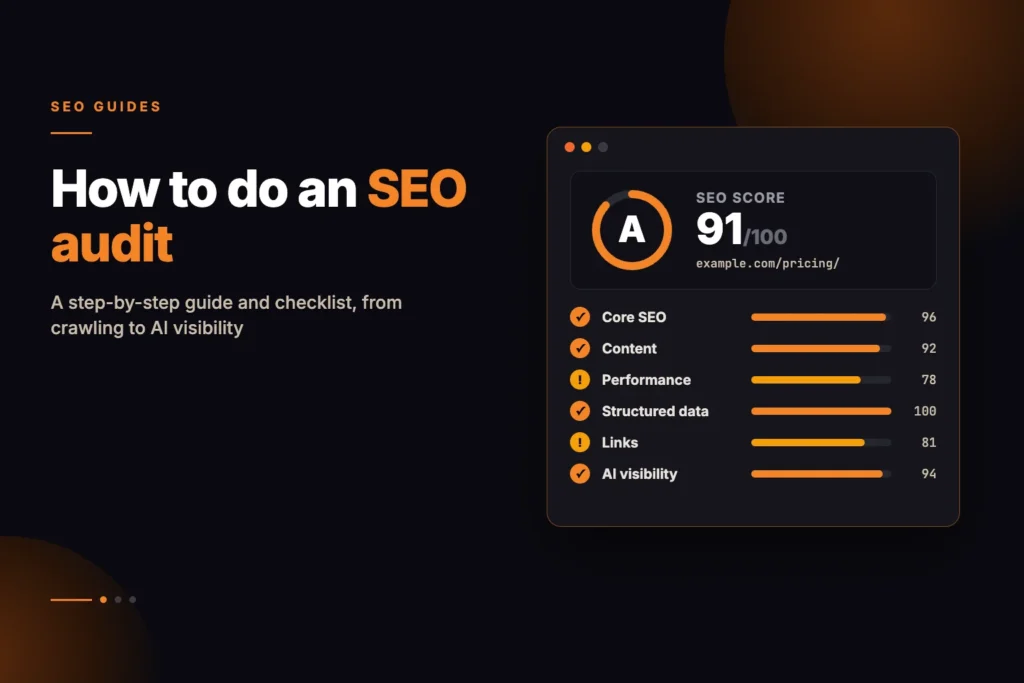
For the page-level part of the job, our Free SEO Audit runs 106 checks on one URL across 14 categories, grades it A to F, and lists the fixes in priority order, with Lighthouse scores from Google PageSpeed Insights alongside. It is a quick way to see what a single page is doing wrong before you go deeper.
What is an SEO audit, and when should you run one?
An SEO audit compares a site with what search engines need from it. It answers narrow questions: can search engines reach the pages, do they index them, can they understand them, and is anything getting in the way.
Run a full audit:
- Before and after a migration or redesign. Audit the old site for a baseline, then the new one within days of launch.
- When organic traffic drops without an obvious reason. Check indexing and crawl access before blaming an algorithm update.
- When you take over a site.
- On a regular schedule. Small problems build up quietly as plugins update and pages are published.
What do you need before you start?
You need three kinds of evidence, because each sees something the others cannot.
- Google Search Console. This is the only source of what Google itself reports about your site: the Page indexing report, the URL Inspection tool, Core Web Vitals field data, sitemap status and the Performance report with queries and clicks.
- A site crawler. A crawler follows links from your home page the way a search engine does and lists every URL it finds, with status codes, titles, canonicals, directives and depth. Pick one that can render JavaScript if your site relies on it.
- A page-level audit. A crawler sees many pages at a shallow level; a page audit goes deep on one URL, from indexability and headings to security headers, structured data and AI visibility.
Also list the pages that matter commercially: the home page, main service or category pages, top products and lead-generating articles. These are the pages you audit in depth and fix first.
How to do an SEO audit, step by step
Work in this order: there is no point polishing headings on a page Google is not allowed to index.
Step 1: Check crawlability and indexing
Start in Search Console. Open the Page indexing report and look at the reasons pages are not indexed. Look for key URLs excluded by a noindex tag or blocked by robots.txt, and for reasons such as “Crawled – currently not indexed” or “Duplicate without user-selected canonical”. Use URL Inspection on your key pages to see the canonical Google chose and whether the page is indexed.
Then check the controls you set yourself:
- robots.txt. Make sure it does not block pages, CSS or JavaScript you need crawled. Remember that robots.txt controls crawling, not indexing: a blocked URL can still be indexed from links, and Google cannot see a noindex on a page it is not allowed to fetch. Our robots.txt tester shows whether a given URL is allowed for a given crawler and which rule decided it.
- Meta robots and X-Robots-Tag. Look for a stray noindex, often left over from a staging site or set in an HTTP header where nobody thinks to look.
- Canonical tags. Each indexable page should usually point to itself. A canonical pointing to another URL, to an http:// version or to a redirect sends mixed signals.
- XML sitemap. It should list only indexable, canonical URLs that return 200. Run it through the XML sitemap validator to catch format errors, and compare it with your crawl to spot pages missing from it and entries that redirect or are noindexed.
Finally, look for orphan pages: URLs in your sitemap or analytics that the crawler never reached because no internal link points to them. Our guide to orphan pages explains how to find and fix them.
Step 2: Audit on-page elements
From the crawl export, sort by title and meta description to find missing, duplicate and overlong ones. Duplicates usually come from templates, such as paginated archives or product variants sharing one title. Each page should also have one H1 that matches its purpose.
Run your key pages through the Free SEO Audit at this stage. Its Core SEO and Content categories check title and description width in pixels, the canonical, robots directives, one H1, the lang attribute, heading order, word count and whether the title’s main words appear in the H1 and opening paragraph. The fix list is ordered by weight, so indexing problems come first.
Step 3: Review content quality
No tool can tell you whether a page is good, but you can check that each important query has one clear page that answers it. Look for:
- Thin or empty pages, such as one-post tag archives or near-identical location pages.
- Two or more pages competing for the same query. Search Console’s Performance report, filtered by query, shows when several URLs collect impressions for the same search. Merge or differentiate them.
- Missing signals of who wrote it. An author, a date and a way to contact the business help readers decide whether to trust the page.
Step 4: Test technical health and speed
Check status codes across the crawl. Internal links to 404 pages and to redirects should be updated to point straight at the final URL. Long redirect chains waste crawl requests and slow users down; our article on redirect chains and crawl budget covers why. For individual URLs, the redirect checker shows every hop and its status code.
For speed, use two kinds of data. Field data from real users, shown in Search Console’s Core Web Vitals report when Google has enough of it, tells you what visitors actually experience. Lab data from Lighthouse tells you why a page is slow. Google’s documented “good” thresholds are a Largest Contentful Paint of 2.5 seconds or less, an Interaction to Next Paint of 200 milliseconds or less and a Cumulative Layout Shift of 0.1 or less. Our Core Web Vitals guide explains how to work on each one.
Also confirm HTTPS works everywhere, there is no mixed content, and pages have a correct viewport tag for phones.
Step 5: Validate structured data
If you use schema markup, check that every JSON-LD block parses, that the types match the page (Article on articles, Product on products, Organization on the home page) and that the marked-up facts match what the page visibly says. The schema markup validator checks syntax and required properties, and Search Console’s enhancement reports show errors Google found on the pages it crawled. Valid markup makes a page eligible for rich results; it does not guarantee them.
Step 6: Check internal and external links
Internal links are how both users and crawlers find your pages and how you signal which pages matter most. Check that your key pages are linked from the navigation or from relevant content, that they are within a few clicks of the home page, and that anchor text describes the destination rather than saying “read more”.
For backlinks, the practical audit check is whether good external links point at URLs that now return 404. Redirect those to the closest live page.
Step 7: Check local and international signals
For a local business, confirm the name, address and phone number are the same on the site, in its LocalBusiness markup and on the Google Business Profile. For a site in several languages or countries, check hreflang: valid codes, a self-reference on every page and return links from each alternate. The hreflang validator checks a cluster for these errors.
Step 8: Check AI visibility
AI assistants can only quote pages their crawlers may fetch and read, and Google’s AI Overviews and AI Mode draw on pages that are indexed and eligible to show a snippet in Google Search. Sites often block these crawlers by accident through a security plugin or CDN setting. The AI crawler access checker reads your robots.txt and reports, for 14 AI crawlers and control tokens including GPTBot, ClaudeBot, PerplexityBot and Google-Extended, whether each is allowed and which rule decided it. Google-Extended is not a separate crawler and does not affect Google Search; it controls whether Google may use your content for Gemini training and grounding. Then confirm your main content is in the HTML the server sends, not added later by JavaScript. None of this guarantees a citation.
Step 9: Prioritise, fix and track
Put every finding in one list with the issue, the URLs or templates affected, the likely impact and the effort to fix. Sort it, fix in batches, and log the date of each change so you can match it to movement in Search Console later.
SEO audit checklist
Use this table as a working checklist. The “Where to check” column names the most direct source for each item.
| Area | What to check | Where to check |
|---|---|---|
| Indexing | Important pages indexed; no unexpected exclusions | Search Console Page indexing, URL Inspection |
| robots.txt | No key pages, CSS or JS blocked; sitemap listed | robots.txt tester |
| Canonicals | Self-referencing on indexable pages; no canonicals to redirects | Crawler, URL Inspection |
| Sitemap | Only 200, indexable, canonical URLs; no gaps | XML sitemap validator, crawler |
| Titles and descriptions | Present, unique, within display width | Crawler, page audit |
| Headings | One H1; logical H2 and H3 order | Page audit |
| Content | No thin, duplicate or competing pages | Search Console Performance, manual review |
| Status codes | No internal links to 404s or redirects; short chains | Crawler, redirect checker |
| Speed | Core Web Vitals in the “good” range for real users | Search Console, PageSpeed Insights |
| Security and mobile | HTTPS everywhere; no mixed content; correct viewport | Page audit |
| Structured data | Parses; correct types; matches visible content | Schema markup validator |
| Internal links | Key pages linked and shallow; no orphans | Crawler, internal link finder |
| International | Valid hreflang with return links | Hreflang validator |
| AI visibility | AI crawlers allowed; main text in HTML | AI crawler access checker, page audit |
How do you prioritise SEO audit findings?
Every tool produces warnings, and treating them as equal means important fixes wait behind trivial ones. A practical order:
- Anything that stops pages being crawled or indexed. A noindex, a robots.txt block, a wrong canonical or a non-200 status on an important page cancels every other improvement on it.
- Fixes that one change applies site-wide. A template title pattern, a sitemap setting, a security header or a robots.txt rule can fix hundreds of URLs at once.
- Problems on your most valuable pages. A missing H1 on the main service page matters more than one on a 2019 news post.
- Cosmetic warnings. A title a few pixels too wide or an underscore in an old URL is rarely worth a rewrite or a redirect on its own.
Weigh effort too: a ten-minute fix that helps a little often beats a month-long one that might help more.
How often should you do an SEO audit?
There is no fixed rule, but a sensible rhythm for most sites is a full audit once or twice a year, a lighter monthly check of the Search Console indexing and Core Web Vitals reports, and a targeted audit around any migration, redesign, CMS upgrade or major plugin change.
After a fix, give search engines time to recrawl before judging the result, and check the reports again after a few weeks.
Site-wide audit vs single-page audit: which do you need?
You need both, because they answer different questions.
A site-wide audit uses a crawler and Search Console to see patterns across every URL: duplicate titles, orphan pages, redirect chains, sitemap gaps, how many pages Google has indexed.
A single-page audit goes deep on one URL. Our Free SEO Audit works this way: it fetches one page, reads robots.txt, llms.txt and the sitemap, samples up to 20 internal links, 10 external links and 15 images, and grades the page. To be clear about its limits, it does not crawl the rest of your site, it does not show rankings, traffic or backlinks, and because our server reads the raw HTML, content that appears only after JavaScript runs is covered by the Lighthouse block rather than the server checks. Run it on one example of each template, because a template fix applies to every page built from it.
If you run WordPress, our WordPress SEO audit guide covers the plugin and theme settings behind many of these issues. If you would rather have someone go through the findings with you and decide what to fix first, that is part of our SEO services.
Frequently asked questions
How long does an SEO audit take?
A single page takes minutes with an automated check. A full audit of a small site usually takes a day or two of work, mostly spent reviewing findings and deciding priorities.
Can I do an SEO audit for free?
Yes. Google Search Console is free, many crawlers have free versions with URL limits, and free page-level tools cover on-page and technical checks. Paid tools mainly add scale and backlink data.
What is the most important part of an SEO audit?
Crawlability and indexing. If search engines cannot fetch a page or are told not to index it, nothing else on that page can help it appear in search.
What is the difference between a technical SEO audit and a full SEO audit?
A technical audit covers crawling, indexing, speed, structured data and site architecture. A full audit adds content quality, competing pages, links and how well pages match what searchers want.
Does an SEO audit improve rankings?
Not by itself. An audit finds the problems; rankings can only change once the problems are fixed, and even then search engines decide the result.
How many pages should I audit in detail?
Audit the whole site with a crawler, then audit one example of each template and your most valuable pages in depth. Fixes to a template apply to every page that uses it.