






An orphan page can appear well connected during a standard internal link audit because most tools count every link, including navigation menus. A page linked only from the main menu may look adequately supported even though no relevant content on the site points to it. Once navigation links are excluded, the true internal linking structure becomes much clearer.
What is an orphan page?
An orphan page is a page on your site that no other page links to. Search engines and readers have no internal route to it, so it can only be found through a sitemap, an external link or a direct address. A stricter, more useful definition counts only editorial links in body content and ignores menus, headers and footers. Under that definition, many pages that look connected are effectively orphans. As of October 2026, Google’s own advice is to link your important pages from at least one other page on your site.
Why menu links tell you almost nothing
If your navigation appears on 500 pages, every page it links to shows 500 inbound links. That number is identical for your most important page and your least important one, which makes it useless for deciding anything.
Editorial links are different. Someone chose to place them, in a specific sentence, for a reason. That choice is the signal worth measuring.
The practical consequence: when you audit internal linking, remove nav, header and footer before you count. What remains is what your site is actually saying about which pages matter.
What an orphan page really costs
A page with no editorial inbound links is not merely unloved. It carries real costs.
- It is discovered late and recrawled rarely, so updates take longer to register
- It receives no internal authority, so nothing supports it in competitive results
- It still consumes crawl budget on every pass
- It is invisible to readers moving through your content naturally
The fix is usually one sentence. A single contextual link from a related page moves it from orphaned to supported, and costs nothing.
How to find them
Our internal link finder crawls outward from any URL with navigation, header and footer stripped, then lists pages by inbound editorial links with the lowest first. Anything showing zero is an orphan within the crawled set.
It also suggests where to add links by finding page pairs that share several distinctive terms with no link between them. Orphan targets sort to the top, because they are the most expensive problem to leave alone.
A sample of a dozen pages is usually enough to tell you whether the problem exists. A full-site map is a bigger exercise, but you rarely need one to know the answer.
How do you find orphan pages step by step?
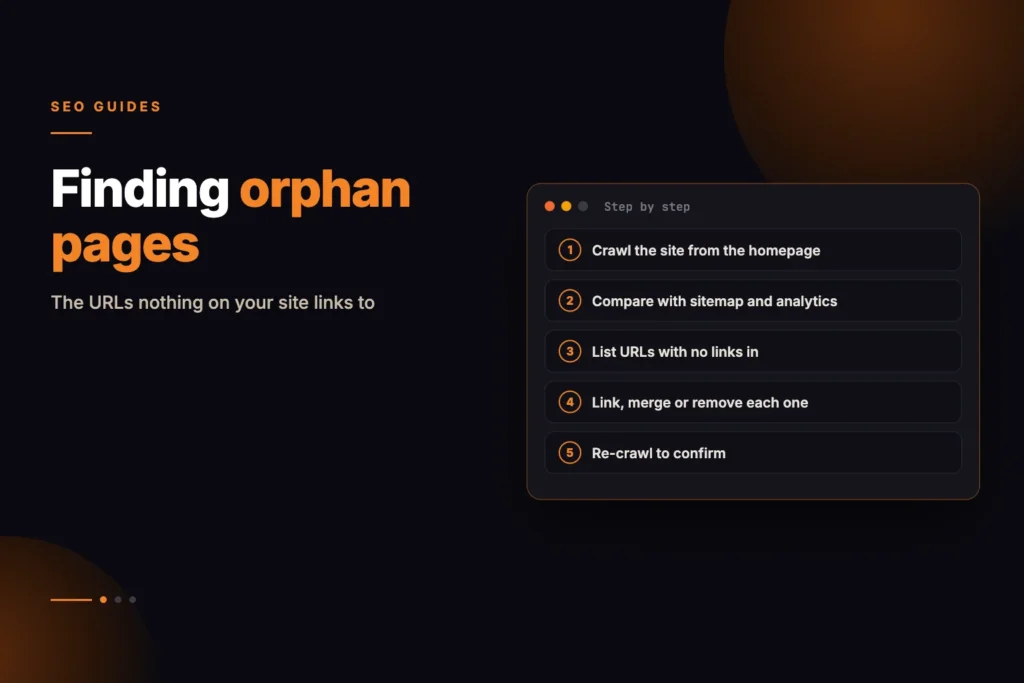
For a whole site, compare two lists: every URL you know exists, and every URL a crawl can reach by following links. The difference is your orphan set.
- Collect known URLs. Export them from your XML sitemap, your CMS and the pages report in Google Search Console.
- Crawl from the homepage. Use a crawler that follows links the way a search engine does, and record every URL it reaches.
- Subtract. URLs in step one but not in step two have no crawlable path. Those are orphans.
- Strip navigation and re-count. For the pages that remain, count only editorial links in body content. Pages with zero are the weakly supported group.
- Triage each page using the keep, merge, remove or leave-alone approach described below.
Check the technical basics while you are there. Google notes that it generally follows links only when they are an anchor element with an href attribute, so links built from scripts or click handlers alone may not count. Our on-page audit can help you inspect a single page’s markup.
When a suggestion means something else entirely
If two pages share a large number of distinctive terms and neither links to the other, that is sometimes a missing link. Sometimes it means the two pages are competing for the same query and should be one page.
We ran this against our own site and found 48 posts across 22 clusters doing exactly that. Eleven were merged rather than linked. The tool surfaces the pair; the judgement about which action to take is yours.
A useful test: if you could not explain to a reader why both pages exist, they should probably be one page.
How do pages become orphaned in the first place?

Nobody sets out to publish a page nothing links to. It happens through a handful of ordinary processes, each individually reasonable.
- A campaign page built for one purpose, linked from an email, never woven into the site
- An older post that was linked from a page later deleted or rewritten
- Bulk publishing, where the linking step is the one that gets skipped under time pressure
- A navigation change that quietly removed the only route to a section
- Pagination, where older archive pages fall off the end and take their posts with them
The last one is the most common on blogs. A post on page eight of an archive is reachable in theory and effectively invisible in practice.
Choosing where the link should come from
Not every link is equally useful, and adding one from the wrong page is close to worthless. The strongest internal links share three properties.
- Topically adjacent. A link from a page about the same subject carries more than one from an unrelated page.
- High in the body. A link in the second paragraph is worth more than one in a related-posts strip.
- Descriptive anchor. The anchor should describe the destination, not say “click here” or repeat your brand name.
The practical method: search your own site for the target page’s main topic, open the two or three most relevant results, and add a sentence that genuinely earns the link. If you cannot write that sentence naturally, the link probably does not belong there.
Google’s guidance on crawlable links agrees on anchor text: make it specific and concise, since phrases like “click here” or “read more” tell readers and Google little about the destination, and avoid cramming keywords into it.
What does a fix look like? (Hypothetical example)
Suppose a site has a detailed guide on schema markup that appears only in the footer menu. After stripping navigation, it has no editorial links. The site also has three articles on rich results, structured data errors and local business markup, each mentioning schema in passing without linking. Adding one natural sentence with a descriptive anchor in each of those three articles takes minutes and gives the guide three related, in-body links. No new content is needed.
What to do when you find dozens
On a site of any age, a first audit often surfaces more orphans than anyone expects. Fixing them all at once is rarely the right move.
Sort by whether the page deserves to exist. Some orphans are orphaned because they should have been removed years ago, and linking to them spends authority on something you do not want ranking.
- Keep and link — the page has a job and nothing points at it
- Merge — the page overlaps something stronger; redirect it there
- Remove and redirect — the page has no purpose; send it somewhere that does
- Leave alone — thin utility pages that should not rank anyway
That triage matters more than the linking itself. An orphan audit that ends with every page linked has usually spent effort propping up pages that should have been retired.
Which action fits which page?
| Situation | Action | How to confirm |
|---|---|---|
| Page serves a clear need and has traffic or conversions | Keep and link | Search Console clicks; goal data |
| Page covers the same query as a stronger page | Merge and 301 redirect | Compare which URL ranks for the query |
| Page is outdated and nobody needs it | Remove and redirect to the closest relevant page | Check for external links before removing |
| Thank-you page, internal search result, login page | Leave alone (consider noindex) | Confirm it is not meant to rank |
What are common mistakes when fixing orphan pages?
- Adding every orphan to the footer: It clears the zero-link report but adds only navigation links, which carry little meaning.
- Linking from unrelated pages: A link no reader would follow does little.
- Using vague anchors: “Read more” wastes the chance to describe the destination.
- Linking before triage: You may promote a page you should merge or retire.
- Relying on the sitemap alone: A sitemap helps discovery but does not replace internal links.
Sources and further reading
Give Every Important Page a Clear Path
Navigation links can make a page appear well connected while hiding the fact that no relevant article, service page, or resource links to it contextually. Contact MoxSEO for an internal linking audit that separates editorial links from menus, headers, and footers, identifies orphaned pages, and highlights opportunities to strengthen discovery, crawlability, and internal authority. We will also help you decide whether each weakly supported page should be linked, improved, merged with a stronger page, redirected, or removed.
Schedule a consultation with MoxSEO to review your website’s internal link structure and build a practical action plan for your highest-value pages. Our team will help you place relevant contextual links, improve anchor text, resolve content overlap, and create a clearer route for both users and search engines. See also our SEO services.
Frequently asked questions
How many internal links should a page have?
There is no number worth quoting. The useful question is whether every page you care about has at least one editorial link from a related page.
Do footer links count for anything?
A little, but far less than a contextual link inside body copy. Treat them as navigation rather than as internal linking.
Is reciprocal linking between related pages a problem?
Not inherently. Dense reciprocal linking between near-identical pages usually signals cannibalisation rather than depth.
Will an orphan page ever get indexed?
Often yes, through the sitemap. It will simply be crawled less often and supported by nothing.
Is an orphan page the same as a page with no backlinks?
No. An orphan page has no internal links pointing to it. A page can have links from other websites and still be an orphan on your own site, and the reverse is also true.
Should I noindex orphan pages?
Only if the page should not appear in search at all, such as a thank-you page. If the page is useful, link to it. If it is not, merge or remove it and redirect the old address.
How often should I check for orphan pages?
Check after every redesign, migration, navigation change or bulk publishing run, and at least once or twice a year otherwise. These are the moments links get lost.
Does adding a page to the sitemap fix an orphan page?
It helps Google discover the URL but does not give it internal support. Google advises linking important pages from at least one other page, so add a contextual link as well.