





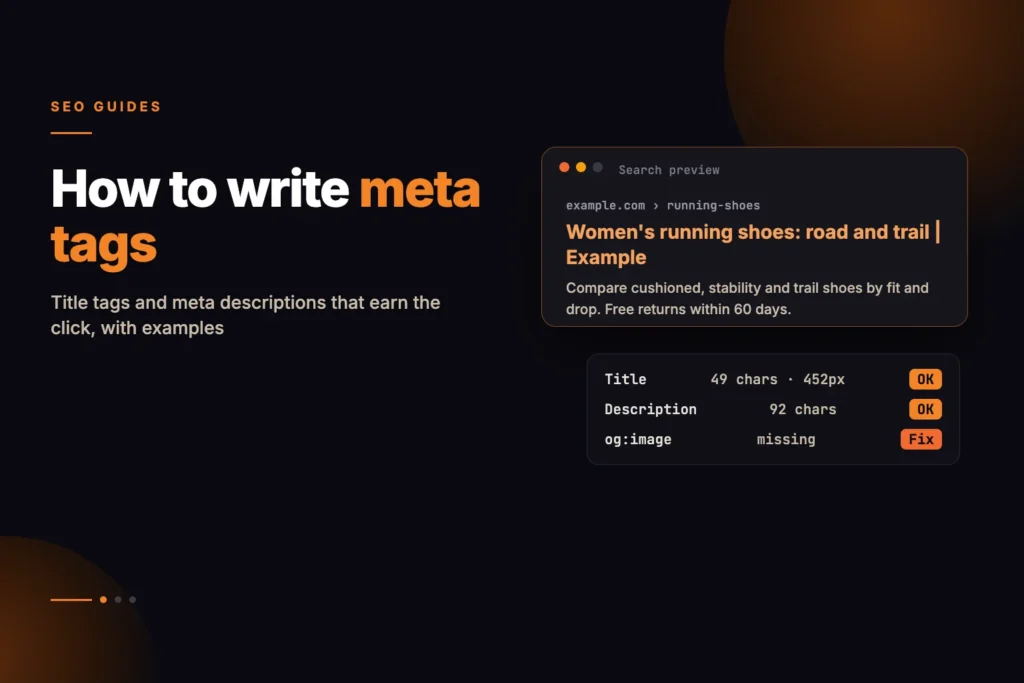
To write good meta tags, give every page a title tag that names its subject in the words people search, with the main phrase near the start, and a meta description that answers the query or states the offer in its first sentence. Add Open Graph tags so the page looks right when it is shared, and use the meta robots tag only when you need to change how a page is indexed or shown.
Short answer: A title tag should be unique, accurate, front-loaded and short enough to fit the results page, which is decided by pixel width rather than characters. A meta description should be a specific, honest summary of at least a sentence or two that would make the right person click. Neither guarantees what Google displays: it can rewrite a title and often picks its own snippet, but clear, accurate tags make that less likely.
You can draft both in our free meta tag generator, which estimates how wide each will render on a Google desktop result, flags when either is likely to be cut off, checks where your keyword and brand sit, shows a preview and builds the head tags to paste into your page. This guide covers what to put in those fields.
What are meta tags, and which ones matter for SEO?
Meta tags are elements in the <head> of a page that describe it to browsers, search engines and social platforms. Strictly, the title is its own element, but it belongs in the same discussion. Only a handful matter in practice:
| Tag | What it does | Do you need it? |
|---|---|---|
<title> | The main source for the clickable headline in search results and the browser tab. | Yes, on every page. |
<meta name="description"> | A summary Google may use as the snippet under the headline. | Yes, on every indexable page. |
<meta property="og:*"> | Title, description, image and URL used when the page is shared on social and messaging apps. | Yes, on pages people share. |
<meta name="twitter:card"> | Chooses the card layout on X; other values fall back to Open Graph. | Recommended. |
<meta name="robots"> | Changes indexing and snippet behaviour, such as noindex or nosnippet. | Only when you need to change the default. |
<meta name="keywords"> | Nothing for Google, which has said it does not use this tag in ranking. | No. |
How do you write a good title tag?
The title tag is what Google most often uses for the clickable title link. Google’s documentation on title links asks for titles that are descriptive and concise, unique to each page, and free of keyword stuffing and repeated boilerplate. In practice that comes down to five habits.
1. Say what the page is, in the searcher’s words
Name the subject the way people phrase it, not the way your team does. A page about returning an order is better titled “How to return an order” than “Returns portal”.
2. Put the distinctive part first
People scan the start of each result, and the end is the part most likely to be cut off. Lead with the words that separate this page from the next result, and push the brand and any generic modifiers to the end.
3. Keep it within the visible width
Google truncates long titles by display width in pixels, not by a character count, so a title in capitals or full of wide letters runs out of room sooner. Our guide to title tag pixel width explains the measurement in detail. As a working rule, the generator treats roughly 180 to 580 pixels as the desktop range, which for mixed text is usually around 50 to 60 characters.
4. Make every title unique
Templates that produce the same title on hundreds of pages, such as “Products | Example Shop”, give Google nothing to tell them apart. Build titles from the fields that make each page different, such as the product name, category or location.
5. Match the visible heading
Google’s documentation says it can build the title link from other sources, including the page’s main heading, other prominent text, the og:title tag and anchor text pointing at the page, when it judges the title tag does not describe the page well. A title that agrees with the H1 is less likely to be replaced.
Title tag examples: bad and good
These are illustrative pages on a fictional site at example.com. Each bad version is a pattern that turns up often in audits.
| Page | Bad title | Better title | What changed |
|---|---|---|---|
| Product page for a waterproof hiking jacket | Example Outdoor | Home of Adventure | Jackets | Women’s waterproof hiking jacket, Trail 2 | Example Outdoor | Leads with what the page sells; the brand moves to the end. |
| Blog guide to pruning roses | Rose pruning, prune roses, how to prune roses, rose care | How to prune roses: when, where to cut and what to avoid | No repeated keywords; it promises what the guide covers. |
| Plumber’s service page in Leeds | Services | Emergency plumber in Leeds, 24-hour call-outs | Example Plumbing | Names the service and the place, which is what a local searcher checks. |
| Category page with filters | Shop | Example Shop | Men’s running shoes | Example Shop | Unique to the category rather than shared by every listing page. |
In each case the better title tells a stranger, at a glance, what they will get if they click.
How do you write a good meta description?
The meta description is a short summary of the page. Google does not always show it: its documentation on snippets says the snippet is mostly drawn from the page content itself, and that it may use the meta description when that describes the page better than the text it would otherwise choose. Google has also said the meta description is not a ranking factor. Its value is in the click: it helps the right people choose your result.
- Answer first. State the answer, the offer or the key fact in the first sentence, because the end is the part most likely to be cut.
- Be specific. Google’s guidance suggests including relevant details such as the author and publication date, the price or manufacturer, or opening hours, depending on the page. Specific facts are more useful than adjectives.
- Write one per page. Duplicate descriptions across many pages are a sign of a template that needs work. Generating them from page data is fine if each comes out distinct and readable.
- Use the main phrase once, naturally. Google often bolds words in the snippet that match the query, which helps a result stand out.
- Keep it a sensible length. Write at least a full sentence, roughly 70 characters or more, and stay under about 990 pixels on desktop, which is the range the generator checks against.
Meta description examples: bad and good
| Page | Bad description | Better description |
|---|---|---|
| Hiking jacket product page | Buy jackets online. Best jackets. Cheap jackets. Free shipping on jackets. | A fully taped, waterproof women’s hiking jacket with a hood that fits over a helmet. Sizes 6 to 20, free UK returns within 30 days. |
| Rose pruning guide | Welcome to our blog, where we talk about all things gardening and much more. | Prune most roses in late winter, cutting just above an outward-facing bud. This guide covers timing, tools and the cuts that cause dieback. |
The bad versions are keyword lists or generic introductions that would fit any page. The better ones could only belong to their page.
How to write and check your tags, step by step
- Pick the query the page answers. One main phrase, written the way people search for it.
- Draft the title in the meta tag generator. Enter the keyword and brand as well, so the keyword-position and brand checks run. The meter under the field updates as you type.
- Write the description. Lead with the answer or offer, include one or two specific facts, and keep it inside the width meter.
- Read the checks and the preview. Rows marked needs work or fail come with a reason and a fix. The preview shows where the estimate expects Google to cut the title and description.
- Copy the tags. The generator builds the title, meta description, a canonical and og:url when you give it a URL, og:title, og:description and a twitter:card tag. Paste them into the page head, or the matching fields in Rank Math, Yoast or your CMS.
- Check the published page. Once it is live, run the on-page and indexability audit to confirm the live title and description, canonical, noindex status and social tags are what you intended. Templates and plugins often override hand-set fields.
The widths are estimates of Google’s desktop rendering, not exact measurements, and mobile results wrap differently, so treat the limit as a safe target rather than a precise line.
Which Open Graph and Twitter tags do you need?
Open Graph tags control how a page looks when someone shares its link on social networks and many messaging apps. Without them, the platform guesses. The Open Graph protocol defines four basic properties: og:title, og:type, og:image and og:url. Most sites also add og:description.
<title>How to prune roses: when, where to cut and what to avoid</title>
<meta name="description" content="Prune most roses in late winter, cutting just above an outward-facing bud. This guide covers timing, tools and the cuts that cause dieback.">
<link rel="canonical" href="https://example.com/guides/prune-roses/">
<meta property="og:type" content="article">
<meta property="og:title" content="How to prune roses without damaging them">
<meta property="og:description" content="When to prune, where to cut and the mistakes that cause dieback.">
<meta property="og:url" content="https://example.com/guides/prune-roses/">
<meta property="og:image" content="https://example.com/images/prune-roses-share.jpg">
<meta name="twitter:card" content="summary_large_image">
The og:title can differ from the title tag; it can be shorter and more conversational. The og:url should match the canonical. And og:image must be an absolute URL to an image that is publicly reachable.
For X, the twitter:card tag sets the layout, and X falls back to the Open Graph title, description and image when the matching twitter tags are missing, so you rarely need to duplicate them. Note that the generator does not build og:image or og:type, and its twitter:card tag is set to summary_large_image, so add an image tag yourself or the large card has nothing to show.
When should you use the meta robots tag?
By default, a page that Google can crawl may be indexed, its links may be followed and a snippet may be shown. The meta robots tag changes that default, so most pages need none. Writing index, follow has no effect, because that is already the default. The values worth knowing:
| Directive | Effect | Typical use |
|---|---|---|
noindex | Keeps the page out of search results. | Thank-you pages, internal search results, thin filtered listings. |
nosnippet | No text snippet or video preview is shown for the page. | Pages where any excerpt would be misleading out of context. |
max-snippet:[number] | Caps the snippet at that many characters. | Limiting how much of a page appears in results. |
Two traps cause most problems. One is a noindex left on a template after a staging build or redesign. The other is blocking a page in robots.txt and adding noindex at the same time: if Google cannot crawl the page, it never sees the noindex, and the URL can stay in results. The same directives can also be sent as an HTTP header, which does not show in view-source; our guide to X-Robots-Tag and noindex explains how to check both.
Why does Google show a different title or description?
Google decides what to display for each query, so your tags are a strong suggestion rather than a command. Its documentation lists the title problems that commonly lead to a rewrite: half-empty titles such as the brand alone, obsolete titles such as an out-of-date year, inaccurate titles, boilerplate repeated across many pages, and pages with no clear main heading.
Descriptions are replaced more often, because the snippet is chosen per query. A page that ranks for several questions may show a different passage for each. For long pages that rank for many queries, that is expected behaviour rather than a fault.
Common meta tag mistakes
- Missing or duplicate titles and descriptions across a template.
- Titles stuffed with keyword variants.
- The brand at the start of every title, which pushes the useful words towards the part that gets cut.
- Two title tags on one page, often from a theme and an SEO plugin both printing one.
- A sitewide noindex carried over from staging, or a canonical that points every page at the homepage.
For how titles and descriptions fit with headings, content, internal links and structured data, the on-page SEO guide covers the whole page. If you are reworking titles across many templates rather than one page, that is the kind of pattern review we include in our SEO work.
How long should a title tag be?
Google truncates titles by pixel width, not characters. On desktop, roughly 580 pixels is a practical limit, which for mixed text is usually around 50 to 60 characters. Capitals and wide letters reach it sooner, so check the estimated width rather than counting characters.
How long should a meta description be?
Write at least a full sentence, roughly 70 characters or more, and keep it under about 990 pixels on desktop so it is less likely to be cut. Put the answer or offer in the first sentence, because the end is the part most likely to be truncated.
Do meta descriptions affect rankings?
Google has said the meta description is not a ranking factor. It matters because it can be shown as the snippet, and a clear, specific description helps the right people choose your result.
Why does Google rewrite my title tag?
Google can build the title link from other text, such as the main heading, when it judges the title tag does not describe the page well. Common causes are titles that are half-empty, out of date, inaccurate or repeated across many pages, and pages with no clear main title.
Should the brand name go at the start or end of the title?
Usually at the end. The start of a title is what searchers scan and the end is what gets cut, so lead with the words that describe the page and add the brand after a separator.
Do I still need the meta keywords tag?
No. Google has said it does not use the meta keywords tag in ranking, so it adds nothing for Google search.