




Faceted navigation is the single most reliable way to generate millions of URLs from a few thousand products. Filter by colour, then size, then price, in any order, and every combination is a distinct URL that a crawler will happily follow forever.
What is faceted navigation, and why does it affect crawl budget?
Faceted navigation is the set of filters on a category page, such as colour, size, brand and price. When each filter combination gets its own URL, a site can produce a near-infinite number of pages with no new content. Crawlers spend time on those permutations instead of products, so new and important pages are found more slowly.
Google’s documentation on managing faceted navigation (checked October 2026) says parameter-based facets can create a near-infinite URL space, which causes overcrawling and slows discovery of new useful URLs. It offers two directions: prevent crawling of filtered URLs that do not need to be in Search, or make the ones that do need to be there efficient to crawl.
The combinatorial problem
Four filters with five options each produce 625 combinations. Allow them in any order and that number multiplies again. Add pagination and it multiplies once more.
None of those URLs contain new products. They are the same catalogue, reshuffled. But each is a distinct address that returns a 200 and looks like a page.
On a large store this is where crawl budget disappears. Google spends its allocation on filter permutations and never reaches the product pages that matter.
Which facets deserve to be indexed
Some do. A facet with genuine search demand and a distinct set of results is a legitimate landing page.
- Index facets people search for — waterproof walking boots rather than boots filtered by 3 attributes
- Do not index sort orders, view toggles, or price sliders
- Do not index combinations of more than one or two attributes
- Never index anything returning an empty or near-empty result set
The test is whether someone would plausibly search for the thing that facet describes. If not, it is a filter, not a page.
How to control it
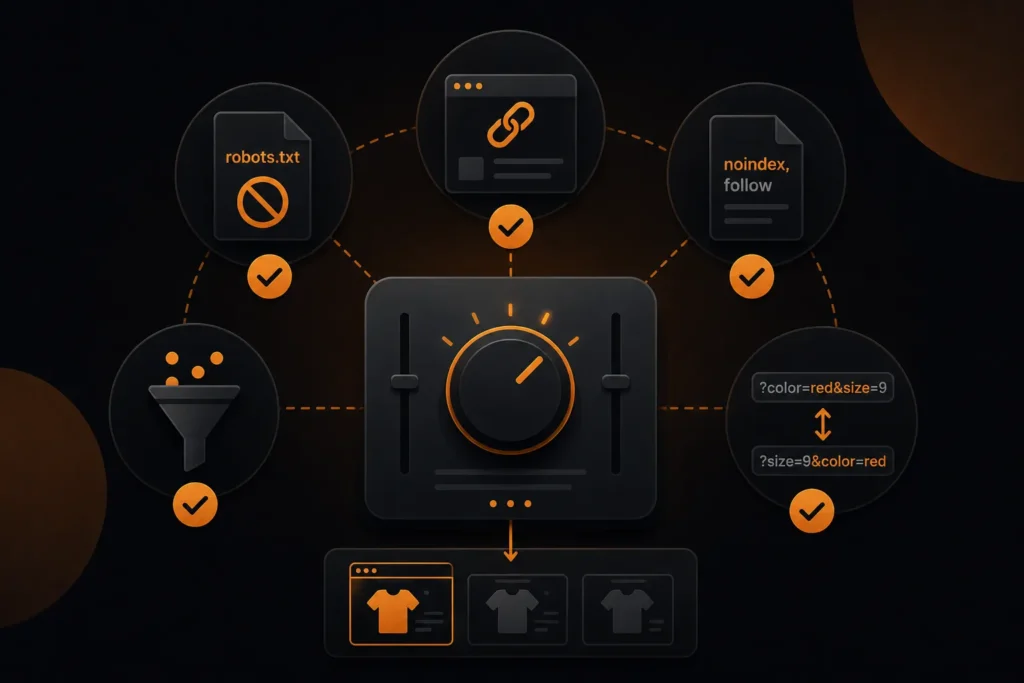
There is no single switch. It takes a combination, applied deliberately.
- Canonical filtered URLs to the unfiltered category, except the ones you deliberately index
- robots.txt to block parameter patterns that should never be crawled at all
- noindex, follow on combinations that must remain crawlable but not indexed
- Consistent parameter order so the same selection always produces the same URL
That last point is the one most often missed and the cheapest to fix. If ?color=red&size=9 and ?size=9&color=red both resolve, you have doubled your URL space for nothing.
Which control fits which kind of facet?
Match the control to what you want search engines to do with the URL. Google describes robots.txt as the way to stop crawling of filter parameters, and canonical and nofollow as weaker signals that may reduce crawling of variants gradually rather than immediately.
| Facet type | Goal | Typical control |
|---|---|---|
| Sort order, view toggle, price slider | Never crawled or indexed | Block the parameter in robots.txt |
| Multi-attribute combinations | Not indexed, may stay crawlable | Canonical to the parent category, or noindex, follow |
| Single facet with real search demand | Indexed as a landing page | Clean URL, own title and copy, linked from navigation |
| Combination with no results | Should not exist | Return a 404 at that URL |
| Duplicate or reordered parameters | One URL per selection | Enforce a fixed parameter order in the application |
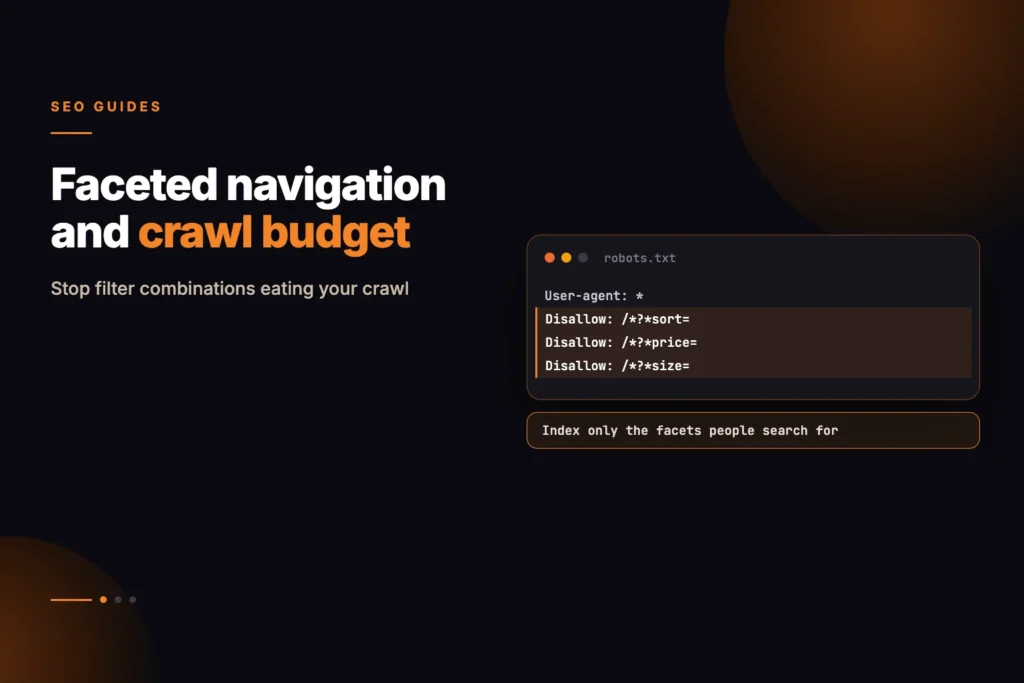
Google’s example robots.txt for this case disallows patterns such as *?*products=, *?*color= and *?*size= while allowing item pages and one unfiltered listing page. A simplified sketch of the same idea, with placeholder parameter names:
User-agent: *
Disallow: /*?*color=
Disallow: /*?*size=
Disallow: /*?*sort=
Test any pattern before you ship it. A rule that is too broad can block the category pages you want crawled.
Check what you actually generate
Most teams underestimate this by an order of magnitude. Crawl your own category pages and count the distinct URLs a crawler can reach from them.
Our on-page audit tool will show you whether a given filtered URL is indexable and where its canonical points, which is usually enough to reveal the pattern.
For the wider problem, see our e-commerce SEO services — architecture is the part that decides whether the rest of the work has anywhere to land.
Spotting the problem before it costs you
Three checks will tell you whether faceted URLs are a real problem on your store or a theoretical one.
- Compare indexed pages in Search Console against the number of products and categories you actually have. A large gap is filter URLs.
- Look at the Crawl Stats report. If crawl requests vastly exceed your page count, budget is going to permutations.
- Search
site:yourdomain.com inurl:?and see how many parameter URLs are indexed.
The gap is usually larger than expected. A store with 2,000 products showing 40,000 indexed URLs is not indexing products.
A step-by-step cleanup plan
- List every filter parameter your platform can generate, including sort, view and tracking parameters.
- Sort them into never-crawl, crawlable-but-not-indexed, and worth-indexing, using the table above.
- Fix generation first. Enforce one parameter order, stop empty parameters, and use the standard
&separator, since Google notes that commas, semicolons and brackets are hard for crawlers to recognise as separators. - Return a 404 for filter combinations with no results, duplicated filters and nonexistent pagination, rather than redirecting to a generic error page.
- Apply robots.txt rules for the never-crawl group and canonical or noindex for the rest.
- Promote real landing pages to clean URLs with their own titles and copy.
- Monitor. Recheck indexed counts and Crawl Stats after a few weeks; crawling of old URLs falls gradually.
Parameter order, and the cheapest fix available
If ?color=red&size=9 and ?size=9&color=red both return a page, you have doubled your URL space for no benefit. With three filters the multiplier is six.
Enforce a canonical parameter order at the application level so any selection always produces one URL. This is usually a small change in how filter links are generated and it removes an entire class of duplication.
Do the same for empty parameters. A URL carrying ?color= with no value should not exist.
When a filter deserves its own page
Some facets are genuine landing pages and should be indexable, with their own title, description and ideally their own copy.
- There is real search demand for the phrase the facet represents
- The result set is substantial and stable rather than two products
- The page can say something a broader category page cannot
If all three hold, treat it as a category rather than a filter: give it a clean URL rather than a parameter, and link to it from navigation or content.
If any fail, canonicalise it away. A thin filtered page competing with its own parent helps nobody.
Common faceted navigation mistakes
- Blocking in robots.txt and expecting the canonical to work. A blocked URL is not crawled, so its canonical is never read.
- Canonicalising everything to the homepage or to page one. This hides products from search.
- Filters built with URL fragments. Google generally does not support fragments for crawling and indexing, so they neither help nor hurt crawling; do not rely on them to create indexable pages.
- Letting internal links point at filtered URLs everywhere. Links are signals; link to clean category URLs by default.
- Treating it as a one-off fix. New filters and plugins can reopen the problem, so recheck after each platform change.
If your store runs on Shopify, see our Shopify SEO page; for marketplace-style catalogues, our ecommerce and marketplace SEO page covers the wider architecture work. MoxSEO publishes starting prices for e-commerce SEO packages from $799 per month on the packages page, with a written proposal confirming the final fee.
Sources and further reading
Stop Faceted Navigation from Wasting Crawl Budget
Faceted navigation can quietly create thousands of duplicate or low-value URLs that compete for crawl attention without adding meaningful content. Contact MoxSEO for a faceted-navigation audit covering filter parameters, canonical tags, robots.txt rules, noindex directives, parameter ordering, empty result pages, pagination, internal linking, and indexable category opportunities. We will identify which filtered pages deserve dedicated landing pages and which combinations should be consolidated, blocked, or removed from the index.
Schedule a consultation with MoxSEO to review your ecommerce architecture and create a practical crawl-control plan. Our team will help you reduce unnecessary URL combinations, protect important product and category pages, and build a cleaner site structure that search engines can crawl and understand more efficiently.
Frequently asked questions
Should I block all filter URLs in robots.txt?
No. Blocking prevents crawling, which means Google never sees the canonical either. Block only what should never be crawled at all.
Is noindex, follow better than canonical for facets?
They do different jobs. Canonical consolidates signals; noindex removes the URL from the index. Facets that must stay crawlable but not indexed want noindex, follow.
How do I know which facets have search demand?
Look at what people actually search for in your category, then check whether your filter produces a page matching that phrase.
Does this apply to small catalogues?
Less so. With a few hundred products crawl budget is rarely the constraint, though duplicate titles still are.
What status code should an empty filter page return?
Google recommends a 404 for filter combinations with no results, duplicated filters and nonexistent pagination, served at the URL where it occurred rather than through a redirect to a generic error page.
Which URL separator should filters use?
The standard ampersand. Google says commas, semicolons and square brackets are hard for crawlers to recognise as separators between parameters.
Does rel nofollow on filter links help?
It can, but Google calls it a weaker signal, and every link to a filtered page needs the attribute for it to work. Use it as support for robots.txt or canonical, not as the only control.
How long until crawling of filter URLs drops after a fix?
It is gradual. Google recrawls old URLs over time, so expect weeks rather than days. Recheck indexed counts in Search Console and the Crawl Stats report over that period.