






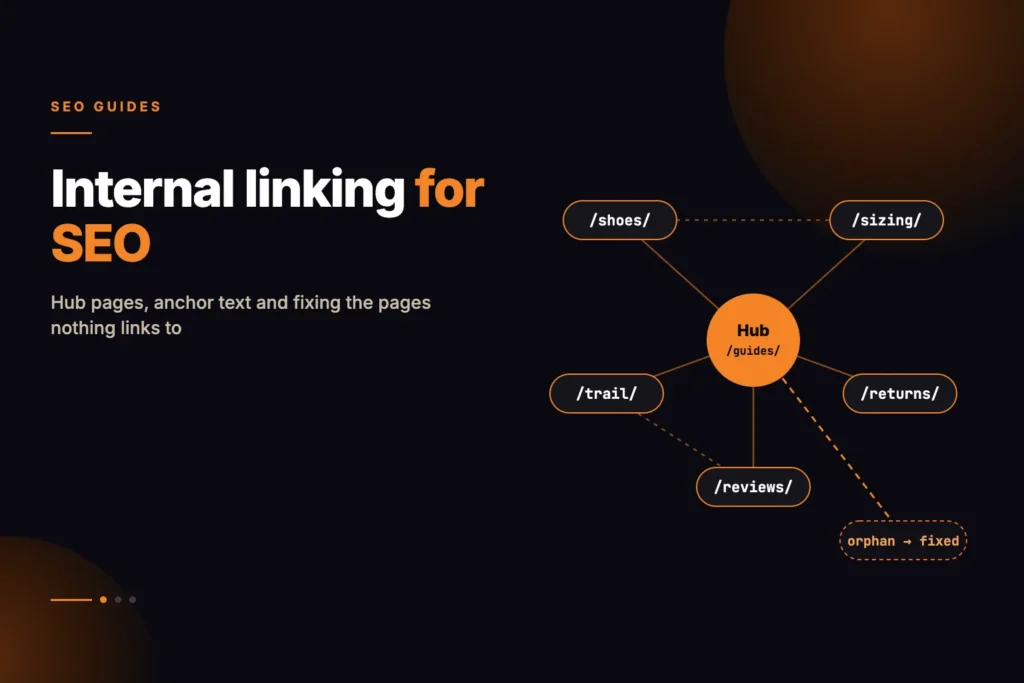
Internal linking for SEO means placing links inside your own content, from one relevant page to another, so that search engines and readers can find every page you care about and understand what each one is about. The work comes down to four jobs: find pages that should link to each other but do not, write anchor text that describes the destination, organise each topic around a hub page, and give every orphan page at least one editorial link.
Short answer: Start from a section of your site, list which pages link to which (ignoring menus, headers and footers), and fix the pages with no inbound editorial links first. Then add contextual links between pages that cover related ground, using descriptive anchor text that names the destination’s topic. There is no ideal number of links per page; add a link wherever a reader would genuinely want to go next, and no more.
Our free internal link finder is built for the first step. It crawls up to 12 pages of one section with navigation, header and footer stripped out, lists the pages nothing links to, and suggests pairs of pages that share distinctive terms but do not link to each other. This guide covers what to do with that list, and how to build links by hand when you need to go further.
What is internal linking and why does it matter for SEO?
An internal link is any link from one page on your site to another page on the same site. Search engines use links to discover pages and to understand how they relate. Google’s documentation says it finds most new pages by following links from pages it already knows about, and it recommends that every page you care about has a link from at least one other page on your site. A page with no internal links pointing at it depends on your sitemap or an external link to be found at all.
Links also carry meaning. Google’s guidance on link best practices says anchor text helps both people and Google understand the page being linked to. A link reading how to test robots.txt tells a crawler far more about its destination than one reading read more.
Internal links also show which pages you treat as important, and you control that structure entirely, which makes internal linking one of the most practical parts of on-page SEO.
Do menu and footer links count as internal links?
Google does crawl them, but for auditing and planning they tell you almost nothing. A link in the main menu appears on every page, so if your navigation sits on 500 pages, every menu item shows 500 inbound links. Your most important service page and your privacy policy can end up with identical counts.
Editorial links are different. Someone chose to put them in a particular sentence because the destination was relevant at that point. That choice is the signal worth measuring, and it is why the internal link finder removes navigation, header and footer before it counts anything. A page linked only from the menu often looks well connected in a standard crawl but has no editorial support at all.
How do you find internal link opportunities?
A link opportunity is a place where one page already discusses something another page covers in detail, but does not link to it. Two methods find most of them.
1. Map the links that already exist
Before adding anything, see what is there. For each page in a section, you want its inbound editorial links, its outbound editorial links and whether anything links to it at all. Sorting by fewest inbound links puts your weakest-supported pages at the top, which is where the work should start.
2. Look for pages that share vocabulary
Pages about related topics tend to use the same distinctive words. If your guide to redirect chains and your guide to crawl budget both repeat terms such as redirect, crawler and hops, they probably belong together. The internal link finder does a simple version of this: it takes each page’s most frequent words of five or more letters, removes common words, and flags any two pages that share three or more of those terms with no link between them. Shared words are a prompt, not a verdict.
How to build internal links, step by step
- Pick one section. Choose a section index with links into the area you want to improve, such as your blog index or a services hub. Run it through the internal link finder, which follows editorial links outward from that page for up to 12 pages on the same host.
- Fix orphans first. Any page you want found that has zero inbound editorial links gets one contextual link from the most relevant related page. One good link is usually enough to start.
- Work down the weakly linked pages. Next, look at important pages with only one or two inbound editorial links and ask which other pages genuinely discuss their topic.
- Review each suggestion. For each pair of pages flagged as sharing terms, read both. If the shared terms describe the same subject, add a link inside the body copy, in the sentence where that subject comes up.
- Write the anchor text. Use words that describe the destination, ideally one of the shared terms or the phrase the destination page is about. Keep it short and natural within the sentence.
- Check the destination. Point each link at the final URL, not a redirect, and at the indexable page you want to rank.
- Crawl again. After publishing, re-run from the same start page and confirm the orphans now have inbound links.
What makes good internal link anchor text?
Google’s link best practices ask for anchor text that is descriptive, reasonably concise and relevant to the page it links to, and they specifically discourage generic text such as click here or read more. In practice, good anchor text reads naturally in the sentence and tells the reader what they will get when they click.
| Anchor text | Verdict | Why |
|---|---|---|
| click here | Avoid | Says nothing about the destination. |
| this article | Avoid | Generic; relies entirely on surrounding text. |
| redirect chains | Good | Short, names the destination’s topic. |
| how redirect chains waste crawl budget | Good | Descriptive and specific, still reads as part of a sentence. |
| best SEO agency redirect chains crawl budget guide | Avoid | Stuffed with keywords; reads unnaturally. |
Vary anchor text naturally rather than repeating one exact phrase everywhere, and avoid using the same anchor text for two different destinations, which blurs which page covers that topic.
What are hub pages and how do you build one?
A hub page is an overview of a topic that links out to the detailed pages within it, which in turn link back to the hub and to each other where relevant. It gives a topic a single clear entry point and makes the relationship between its pages obvious, both to readers and to crawlers.
A useful hub is not just a list of links. It summarises the topic, explains how the subtopics fit together, and links to each detailed page at the point where that subtopic comes up. Each detailed page links back to the hub, and sideways to siblings only where a reader would need them.
An illustrative structure for a fictional technical SEO section at example.com:
/technical-seo/                      hub: overview of technical SEO
  -> /technical-seo/robots-txt/      detail page
  -> /technical-seo/xml-sitemaps/    detail page
  -> /technical-seo/redirects/       detail page
  -> /technical-seo/canonical-tags/  detail page

Each detail page:
  -> links back to /technical-seo/
  -> links to a sibling only where the topics overlap
     (redirects <-> canonical-tags, robots-txt <-> xml-sitemaps)
Our technical SEO guide works in a similar way: it introduces each area briefly and links to the detailed explainer for anyone who needs more.
How do you fix orphan pages?
An orphan page, in the strict sense used here, is a page with no editorial link pointing at it. Our guide to orphan pages and the URLs nothing on your site links to covers how they arise; the fix depends on whether the page deserves to exist.
| Situation | Action |
|---|---|
| Useful page, simply forgotten | Add one contextual link from the most relevant related page, inside the body copy. |
| Useful but thin | Expand it first, then link to it, or merge it into a stronger related page. |
| Near-duplicate of another page | Merge the two and redirect the weaker URL to the stronger one. |
| Outdated or no longer relevant | Update it, or remove it and redirect to the closest equivalent if it has external links or traffic. |
| Intended to be private, such as a campaign landing page | Leave it unlinked and decide deliberately whether it should be indexable at all. |
One limitation to keep in mind: a crawler that follows links will never reach a true orphan, because nothing links to it. The internal link finder crawls by following links, not by reading your sitemap, so a page reachable only through the sitemap will not appear in its results. To check whether a specific URL is listed in your sitemap, along with its canonical and indexability, run it through the On-Page SEO Audit.
How many internal links should a page have?
There is no correct number, and Google does not publish one. The right count depends on the page’s length and how many genuinely related pages exist. A long guide covering several subtopics may naturally link to many pages; a short product description might link to two.
A few practical tests work better than a target number:
- Every page you want found has at least one editorial link from a related page.
- Each link sits where a reader would plausibly want to go next, not in a block of links at the bottom.
- You are not linking to the same destination several times from one page; the first link usually does the job.
- Links point at the strongest page on a topic. A thin page with many inbound links is usually the wrong page to be supporting.
If two pages share a large amount of vocabulary, linking them may not be the answer. The internal link finder notes that pairs sharing eight or more top terms may be competing for the same queries, in which case merging them into one stronger page is often the better fix.
Worked example: linking a small blog section
Imagine a fictional blog at example.com/blog/ with six posts. Running the section through a link map, with navigation removed, produces something like this:
| Page | Inbound editorial | Outbound editorial | Notes |
|---|---|---|---|
| /blog/redirect-chains/ | 0 | 2 | Orphan: nothing in the content links here. |
| /blog/xml-sitemap-errors/ | 0 | 1 | Orphan. |
| /blog/crawl-budget/ | 1 | 3 | Shares the terms redirect, crawler and hops with redirect-chains. |
| /blog/robots-txt-basics/ | 2 | 1 | Shares sitemap, crawler and directive with xml-sitemap-errors. |
| /blog/canonical-tags/ | 2 | 2 | Fine for now. |
| /blog/technical-seo-checklist/ | 3 | 4 | Acts as the hub, but does not link to either orphan. |
The fixes follow directly from the table:
- In
/blog/crawl-budget/, the sentence that mentions wasted crawler requests gains a link to/blog/redirect-chains/with the anchor text redirect chains. - In
/blog/robots-txt-basics/, the paragraph about the Sitemap line gains a link to/blog/xml-sitemap-errors/with the anchor common XML sitemap errors. - The checklist hub adds a link to each orphan under the relevant checklist item, so both are reachable from the section’s main overview.
- Each of the two former orphans gains a link back to the checklist where the wider topic is introduced.
Common internal linking mistakes
Linking through redirects
Links that point at an old URL which then redirects make crawlers take an extra step and can build up into chains as a site changes. Update internal links to point at the final URL. Our post on redirect chains and crawl budget explains why this adds up.
Links that are not real links
Google’s documentation says it can reliably follow links only when they are <a> elements with an href attribute. Buttons or script handlers with no href may not be followed at all.
Linking to pages you do not want indexed
Sending prominent internal links to a page that carries noindex, or to a URL whose canonical points elsewhere, splits attention from the page you actually want to rank. Link to the canonical, indexable version.
Every new page needs links to it, and every restructure can leave pages stranded. Running the internal link finder from each section index after major changes is a quick way to catch new orphans. If you would like a full-site link map and a linking plan built around the pages that matter commercially, that is part of our SEO work.
What is internal linking in SEO?
Internal linking is placing links from one page on your site to another page on the same site. It helps search engines discover pages, understand what each page is about through anchor text, and see which pages you treat as important.
How do I find internal linking opportunities?
Map which pages in a section link to each other with navigation, header and footer removed, then look for pages with no inbound editorial links and pairs of pages that cover related topics without linking. Searching your own site for a page’s main phrase also finds pages that mention the topic but do not link to it.
How many internal links should a page have?
There is no fixed number and Google does not publish one. Every page you care about should have at least one editorial link from a related page, and each link should sit where a reader would genuinely want to go next.
What anchor text should I use for internal links?
Use short, descriptive text that names the destination’s topic and reads naturally in the sentence. Avoid generic text such as click here or read more, and avoid stuffing keywords into the anchor.
What is an orphan page?
An orphan page is a page that no other page on your site links to. A stricter, more useful definition counts only editorial links in body content, so a page linked only from the menu is effectively an orphan too.
Do footer and menu links help internal linking?
They help crawlers reach pages, but because they appear on every page they say little about which pages matter. Editorial links placed in body content are the ones worth planning and measuring.