






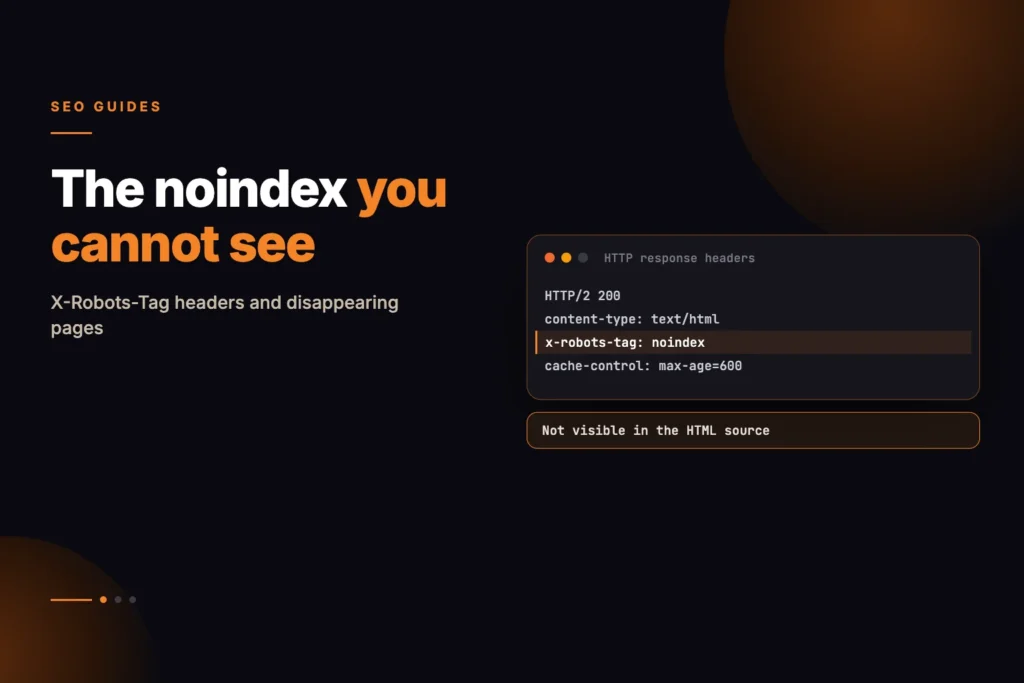
A well-written and properly linked page can still disappear from Google without any visible explanation in its HTML. One common reason is an X-Robots-Tag noindex instruction delivered through the HTTP response header instead of a standard meta tag. Because it does not appear in view-source, the page may look completely indexable while search engines are being told to remove it from the index.
Short answer: An X-Robots-Tag is an HTTP response header that can carry the same indexing instructions as the robots meta tag, including noindex. It is set by the server, a plugin or a CDN rule, so it never shows in view-source. If a page vanishes from Google and its HTML looks fine, check the response headers for the exact URL, remove the rule at its source, then ask Google to recrawl the page.
Two ways to say noindex
There are two mechanisms, and they carry equal weight. The first is the familiar meta tag in the page head. The second is an X-Robots-Tag HTTP response header, sent by the server before any HTML arrives.
The difference matters because only one of them is visible when you look at a page. Right-click, view source, search for “noindex”, find nothing, conclude the page is indexable — and be wrong.
- Meta robots — sits in the HTML head, visible in view-source
- X-Robots-Tag — sits in the HTTP response headers, invisible in view-source
- Both are honoured. Either alone is enough to remove a page from the index.
| Meta robots tag | X-Robots-Tag header | |
|---|---|---|
| Where it lives | In the page’s HTML head | In the HTTP response |
| Visible in view-source | Yes | No |
| Works on PDFs and images | No, there is no head to put it in | Yes |
| Usually set by | CMS or SEO plugin, page template | Server config, plugin, CDN or proxy rule |
| Scope | One page at a time | Often a whole path, file type or site |
Where header-level noindex usually comes from
It is rarely deliberate. In our experience it arrives from one of a handful of places, none of which announce themselves.
- A staging environment promoted to production with its server config intact
- A security or performance plugin applying rules to a directory pattern
- A CDN or reverse proxy rule added for one path and matching more than intended
- A file-type rule, for example applied to PDFs, that catches HTML too
The common thread is that the rule lives in server configuration rather than in the site, so nobody editing pages ever sees it.
We hit a version of this while building our own audit tool. Our first implementation only read the robots meta tag, which meant a page carrying a header-level noindex would have been reported as fully indexable. We caught it against a test page built specifically to lie to us, and it is the reason the tool now reads response headers as well as page source.
How do you check whether a page has an X-Robots-Tag noindex?
You need to look at response headers, not page source. Our on-page audit tool reads both and reports whichever is present, so a header-level noindex is named explicitly rather than silently missed.
If you prefer to check manually, any HTTP inspection will do — browser dev tools under the Network tab, or a command-line request. What you are looking for is an X-Robots-Tag line in the response.
Check the specific URL that is missing, not the homepage. These rules are almost always scoped to a path, which is exactly why they go unnoticed.
You can also use the URL Inspection tool in Google Search Console. Google’s documentation says it shows the HTML that Googlebot received while crawling the page, and the Page indexing report lists pages where Googlebot found a noindex rule. That tells you what Google saw, which is the version that counts.
Why the page may still appear indexed
Removal is not instant. A page carrying a fresh noindex can remain in the index for days or weeks, and a site: search will still return it during that window.
That lag is the reason this problem often goes undiagnosed. By the time traffic drops enough to investigate, the change that caused it is weeks old and nobody connects the two.
If a tool reports a noindex on a page you can still find in search, believe the tool. The page is on its way out.
Google says Googlebot has to recrawl a page before it sees a new rule, and that depending on how important the page is, recrawling can take as long as months. The timing therefore varies page by page, which is another reason to check headers as soon as you notice a drop.
How to actually read your response headers
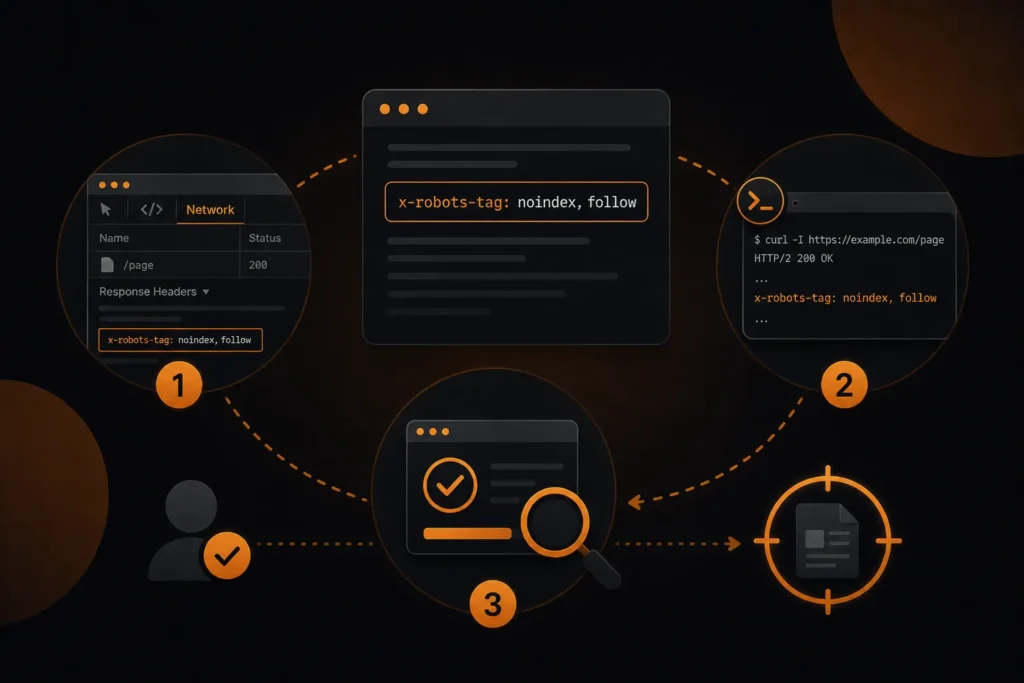
You cannot see this in view-source, so the check has to happen at the HTTP layer. There are three practical routes, in rough order of convenience.
- Browser dev tools. Open the Network tab, reload, click the first document request, read the Response Headers panel. Look for a line beginning
x-robots-tag. - Command line. A single request with headers returned is enough. You are reading the response, not the body.
- A tool that checks both. Our on-page audit reports whichever mechanism is present and names it explicitly.
Whichever route you take, check the specific URL that is missing rather than the homepage. These rules are almost always scoped to a path, which is precisely why they survive undetected.
The syntax, and the part that catches people out
A header can target all crawlers or one in particular. Both of these are valid:
X-Robots-Tag: noindex— applies to every crawler that honours the protocolX-Robots-Tag: googlebot: noindex— applies to Googlebot only
The second form is the one that produces genuinely confusing symptoms. The page performs normally in Bing, is absent from Google, and nothing in the HTML explains the difference.
A page can also carry several X-Robots-Tag lines, each targeting a different crawler. If you find one, keep reading — there may be more below it.
Google’s robots meta tag specification confirms that multiple X-Robots-Tag headers can be combined in one response and that rules without a named user agent apply to all crawlers. It also says that where rules conflict, the more restrictive one applies, so a permissive meta tag cannot cancel a restrictive header. The same page lists other rules besides noindex that a header can carry, such as nofollow, none (noindex and nofollow together), nosnippet and unavailable_after, so a line that does not say noindex can still change how your page appears.
Does robots.txt interfere with noindex?
Yes, and this is a common trap. Google’s noindex documentation says the page must not be blocked by robots.txt for noindex to work, because a crawler that cannot fetch the page never sees the rule. So if you want a page removed from search, do not also disallow it in robots.txt. If you want a noindex header you added by mistake to be noticed and removed from Google’s view, make sure the page is crawlable so Google can see the corrected response.
A worked example
This example is hypothetical. Imagine a business whose blog posts under /guides/ drop out of Google over a few weeks after a hosting migration. The pages look normal in view-source and the meta robots tag says index. Checking the response headers for one affected URL shows an X-Robots-Tag noindex line that the new server applies to everything under that path, copied from a rule meant for a private downloads folder. Pages outside that path are unaffected, which explains why the homepage looked fine.
The fix is to narrow or delete the rule in the server configuration, confirm with a fresh header check that the line is gone, and then request indexing for the most important URLs in Search Console. The business then watches the Page indexing report as pages return, starting with those with the strongest internal links.
Fixing it, and what to expect afterwards
Find the rule and remove it at source. That will be in your server configuration, a plugin setting, or a CDN rule, depending on where it came from. Editing the page will do nothing.
Once removed, request indexing for the affected URLs in Search Console rather than waiting. A page that was deliberately excluded may not be recrawled promptly on its own.
Expect days rather than hours, and expect the recovery to be uneven. Pages with stronger internal linking tend to return first, which is a reasonable proxy for how your own site ranks their importance.
One caution: if the noindex was applied deliberately by someone else, find out why before removing it. Staging environments, client-only areas and thin archive pages are all legitimately excluded, and undoing that creates a different problem.
What are the common mistakes when debugging missing pages?
- Checking only the HTML. View-source cannot show response headers.
- Testing the homepage instead of the missing URL. Path-scoped rules leave the homepage untouched.
- Testing only with a browser user agent. Rules aimed at one crawler may not show up in a normal request.
- Blocking the page in robots.txt as well. Google cannot then see the header, whether you are adding or removing it.
- Fixing the page template but not the server. Nothing changes until the header itself is removed.
For WordPress sites, security and caching plugins are frequent sources of path-based header rules. Our WordPress SEO service covers this kind of audit, and our methodology page explains how we test our own tools.
Sources and further reading
Find Hidden Noindex Issues Before Pages Disappear
A page can look completely indexable while an unnoticed X-Robots-Tag header quietly removes it from Google. Contact MoxSEO for a technical indexability audit that checks both page-level robots directives and HTTP response headers across the URLs that matter most. We can trace unexpected noindex rules back to server configuration, CDN settings, security tools, WordPress plugins, or path-level directives, then provide a clear recovery plan without removing exclusions that were added intentionally.
Schedule a consultation with MoxSEO to review missing pages, unexplained traffic drops, conflicting crawler directives, or indexing problems that do not appear in the HTML. We will help you identify the source of the issue, prioritise affected URLs, and restore the correct indexing signals across your website.
You can also read about our general SEO services or get in touch directly.
Frequently asked questions
Does X-Robots-Tag override the meta robots tag?
They do not override each other. If either says noindex, the page is not indexed. The most restrictive instruction wins.
Can I see X-Robots-Tag in my browser?
Not in view-source. Open developer tools, go to the Network tab, reload the page, click the document request and read the response headers.
Why would anyone use the header instead of the meta tag?
Because it works on files that have no HTML head. It is the only way to apply noindex to a PDF, an image or any other non-HTML resource.
How long does it take for a page to come back after removing it?
Often days once the page is recrawled, but timing varies. Google says recrawling can take as long as months depending on how important the page is. Requesting indexing in Search Console generally speeds it up.
Can I block a page in robots.txt and use noindex together?
No. If robots.txt blocks the page, Google cannot fetch it and never sees the noindex rule, so the page can still appear in results when other pages link to it. Allow crawling and use noindex.
Is noindex the same as nofollow?
No. Noindex keeps the page out of search results. Nofollow tells Google not to follow the links on the page. The rule none means noindex and nofollow together.
Can an X-Robots-Tag target only Google?
Yes. Adding a crawler name before the rule, as in googlebot: noindex, applies it to that crawler only. Rules without a name apply to all crawlers that follow the protocol.